Update Apple Support App for Proper iPhone Duo Display
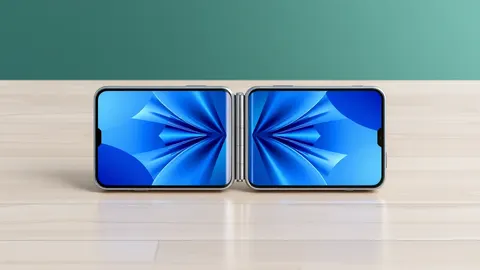
Apple released an update to its support app so it fits the wider iPhone Duo screen and works in split view mode.

Key points
- The Apple Support app now supports the iPhone Duo and iOS 27.1.
- Updated apps display correctly on the wider screen without black bars.
- Third-party app updates are expected in the coming weeks.
Apple released an update for its Apple Support application to ensure it displays correctly on the new iPhone Duo device. The update allows the app to utilize the full width of the screen rather than showing black bars on the sides. This change also enables users to run the support app alongside other applications using the split-view feature.
In plain English
When a new device has a significantly different screen size, existing software often does not fit properly. Apps that have not been updated for the new dimensions are usually displayed with thick black bars on either side. This is known as letterboxing. It preserves the original layout but wastes screen space. Apple’s update removes these bars for its own support tool.
The background
iPhone Duo reviews went live today, and reviewers noted that poorly sized applications are a common complaint. According to MacRumors, many apps currently appear letterboxed on the device because they lack specific updates for the new hardware. Apple confirmed that the Apple Support app, which helps users troubleshoot issues, has been adapted for the iPhone Duo and iOS 27.1.
What changes now
Users can now use the Apple Support app in split view, allowing them to follow troubleshooting steps while viewing other content. Apple stated it will continue adapting its own applications for the device. The company expects a steady stream of third-party app updates in the coming weeks. MacRumors notes that major screen size changes typically cause early compatibility issues.
Key terms explained
Letterboxing occurs when an app’s aspect ratio does not match the device screen, resulting in black bars. Split view allows two apps to run side by side. Teams usually monitor app store updates after hardware launches. Check whether critical tools display correctly on new devices. Verify that split view functions as expected for productivity workflows. Ensure that interface elements remain clickable after resizing.
What to do and how to stay safe: Apple
- Check for the latest version of the Apple Support app in the App Store.
- Verify that the app fills the screen without black bars on your device.
- Test split view functionality to ensure the app works alongside others.
- Monitor third-party apps for updates that improve display compatibility.
General security guidance from the Vector Update newsroom. It is not confirmed advice from the organisations named in this story.
Frequently asked questions
Does the Apple Support app work with iOS 27.1?
Yes, the update adds support for the iPhone Duo and iOS 27.1.
Will third-party apps be updated for the iPhone Duo?
Apple expects plenty of third-party app updates in the coming weeks.
Is the Apple Support app free to download?
Yes, it is a free download from the App Store.