Endpoint Protection Best Practices That Actually Stop Attacks
Most endpoint breaches succeed because defenses rely on static signatures, leaving modern fileless and living-off-the-land attacks completely invisible until damage occurs.

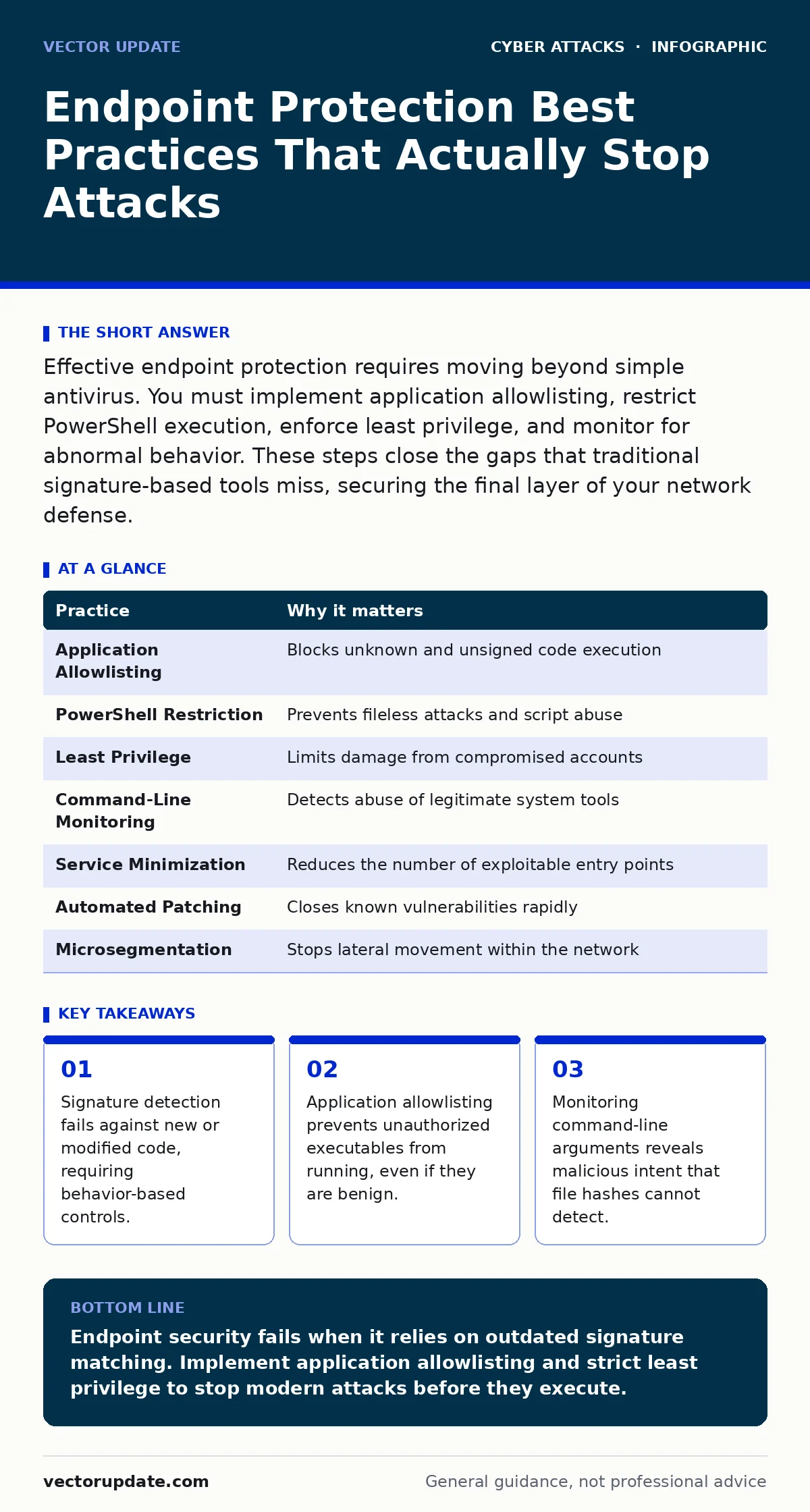
Effective endpoint protection requires moving beyond simple antivirus. You must implement application allowlisting, restrict PowerShell execution, enforce least privilege, and monitor for abnormal behavior. These steps close the gaps that traditional signature-based tools miss, securing the final layer of your network defense.
The Shift from Signature to Behavior
Traditional endpoint protection relied on matching file hashes against a database of known malware. This method is slow and reactive. By the time a signature exists, the attack has often succeeded. Modern adversaries use polymorphic code, which changes its structure with every execution. This prevents static matching. You must shift your focus from what a file is to what it does. Behavior-based detection looks for actions that are rare or dangerous. This approach catches novel threats that have no known signature. It also reduces false positives from legitimate software updates.
1. Implement Application Allowlisting
Allowlisting specifies exactly which applications can run on a system. Everything else is blocked by default. This is the opposite of blacklisting, which tries to block known bad files. Blacklists are always incomplete. Allowlisting assumes that any code not explicitly approved is hostile. This stops zero-day exploits and unsigned scripts immediately. You do not need to know the threat in advance. You only need to know what your environment requires to function.
2. Restrict PowerShell and Script Execution
PowerShell is a powerful administrative tool that attackers frequently abuse. It can execute code in memory without touching the disk. This makes it invisible to traditional file scanners. Attackers use PowerShell to download payloads or exfiltrate data. You must restrict execution policies to only signed scripts. Audit all script usage for anomalies. Log every invocation that bypasses standard controls. This limits the attacker’s ability to run code once they have initial access. It forces them to rely on less flexible methods.
3. Enforce Strict Least Privilege
Users should only have the permissions necessary for their specific job. Administrative rights grant full control over the operating system. If an admin account is compromised, the attacker owns the machine. Standard user accounts cannot install software or modify system settings. This containment limits the blast radius of a breach. You must separate daily work accounts from administrative accounts. Never use an admin account for email or web browsing. This simple separation stops many automated malware strains from gaining footholds.
4. Monitor Command-Line Arguments
Many attacks use legitimate system tools like whoami or ipconfig. This technique is called living off the land. The tool itself is harmless. The danger lies in how it is used. An attacker might use certutil to download a file. Monitoring command-line arguments reveals this intent. You can detect when a standard tool is used in an unusual way. This provides visibility into fileless attacks. It complements other controls by adding context to system activity.
See also: Intrusion Detection Systems Best Practices for Network Security · How to Detect Dictionary Attacks in System Logs
5. Disable Unnecessary Services and Ports
Every running service is a potential entry point. Many services are enabled by default but rarely used. These idle services listen for connections. Attackers scan for these open doors. Disabling unused services reduces the attack surface. You must audit your systems regularly. Turn off services that do not support business operations. This includes legacy protocols that are no longer secure. Fewer services mean fewer vulnerabilities to patch and monitor.
6. Automate Patch Management
Vulnerabilities in operating systems and applications are common. Attackers exploit known flaws quickly. Manual patching is slow and error-prone. Automated systems ensure that updates are applied promptly. You must prioritize critical security updates over feature updates. Test patches in a staging environment first. This prevents compatibility issues from breaking production systems. Speed matters when a zero-day exploit is in the wild. Delayed patching leaves windows of exposure that attackers will exploit.
7. Isolate Endpoints via Microsegmentation
Network perimeter defenses are no longer sufficient. Once inside, attackers move laterally. Microsegmentation divides the network into small zones. Each zone has strict access controls. This limits the ability of malware to spread. If one endpoint is compromised, the infection stays contained. You must define communication rules between segments. Only allow traffic that is explicitly needed. This creates multiple layers of defense. It slows down attackers significantly.
| Practice | Why it matters |
|---|---|
| Application Allowlisting | Blocks unknown and unsigned code execution |
| PowerShell Restriction | Prevents fileless attacks and script abuse |
| Least Privilege | Limits damage from compromised accounts |
| Command-Line Monitoring | Detects abuse of legitimate system tools |
| Service Minimization | Reduces the number of exploitable entry points |
| Automated Patching | Closes known vulnerabilities rapidly |
| Microsegmentation | Stops lateral movement within the network |
The Hidden Cost of Visibility
Implementing these practices generates significant log data. Many organizations collect this data but fail to analyze it. This is a waste of resources. You need a strategy for alert triage. False alerts lead to fatigue. Analysts ignore warnings when they are constant. Tune your rules to focus on high-fidelity signals. Integrate endpoint data with other sources. Look for correlations across the environment. This context turns noise into actionable intelligence.
Integrating with Broader Security Controls
Endpoint protection does not work in isolation. It must connect with other security layers. For example, insights from intrusion detection systems can trigger endpoint scans. If a network anomaly is detected, you can isolate the affected device. This proactive response reduces dwell time. Similarly, understanding account takeover tactics helps you monitor for credential abuse. Endpoints are often the stage for these attacks. You must correlate login behavior with system activity.
Consider the role of email filtering in preventing initial access. If phishing emails are blocked, endpoint pressure decreases. However, some emails bypass filters. Endpoint controls serve as the safety net. They catch what the perimeter misses. This layered approach ensures resilience. No single tool provides complete security. You must integrate controls to create a cohesive defense.
Handling the Exceptions
Strict controls can break legitimate workflows. Users may need to run unsigned tools for development. You must have a process for handling exceptions. Do not disable controls globally to accommodate one user. Create temporary, time-bound exceptions. Review these exceptions regularly. Remove them when they are no longer needed. This balances security with usability. It prevents the gradual erosion of security standards.
The Reality of Detection
Even with best practices, some attacks will succeed. You cannot stop every attempt. The goal is to detect and respond quickly. Reduce the time between compromise and containment. This limits the damage. Regular testing of your controls is necessary. Simulate attacks to find gaps. Adjust your rules based on the results. Security is a continuous process. It requires constant refinement. Stay adaptable to changing tactics.
Balancing Performance and Security
Security tools consume system resources. Excessive monitoring can slow down endpoints. Users may disable tools to improve performance. This defeats the purpose. Choose tools that are efficient. Tune them to minimize impact. Monitor system health regularly. Ensure that security agents do not degrade productivity. If performance suffers, users will find ways around it. This creates new vulnerabilities. Balance is key to long-term compliance.
Final Considerations
Endpoint protection is about control and visibility. You must know what runs on your systems. You must stop what should not run. This requires discipline and automation. Manual processes are too slow. Integrate your tools. Share data between layers. Respond to threats quickly. This approach protects your organization. It builds resilience against evolving threats. Stay focused on behavior. Ignore the noise. Protect the core.
Key takeaways
- Signature detection fails against new or modified code, requiring behavior-based controls.
- Application allowlisting prevents unauthorized executables from running, even if they are benign.
- Monitoring command-line arguments reveals malicious intent that file hashes cannot detect.
Endpoint security fails when it relies on outdated signature matching. Implement application allowlisting and strict least privilege to stop modern attacks before they execute.
Frequently asked questions
How do I choose between cloud and on-premise endpoint management?
Choose based on your network bandwidth and data residency requirements. Cloud solutions offer easier updates but require constant connectivity. On-premise solutions give more control but require more maintenance.
Does application allowlisting block software updates?
It can if not configured correctly. Ensure that update mechanisms are signed and included in the allowlist. Test updates in a sandbox before deploying to production.
What is the biggest risk with PowerShell restrictions?
Breaking administrative automation. You must identify all legitimate scripts and sign them. Audit usage regularly to ensure only approved scripts run.
How often should I review endpoint policies?
Review them at least quarterly. Change more frequently if your environment changes. New software or hardware often requires policy adjustments.
How this guide was produced: written by the Vector Update editorial team with AI assistance, checked against the public references listed below, and reviewed when the facts change. See our editorial policy or report an error.