Login Alerts Explained: Why Noise Drowns Out Real Threats
Most login alerts are false positives caused by legitimate automation, meaning you will miss real attacks if you rely on volume rather than context.

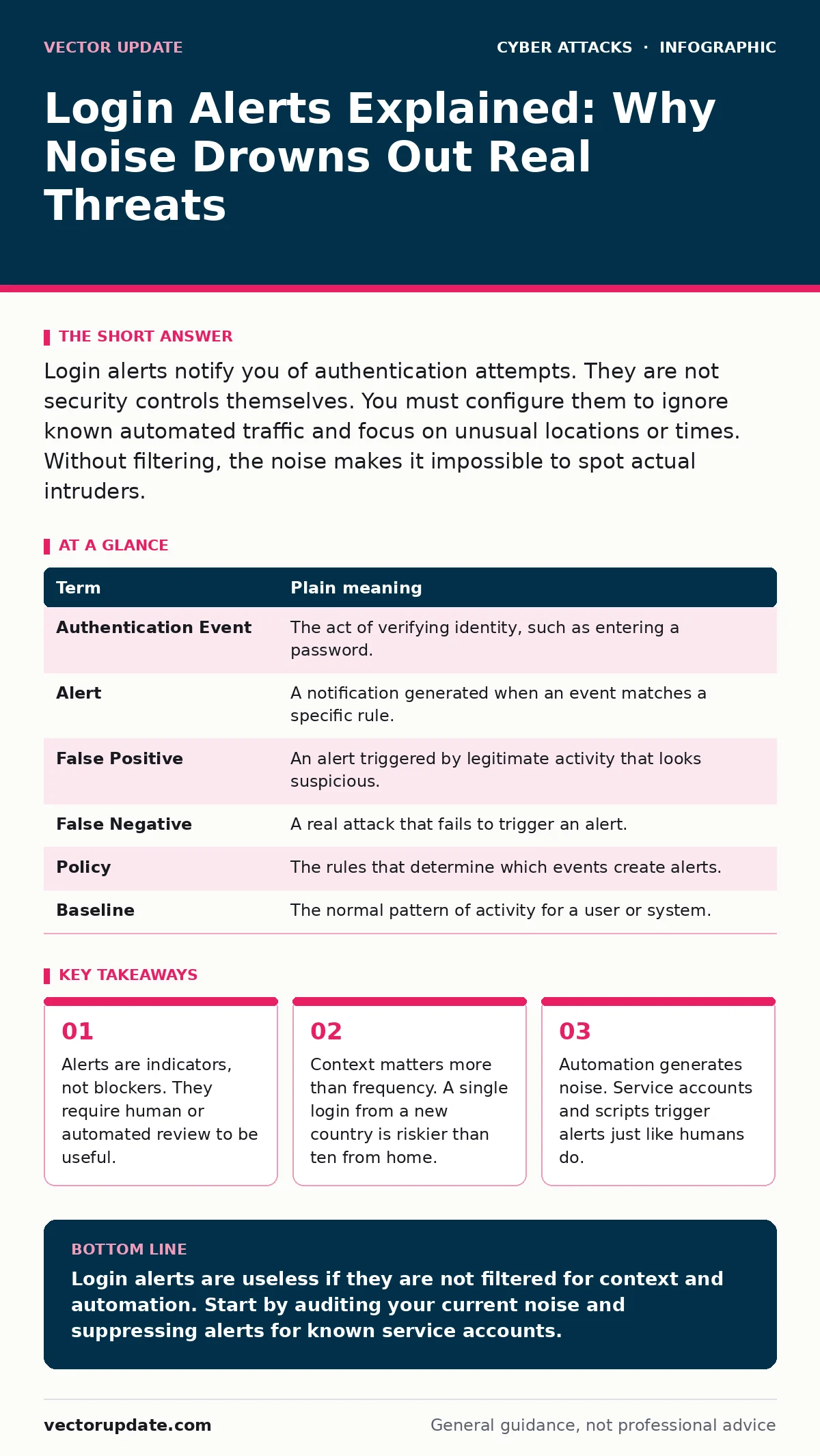
Login alerts notify you of authentication attempts. They are not security controls themselves. You must configure them to ignore known automated traffic and focus on unusual locations or times. Without filtering, the noise makes it impossible to spot actual intruders.
The Mailroom Analogy
Imagine your network is a large office building. The login alert system is the security guard at the front desk. Every time someone shows ID and enters, the guard writes a note in a logbook. This note is the alert. If the guard wakes you up every time a delivery driver enters, you will stop answering your phone. You will assume the guard is broken or overly cautious. Eventually, when a thief walks in with a forged badge, you will ignore the call because you expect noise.
This analogy holds true for digital systems. The guard does not stop anyone from entering. The guard only reports who entered. The physical lock on the door is your authentication method. The alert is just the report of that lock turning. If you do not distinguish between the mail carrier and the intruder, the report becomes useless.
Defining the Mechanism
To manage these alerts, you must understand the components. The authentication event is the action of a user or service proving their identity. The alert is the notification that this event occurred. The policy is the rule that decides which events generate alerts. Most systems default to alerting on every failure. This is the equivalent of the guard logging every incorrect key turn. It creates a mountain of data that hides the single correct key turn by an unauthorized person.
| Term | Plain meaning |
|---|---|
| Authentication Event | The act of verifying identity, such as entering a password. |
| Alert | A notification generated when an event matches a specific rule. |
| False Positive | An alert triggered by legitimate activity that looks suspicious. |
| False Negative | A real attack that fails to trigger an alert. |
| Policy | The rules that determine which events create alerts. |
| Baseline | The normal pattern of activity for a user or system. |
The Cost of Volume
You might think more alerts mean better security. This is a common mistake. When your inbox fills with notifications for every failed login, you develop alert fatigue. You start skipping over them. This is dangerous because attackers often use password spraying, a technique where they try one common password against many accounts. If your system alerts on every failure, you see hundreds of alerts. You assume it is a botnet and ignore them. Meanwhile, the attacker has successfully logged into three accounts. The noise hid the signal.
Context Over Count
A single login from a new device is not automatically bad. You might have borrowed a friend's laptop. However, a login from a new device combined with a new geographic location is suspicious. This is context. Your alert system should weigh these factors. If you travel, you update your baseline. If an attacker steals credentials, they rarely have your travel history. By focusing on the combination of factors rather than the count of attempts, you reduce false positives. You also reduce the chance of missing a account takeover where the attacker uses stolen credentials from a known location.
Automation Is Not Human
Servers and scripts log in too. If your monitoring system does not know which accounts are automated, it will alert on their activity. A backup script running at 3 AM from a data center looks like a break-in if you only look at the time. You must tag service accounts differently. This separation ensures that your alerts focus on human behavior. Human behavior is unpredictable and vulnerable to dictionary attacks. Machine behavior is predictable and scriptable. Treating them the same wastes your time.
See also: Detect Account Takeover: Signals in Logs, Behavior, and Blind Spots · Intrusion Prevention Systems: How IPS Blocks Threats in Real Time
Try This Now
You do not need a new tool to improve your alerting. You need to change how you look at existing data. Follow these steps to reduce noise and increase relevance.
- Audit your current alerts. Look at the last hundred alerts. How many were from known service accounts or internal IP ranges? If the number is high, you are drowning in noise.
- Define a baseline for critical accounts. Identify the top five most sensitive accounts. Note their usual login times and locations. Create a rule that alerts only on deviations from this pattern.
- Implement a suppression window. If an account fails five times in one minute, alert once. Do not alert on each failure. This reduces the volume while still flagging the brute force activity.
Integrating With Other Defenses
Alerts are reactive. They tell you what happened. You need proactive measures to stop the attack before it succeeds. Intrusion detection systems can analyze traffic patterns to spot anomalies before a login occurs. Email filtering stops the phishing emails that provide the initial credentials. Without these layers, your login alerts are just a receipt for a crime already committed. You cannot rely on alerts alone. They must be part of a broader strategy that includes endpoint protection to detect malware on the device performing the login.
The Human Element
Finally, you must decide what to do when the alert fires. An alert without a response plan is just a warning light on a dashboard. You need a clear procedure. Who checks the alert? How fast? What is the first action? If the alert is a false positive, how do you mark it so it does not happen again? If it is real, do you disable the account? Do you reset the password? Having this process in place ensures that the alert leads to action, not just anxiety.
Key takeaways
- Alerts are indicators, not blockers. They require human or automated review to be useful.
- Context matters more than frequency. A single login from a new country is riskier than ten from home.
- Automation generates noise. Service accounts and scripts trigger alerts just like humans do.
Login alerts are useless if they are not filtered for context and automation. Start by auditing your current noise and suppressing alerts for known service accounts.
Frequently asked questions
Should I alert on every failed login attempt?
No. This creates excessive noise and hides real attacks. Alert on patterns of failure or failures from unusual locations instead.
How do I distinguish between a user and a bot?
Look at the timing and volume. Bots often attempt logins at regular intervals or in rapid bursts. Humans have irregular patterns.
What is a false positive in this context?
It is an alert triggered by legitimate activity, such as a user traveling or a scheduled backup script running.
Do alerts stop hackers from logging in?
No. Alerts only notify you. You must have other controls, like multi-factor authentication, to actually block unauthorized access.
How this guide was produced: written by the Vector Update editorial team with AI assistance, checked against the public references listed below, and reviewed when the facts change. See our editorial policy or report an error.