How to Detect Dictionary Attacks in System Logs
Dictionary attacks leave a distinct fingerprint of rapid, sequential failures that standard monitoring often misses until credentials are compromised.

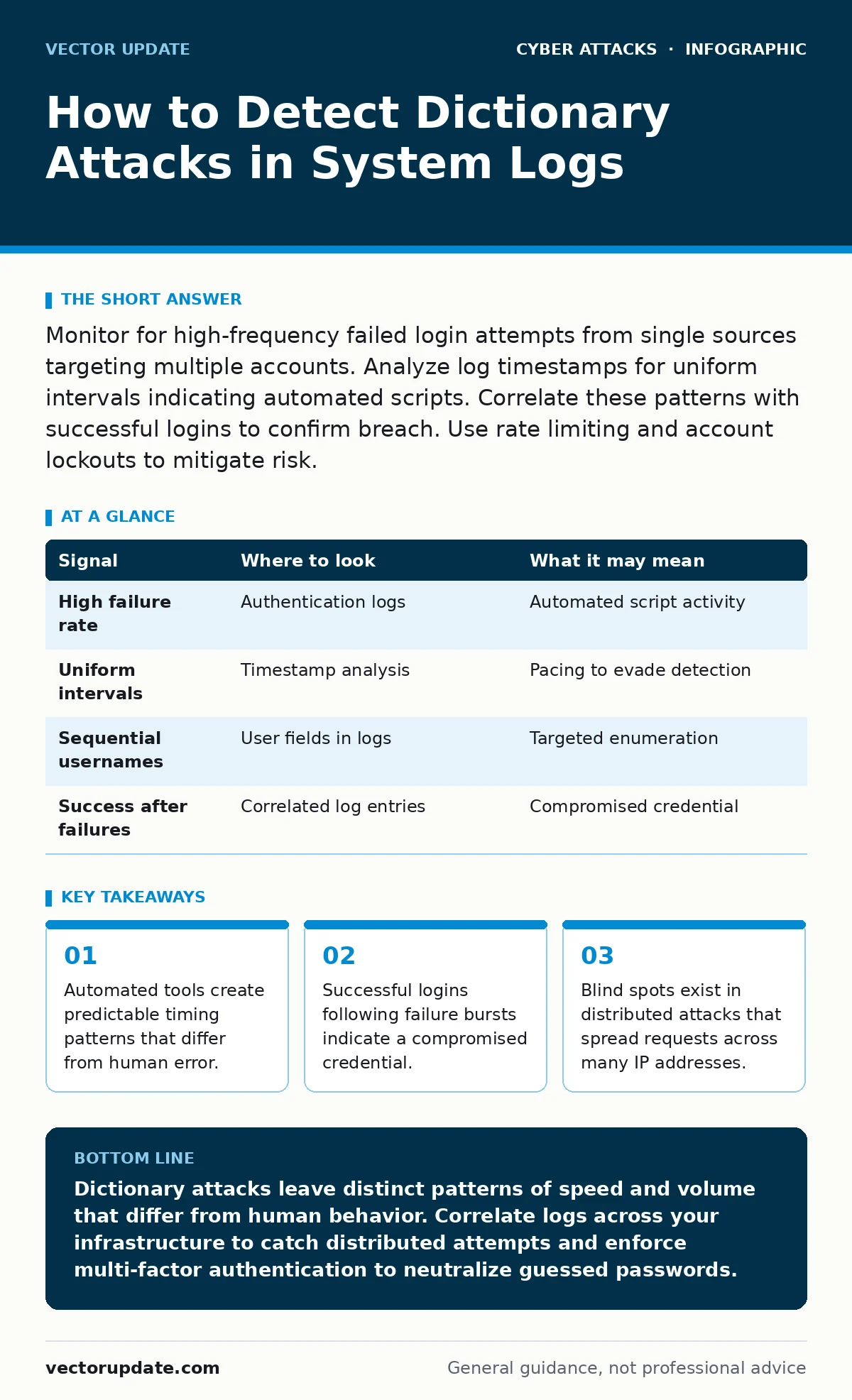
Monitor for high-frequency failed login attempts from single sources targeting multiple accounts. Analyze log timestamps for uniform intervals indicating automated scripts. Correlate these patterns with successful logins to confirm breach. Use rate limiting and account lockouts to mitigate risk.
The Anatomy of Automated Guessing
A dictionary attack is not a random guess. It is a systematic attempt to authenticate using a list of known words, phrases, or previously leaked passwords. The attacker feeds this list into a script that submits credentials at high speed. You are not looking for a single failed login. You are looking for a pattern of behavior that defies human capability.
Humans make typos. They forget passwords. They retry a few times before calling support. Scripts do not pause to think. They iterate through lists with mechanical precision. Your detection strategy must focus on volume, speed, and sequence. If you treat every failed login as a potential security event, you will drown in noise. You must filter for the specific signatures of automation.
Timing and Velocity Signals
The most immediate indicator is the speed of authentication requests. A human cannot submit five login attempts in one second. If your logs show multiple failures from the same source IP within a short window, a script is likely running. Look for uniform intervals between requests. Automated tools often sleep for a fixed duration between attempts to avoid triggering simple rate limits.
Suppose you see a burst of ten failures from one IP address, followed by a ten-minute gap, then another burst. This suggests the attacker is pacing their tool to stay under your threshold. Check the timestamp precision in your logs. If the milliseconds align too perfectly, it is almost certainly automated. Compare this against your normal user traffic. Legitimate users have variable, irregular intervals.
| Signal | Where to look | What it may mean |
|---|---|---|
| High failure rate | Authentication logs | Automated script activity |
| Uniform intervals | Timestamp analysis | Pacing to evade detection |
| Sequential usernames | User fields in logs | Targeted enumeration |
| Success after failures | Correlated log entries | Compromised credential |
Source and Target Correlation
You must correlate the source of the request with the target accounts. Dictionary attacks often target specific high-value accounts or iterate through a list of common usernames like admin, root, or service accounts. If you see a single IP address attempting to log in as userA, then userB, then userC, the attacker is enumerating valid accounts. This is often the precursor to a full dictionary attack on those specific identities.
Check for geographic anomalies. If an account that usually logs in from New York suddenly receives attempts from a data center in Eastern Europe, flag it. However, do not rely solely on geography. Attackers use proxies and VPNs. Combine geographic data with the velocity of requests. A slow, distributed attack from multiple locations is harder to detect but leaves a trail of failed attempts across your infrastructure.
The Success Pattern
A failed login is a warning. A successful login is a confirmation. The most dangerous moment is the transition from failure to success. If an IP address has hundreds of failed attempts and then one success, assume the credential is compromised. This is not a false positive. The attacker has found a match in their dictionary.
You must trace the session that follows the success. What resources did the attacker access? Did they download files? Did they change permissions? This post-compromise behavior is critical for understanding the impact. Integrate your authentication logs with your endpoint protection and file access logs. If you only look at the login event, you miss the damage.
Distributed Attack Vectors
Modern dictionary attacks rarely come from a single IP address. Attackers use botnets or residential proxy networks to distribute the load. This technique, often called password spraying, sends one common password to many accounts from many sources. It avoids locking out any single account and spreads the noise across your network.
Imagine an attacker sends the password "Summer2023" to 1,000 accounts from 1,000 different IPs. Each IP only makes one attempt. Your per-IP rate limits do not trigger. Your per-account lockouts do not engage. To detect this, you must aggregate logs across your entire infrastructure. Look for a spike in failures for a specific password hash or a specific user agent string. If you see a global increase in failures for a common password, you are likely under attack.
See also: Detect Account Takeover: Signals in Logs, Behavior, and Blind Spots · Intrusion Prevention Systems: How IPS Blocks Threats in Real Time
Blind Spots in Detection
Many organizations fail to detect dictionary attacks because they monitor in silos. They look at web servers, email gateways, and internal systems separately. An attacker can rotate through these services. They might spray passwords against your email filtering system, then use the same credentials to access your internal wiki. If you do not have a centralized view, you miss the pattern.
Another blind spot is the use of API tokens. Many modern applications use OAuth or API keys instead of traditional passwords. Dictionary attacks can target these tokens if they are predictable or reused. Ensure your monitoring covers all authentication methods, not just basic HTTP auth. If you ignore token-based logins, you leave a wide door open for automated guessing.
Tooling and Configuration
You need tools that can aggregate and analyze logs in real time. Intrusion detection systems can help, but they require careful tuning. Default signatures often miss sophisticated dictionary attacks. You must create custom rules that look for the specific patterns described above. Focus on velocity, correlation, and anomaly detection.
Configure your systems to log failed attempts with sufficient detail. Include the source IP, username, timestamp, and user agent. If your logs are truncated or delayed, you cannot detect rapid bursts. Ensure your log retention policy keeps this data long enough for forensic analysis. You may need to look back days or weeks to identify the initial foothold.
Integrate your monitoring with your login alerts. Do not send an alert for every failure. Send an alert for a burst of failures from a single source or a global spike in common passwords. Use machine learning models if available to baseline normal behavior and flag deviations. But always verify automated alerts. False positives can lead to alert fatigue, causing you to ignore real threats.
Mitigation and Response
Detection is only half the battle. You must have a response plan. When you detect a dictionary attack, block the source IP address. If the attack is distributed, block the user agent string or the specific password if you can identify it. Force a password reset for any account that had a successful login following failures.
Implement multi-factor authentication. This is the most effective defense against dictionary attacks. Even if the attacker guesses the password, they cannot complete the login without the second factor. Ensure MFA is required for all privileged accounts and remote access. Test your MFA implementation regularly to ensure it cannot be bypassed.
Review your password policies. Encourage long, random passwords or passphrases. Discourage common words and sequential patterns. Use a password manager to help users generate and store strong credentials. If you suspect a breach, assume all credentials are compromised and reset them. Do not wait for proof of exfiltration.
Key takeaways
- Automated tools create predictable timing patterns that differ from human error.
- Successful logins following failure bursts indicate a compromised credential.
- Blind spots exist in distributed attacks that spread requests across many IP addresses.
Dictionary attacks leave distinct patterns of speed and volume that differ from human behavior. Correlate logs across your infrastructure to catch distributed attempts and enforce multi-factor authentication to neutralize guessed passwords.
Frequently asked questions
How do I distinguish between a user forgetting their password and a dictionary attack?
A user will retry a few times with irregular intervals and then stop. A dictionary attack shows rapid, sequential failures with uniform timing and often targets multiple accounts.
Can multi-factor authentication stop all dictionary attacks?
MFA stops the attacker from logging in even if they guess the password. It does not stop the attack attempts themselves, but it renders them ineffective.
Should I lock accounts after failed attempts?
Account lockouts can deter simple attacks but can also be used for denial of service. Use them cautiously and combine them with IP blocking and rate limiting.
How long should I retain logs for detection?
Retain logs long enough to analyze trends and correlate events. At least 90 days is recommended for forensic analysis and detecting slow, distributed attacks.
How this guide was produced: written by the Vector Update editorial team with AI assistance, checked against the public references listed below, and reviewed when the facts change. See our editorial policy or report an error.