Business Continuity Mistakes: Why Your Plan Fails in a Crisis
Most continuity plans fail because they assume recovery is a technical problem rather than a coordination failure between disconnected systems.

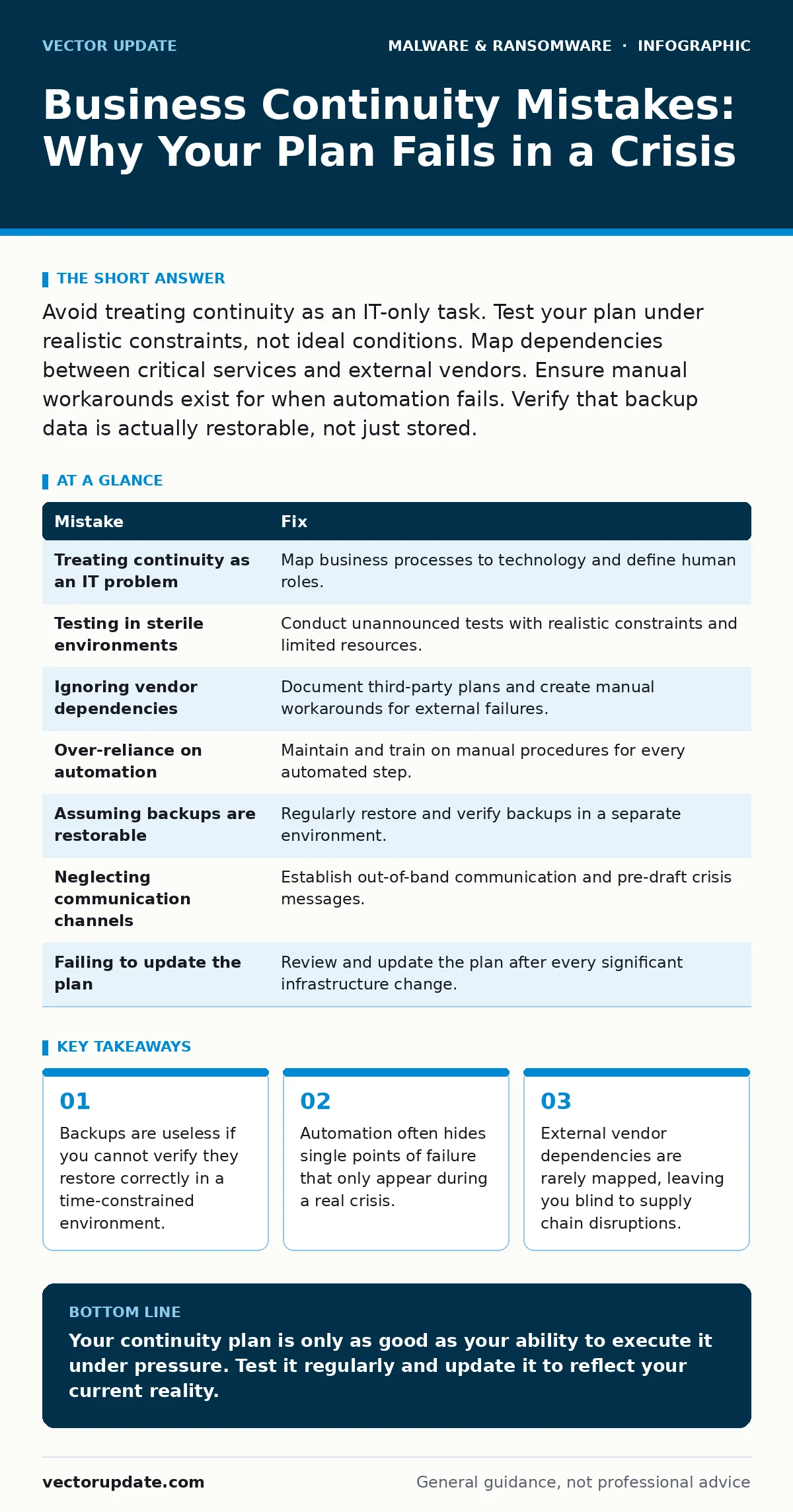
Avoid treating continuity as an IT-only task. Test your plan under realistic constraints, not ideal conditions. Map dependencies between critical services and external vendors. Ensure manual workarounds exist for when automation fails. Verify that backup data is actually restorable, not just stored.
Mistake 1: Treating Continuity as an IT Problem
Why it hurts:
You assume that restoring servers equals restoring business. This ignores the human processes that depend on those servers. When the database comes back online, the accounting team may still lack the specific access rights or procedural knowledge to resume invoicing. The system is up, but the revenue flow remains blocked.
The fix:
Map your critical business processes to the technology they require. Identify the specific person or team responsible for each step. Define what "operational" means for each department, not just for the network. This ensures you recover the workflow, not just the hardware.
Mistake 2: Testing in Sterile Environments
Why it hurts:
You run recovery drills in a quiet lab with ample time and perfect connectivity. Real crises happen on Friday nights with degraded bandwidth and panicked staff. Your plan relies on steps that take ten minutes in theory but four hours in practice. The gap between test conditions and reality creates a false sense of security.
The fix:
Conduct unannounced tests during business hours. Introduce realistic constraints like limited staff availability or partial network loss. Measure the actual time to restore service, not the theoretical time. Adjust your procedures based on what slows you down in these messy conditions.
Mistake 3: Ignoring Vendor Dependencies
Why it hurts:
You focus on your internal infrastructure while ignoring the third-party services you rely on. Suppose your payment processor goes offline. Your internal systems are healthy, but you cannot process transactions. You have no alternative path for revenue collection. Your continuity plan covers your house but ignores the power grid.
The fix:
Identify every external service critical to your operations. Document their own continuity plans and service level agreements. Establish manual workarounds for when these vendors fail. If you cannot verify their resilience, assume they will fail and plan accordingly.
Mistake 4: Over-Reliance on Automation
Why it hurts:
You build complex scripts to restore systems automatically. This works until the script fails due to a subtle configuration change or an unexpected error. Without manual intervention capabilities, you are locked out of your own recovery process. Automation hides the complexity of the system, making it harder to troubleshoot when it breaks.
The fix:
Maintain detailed manual procedures for every automated step. Train staff to perform these steps by hand. This ensures you can bypass broken scripts and restore services even when the automation fails. Automation should speed up recovery, not replace human understanding.
Mistake 5: Assuming Backups Are Restorable
Why it hurts:
You verify that backups are created and stored, but you rarely test restoration. Corrupted files, incompatible formats, or missing dependencies can render backups useless. You discover this only when you need the data most. Storing data is not the same as preserving it.
The fix:
Regularly restore backups to a separate environment. Verify the integrity and usability of the restored data. Check that the restored systems can communicate with other services. This confirms that your backups are actually usable when disaster strikes.
See also: Android Malware Removal: 7 Mistakes That Leave Threats Behind · XDR FAQ: How Extended Detection and Response Actually Works
Mistake 6: Neglecting Communication Channels
Why it hurts:
Your primary communication tools are down during the incident. You cannot coordinate with staff, customers, or partners. Rumors spread, and trust erodes. A technical failure becomes a reputational crisis because you cannot explain what is happening. You have no backup method to reach your audience.
The fix:
Establish out-of-band communication channels. Use a secondary platform that does not rely on your primary infrastructure. Pre-draft messages for common scenarios to speed up response times. Ensure all staff know how to access these channels when the main system fails.
Mistake 7: Failing to Update the Plan
Why it hurts:
Your plan reflects the infrastructure you had two years ago. You have added new services, changed vendors, and moved to the cloud, but the plan remains static. It directs you to restore systems that no longer exist or rely on procedures that are obsolete. The plan becomes a liability rather than an asset.
The fix:
Review and update your plan after every significant change to your infrastructure or processes. Assign ownership of the plan to a specific team. Schedule regular reviews to ensure the plan matches your current reality. A living document is more valuable than a perfect one.
| Mistake | Fix |
|---|---|
| Treating continuity as an IT problem | Map business processes to technology and define human roles. |
| Testing in sterile environments | Conduct unannounced tests with realistic constraints and limited resources. |
| Ignoring vendor dependencies | Document third-party plans and create manual workarounds for external failures. |
| Over-reliance on automation | Maintain and train on manual procedures for every automated step. |
| Assuming backups are restorable | Regularly restore and verify backups in a separate environment. |
| Neglecting communication channels | Establish out-of-band communication and pre-draft crisis messages. |
| Failing to update the plan | Review and update the plan after every significant infrastructure change. |
Key takeaways
- Backups are useless if you cannot verify they restore correctly in a time-constrained environment.
- Automation often hides single points of failure that only appear during a real crisis.
- External vendor dependencies are rarely mapped, leaving you blind to supply chain disruptions.
Your continuity plan is only as good as your ability to execute it under pressure. Test it regularly and update it to reflect your current reality.
Frequently asked questions
How often should I test my business continuity plan?
Test at least once a year, but more frequently if your infrastructure changes often. Include unannounced drills to simulate real-world stress.
What if I don't have the budget for extensive testing?
Start small. Test one critical service at a time. Focus on verifying that backups restore correctly and that manual procedures are understood by staff.
How do I handle remote staff in a continuity plan?
Ensure they have secure access to critical systems from any location. Provide them with clear instructions on how to communicate and work when the main office is offline.
Is cloud storage enough for business continuity?
Cloud storage helps, but it is not a complete solution. You still need to verify that you can access and restore data from the cloud, and that your applications can function with cloud-based dependencies.
How this guide was produced: written by the Vector Update editorial team with AI assistance, checked against the public references listed below, and reviewed when the facts change. See our editorial policy or report an error.