Cloud Asset Inventory Mistakes That Leave Data Exposed
Most cloud breaches occur because teams track only the resources they know exist, ignoring the silent expansion of ephemeral assets and forgotten storage buckets that accumulate over time.

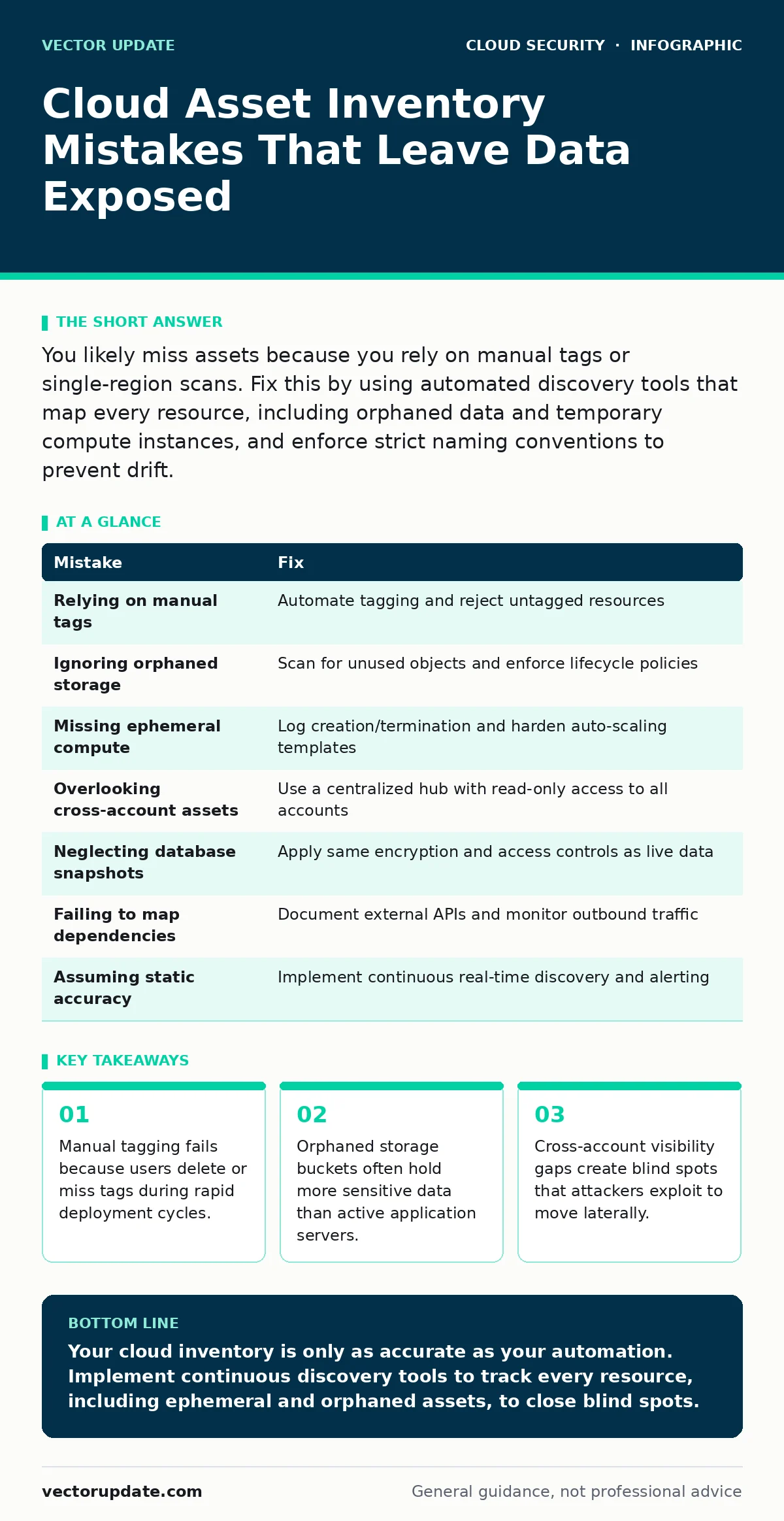
You likely miss assets because you rely on manual tags or single-region scans. Fix this by using automated discovery tools that map every resource, including orphaned data and temporary compute instances, and enforce strict naming conventions to prevent drift.
Mistake 1: Relying on Manual Tags for Discovery
You might assume that labeling every resource with a specific tag makes your inventory accurate. This approach fails because tags are user-controlled metadata that vanish when people delete them or forget to add them. Infrastructure as code templates often omit tags, and manual corrections rarely keep pace with deployment speed.
Why it hurts: Un tagged resources become invisible to automated compliance checks and cost allocation tools. You cannot protect what you cannot see. An attacker scanning for untagged instances finds easy targets because security rules often filter by tag to apply policies.
The fix: Implement automated tagging policies that reject resource creation if mandatory tags are missing. Use infrastructure as code to bake tags into the definition of every object. Audit your environment weekly to re-tag or remove resources that fall out of compliance.
Mistake 2: Ignoring Orphaned Storage Objects
Teams often focus their inventory efforts on active compute instances and running databases. They neglect storage buckets, snapshots, and archived logs that remain online but serve no current function. These objects accumulate quietly as projects end and staff leave.
Why it hurts: Orphaned storage often contains backups of production databases or old configuration files with embedded credentials. Attackers know that abandoned buckets are rarely monitored. Gaining access to a single forgotten snapshot can provide a full roadmap of your internal network architecture.
The fix: Schedule automated scans for storage objects that have not been accessed in a set period. Move inactive data to cold storage with stricter access controls or delete it entirely. Ensure that lifecycle policies automatically remove or archive data based on age and access patterns.
Mistake 3: Missing Ephemeral Compute Resources
You probably track your long-running servers and containers. You likely overlook short-lived instances created for testing, batch processing, or auto-scaling events. These ephemeral resources exist for minutes or hours before terminating.
Why it hurts: Ephemeral resources often bypass standard security hardening because they are created dynamically. If an attacker compromises an auto-scaled instance, they gain a foothold that disappears from your inventory before you can investigate. The lack of historical data makes forensic analysis nearly impossible.
The fix: Configure your cloud provider to log the creation and termination of all compute resources. Integrate these logs into your central monitoring system. Apply security baselines to the templates used for auto-scaling so every instance inherits the same protections.
Mistake 4: Overlooking Cross-Account Assets
Many organizations use multiple cloud accounts for isolation, separating development, staging, and production. If your inventory tool only scans the primary management account, you miss everything else. This creates a fragmented view of your total exposure.
Why it hurts: Attackers who breach a less-secure development account can pivot to production if cross-account permissions are overly broad. You cannot assess the full impact of a breach if you do not know what assets exist in other accounts. Blind spots in one account become the entry point for another.
The fix: Use a centralized security hub that aggregates inventory data from all accounts. Ensure that the hub has read-only access to every account in your organization. Regularly audit cross-account roles to ensure they follow the principle of least privilege.
Mistake 5: Neglecting Database Snapshots and Backups
You likely secure your live databases with strong encryption and access controls. You often forget that database snapshots and backups are separate objects with their own permissions. These copies are frequently left publicly accessible or encrypted with weak keys.
Why it hurts: A snapshot is a complete copy of your data at a point in time. If an attacker accesses a snapshot, they get the same data as if they had breached the live database. Unlike live systems, snapshots are rarely monitored for unusual access patterns.
The fix: Apply the same encryption and access controls to snapshots as you do to live data. Automate the deletion of old snapshots that are no longer needed for recovery. Ensure that backup permissions are restricted to specific service accounts rather than broad user groups.
See also: Secure Cloud APIs: Block Exploits, Limit Scope, and Verify Identity · Cloud Landing Zones: Definition, Purpose, and Core Architecture
Mistake 6: Failing to Map External Dependencies
Your cloud environment does not exist in a vacuum. It relies on third-party services, APIs, and external data sources. Many inventory processes stop at the boundary of your cloud account, ignoring these external connections.
Why it hurts: If a third-party service is compromised, attackers can use your integration as a bridge into your environment. You cannot mitigate risks from dependencies you do not track. A breach in a vendor’s system can become your breach if the connection is not monitored.
The fix: Document every external API and service your cloud resources communicate with. Use network traffic analysis to identify unknown outbound connections. Regularly review the security posture of third-party providers and limit the permissions granted to their integrations.
Mistake 7: Assuming Static Inventory Accuracy
Cloud environments change constantly. New resources are created, modified, and deleted every minute. Assuming that a one-time inventory scan provides a lasting picture of your environment is a dangerous illusion.
Why it hurts: Static inventories become outdated within hours. Security policies applied to an old inventory may not cover new resources, leaving them exposed. Compliance reports based on stale data give a false sense of security and lead to failed audits.
The fix: Implement continuous discovery tools that update your inventory in real-time. Set up alerts for any new resource that does not match your expected configuration. Integrate inventory data with your incident response plan to ensure you always know what you are defending.
| Mistake | Fix |
|---|---|
| Relying on manual tags | Automate tagging and reject untagged resources |
| Ignoring orphaned storage | Scan for unused objects and enforce lifecycle policies |
| Missing ephemeral compute | Log creation/termination and harden auto-scaling templates |
| Overlooking cross-account assets | Use a centralized hub with read-only access to all accounts |
| Neglecting database snapshots | Apply same encryption and access controls as live data |
| Failing to map dependencies | Document external APIs and monitor outbound traffic |
| Assuming static accuracy | Implement continuous real-time discovery and alerting |
For deeper context on how these assets are exposed, review our guide on insecure cloud APIs. Understanding the structure of your environment helps in building secure cloud landing zones. Proper cloud logging and monitoring ensures you catch anomalies in real-time. Secure cloud encryption protects the data within these assets, while cloud firewalls and open security groups control the traffic flow. Be aware that shadow IT often creates assets outside your inventory, and SQL injection remains a common threat to any database you discover.
Key takeaways
- Manual tagging fails because users delete or miss tags during rapid deployment cycles.
- Orphaned storage buckets often hold more sensitive data than active application servers.
- Cross-account visibility gaps create blind spots that attackers exploit to move laterally.
Your cloud inventory is only as accurate as your automation. Implement continuous discovery tools to track every resource, including ephemeral and orphaned assets, to close blind spots.
Frequently asked questions
How often should I run a cloud asset inventory scan?
Run scans continuously or at least every few hours. Cloud environments change rapidly, and static snapshots become outdated quickly, leaving new resources unprotected.
Can I use my cloud provider’s native tools for inventory?
Native tools are a good start but often lack cross-account visibility and historical tracking. Combine them with third-party discovery tools for a complete picture.
What is the biggest risk of missing an asset in my inventory?
Missing assets are not secured by your standard policies. They become easy targets for attackers who scan for unmanaged resources with default or weak configurations.
How do I handle assets created by developers without approval?
Implement guardrails that automatically tag or quarantine unauthorized resources. Use infrastructure as code to enforce standards and prevent manual deviations.
How this guide was produced: written by the Vector Update editorial team with AI assistance, checked against the public references listed below, and reviewed when the facts change. See our editorial policy or report an error.