How to Reduce Your Digital Footprint: The Mechanics of Data Minimization
Most footprints are not created by your direct actions but by passive correlation engines that stitch together fragmented signals from unrelated services.

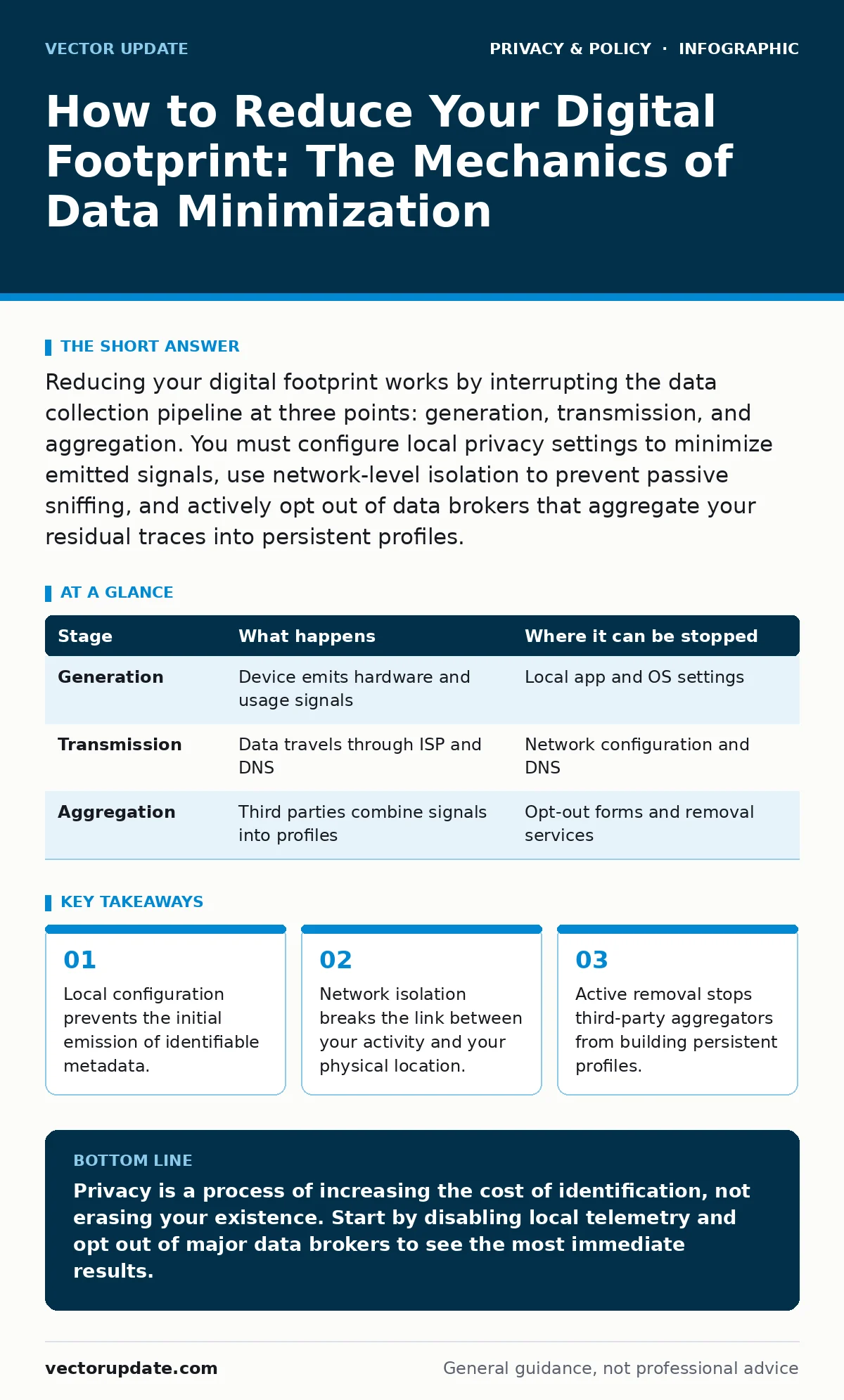
Reducing your digital footprint works by interrupting the data collection pipeline at three points: generation, transmission, and aggregation. You must configure local privacy settings to minimize emitted signals, use network-level isolation to prevent passive sniffing, and actively opt out of data brokers that aggregate your residual traces into persistent profiles.
The Mechanics of Passive Collection
You do not need to share your name for a profile to form. Modern data collection relies on passive correlation. When you visit a website, your device sends headers, connection timing, and device fingerprints. These signals are unique enough to identify you without a username. This process happens in the background, often without any explicit consent or interaction. Understanding this mechanism is the first step toward dismantling it.
The collection occurs in stages. First, the data is generated by your software. Second, it is transmitted across networks where intermediaries can observe it. Third, it is aggregated by services that combine these fragments into a usable identity. Each stage offers a point of intervention. If you stop the data at generation, it never leaves your device. If you stop it at transmission, intermediaries cannot see it. If you stop it at aggregation, the profile remains incomplete.
Stage 1: Local Data Generation Control
The first stage of footprint reduction happens inside your operating system and applications. Most software emits telemetry by default. This telemetry includes hardware IDs, installed software lists, and usage patterns. You must configure these applications to disable non-essential data reporting. This is not just about turning off "analytics" in a menu. It involves checking system services and background processes that run independently of your main applications.
Imagine a weather app that reports your location even when you are not using it. This background emission creates a timeline of your movements. Disabling location permissions for non-essential apps stops this emission. You must also review browser settings. Features like "Do Not Track" are largely ignored by advertisers, but disabling third-party cookies and script execution in settings is effective. This reduces the amount of data your device sends to external servers.
Stage 1: What happens behind the scenes
When you disable telemetry, your device stops sending structured data packets to vendor servers. The vendor’s database does not receive an update. However, the absence of data is sometimes noted. Some systems flag missing telemetry as a potential security risk or a misconfiguration. This is a hidden cost of privacy: you may lose access to features that rely on cloud synchronization or automated updates. You must accept this trade-off.
| Stage | What happens | Where it can be stopped |
|---|---|---|
| Generation | Device emits hardware and usage signals | Local app and OS settings |
| Transmission | Data travels through ISP and DNS | Network configuration and DNS |
| Aggregation | Third parties combine signals into profiles | Opt-out forms and removal services |
Stage 2: Network Transmission Isolation
Once data leaves your device, it passes through your Internet Service Provider and various network hops. Your ISP can see every domain you visit, even if the content is encrypted. This is because the Domain Name System resolves hostnames to IP addresses. To reduce your footprint here, you must decouple your identity from your network traffic. This is where tools like the Tor Browser become relevant. They route traffic through multiple relays, obscuring the origin and destination.
However, network isolation has limits. It does not hide the fact that you are using the network. It only hides what you are doing on it. For everyday use, full Tor routing is impractical due to speed. A more balanced approach is using a privacy-focused DNS resolver that does not log queries. This prevents your ISP from building a history of your browsing habits. You must also ensure that your applications use encrypted protocols. Unencrypted protocols expose your data to anyone on the same network.
Stage 3: Aggregation and Profile Disruption
The final stage is where fragmented data becomes a coherent profile. Data brokers collect information from public records, social media, and purchase histories. They sell these profiles to advertisers and other businesses. This is where the concept of people-search sites comes into play. These sites aggregate your name, address, and relatives into a single page. Removing yourself from these sites is an active process. You must submit opt-out requests to each service.
This stage is the most labor-intensive. There is no single switch to turn off aggregation. You must manually request removal from dozens of services. Some services require proof of identity to process the request, which creates a paradox: you must share private data to remove private data. This is a non-obvious consequence of privacy work. You may need to use a separate, disposable email address for these requests to avoid linking your primary identity to the removal process.
The Limits of Anonymity
Reducing your digital footprint does not make you invisible. It makes you indistinguishable. The goal is not to erase your presence but to increase the cost of identifying you. When you use privacy tools, you join a crowd of users doing the same thing. This is the principle behind differential privacy. It adds noise to data sets so that individual contributions cannot be isolated. You benefit from this when services use these techniques, but you cannot control it directly.
There are also legal and practical limits. Your digital privacy rights may allow you to request data deletion under laws like the CCPA, but these laws often have exemptions for business purposes. Furthermore, some footprints are created by others. If you mention your name in a public forum, that data is now part of the public record. You cannot delete what others have posted. You can only control what you emit and how you transmit it.
See also: Detect ISP Tracking: Logs, Traffic Patterns, and Blind Spots · How Zero-Knowledge Encryption Works: Secrets the Provider Cannot See
Maintenance and Trade-offs
Privacy is a continuous process, not a one-time setup. Software updates often reset privacy settings to default. You must check your configurations regularly. This is similar to the maintenance required for workplace monitoring evasion, though the context is different. In a personal context, you have full control. In a professional context, you may be subject to employer policies that override your preferences.
The trade-off is convenience. Privacy tools often break functionality. Logins may fail if cookies are blocked. Websites may load slower if scripts are disabled. You must decide which features are worth the privacy cost. For most users, disabling third-party tracking scripts is a safe middle ground. It blocks the most invasive collection methods while allowing basic website functionality. You must test your configurations after changes to ensure they work as intended.
The Role of Encryption
Encryption protects data in transit and at rest. Zero-knowledge encryption ensures that only you can access your data, even the service provider cannot read it. This is crucial for cloud storage and messaging apps. If your data is encrypted before it leaves your device, the service provider cannot sell or leak your content. However, encryption does not hide metadata. The service provider still knows who you are and when you connected. You must combine encryption with other measures to reduce your full footprint.
Final Considerations
Reducing your digital footprint is a defensive posture. It does not prevent all tracking. It raises the barrier to entry for those who wish to profile you. By controlling generation, isolating transmission, and disrupting aggregation, you reclaim a measure of privacy. You must accept that some visibility is inevitable. The goal is to minimize the signal-to-noise ratio, making it difficult for automated systems to build a accurate picture of your life.
Key takeaways
- Local configuration prevents the initial emission of identifiable metadata.
- Network isolation breaks the link between your activity and your physical location.
- Active removal stops third-party aggregators from building persistent profiles.
Privacy is a process of increasing the cost of identification, not erasing your existence. Start by disabling local telemetry and opt out of major data brokers to see the most immediate results.
Frequently asked questions
Does deleting my browser history remove my digital footprint?
No. Browser history is local. Your footprint exists on remote servers, in ISP logs, and in aggregated databases. Deleting local history does not affect external records.
Is using a VPN enough to protect my privacy?
A VPN hides your IP address from websites, but the VPN provider can still see your traffic. It shifts trust from your ISP to the VPN provider. It does not stop local telemetry or data broker aggregation.
How often should I check my privacy settings?
You should check them after major software updates and at least once every six months. Settings often revert to defaults during updates, re-enabling data collection.
Can I remove myself from all people-search sites permanently?
No. Data brokers continuously re-collect information from public sources. You must submit new opt-out requests periodically to maintain your removal status.
How this guide was produced: written by the Vector Update editorial team with AI assistance, checked against the public references listed below, and reviewed when the facts change. See our editorial policy or report an error.