Tor Browser: Real Privacy Gains and Hidden Performance Costs
Tor Browser hides your location from websites but forces you to accept slower speeds and a restricted web experience that breaks many modern apps.

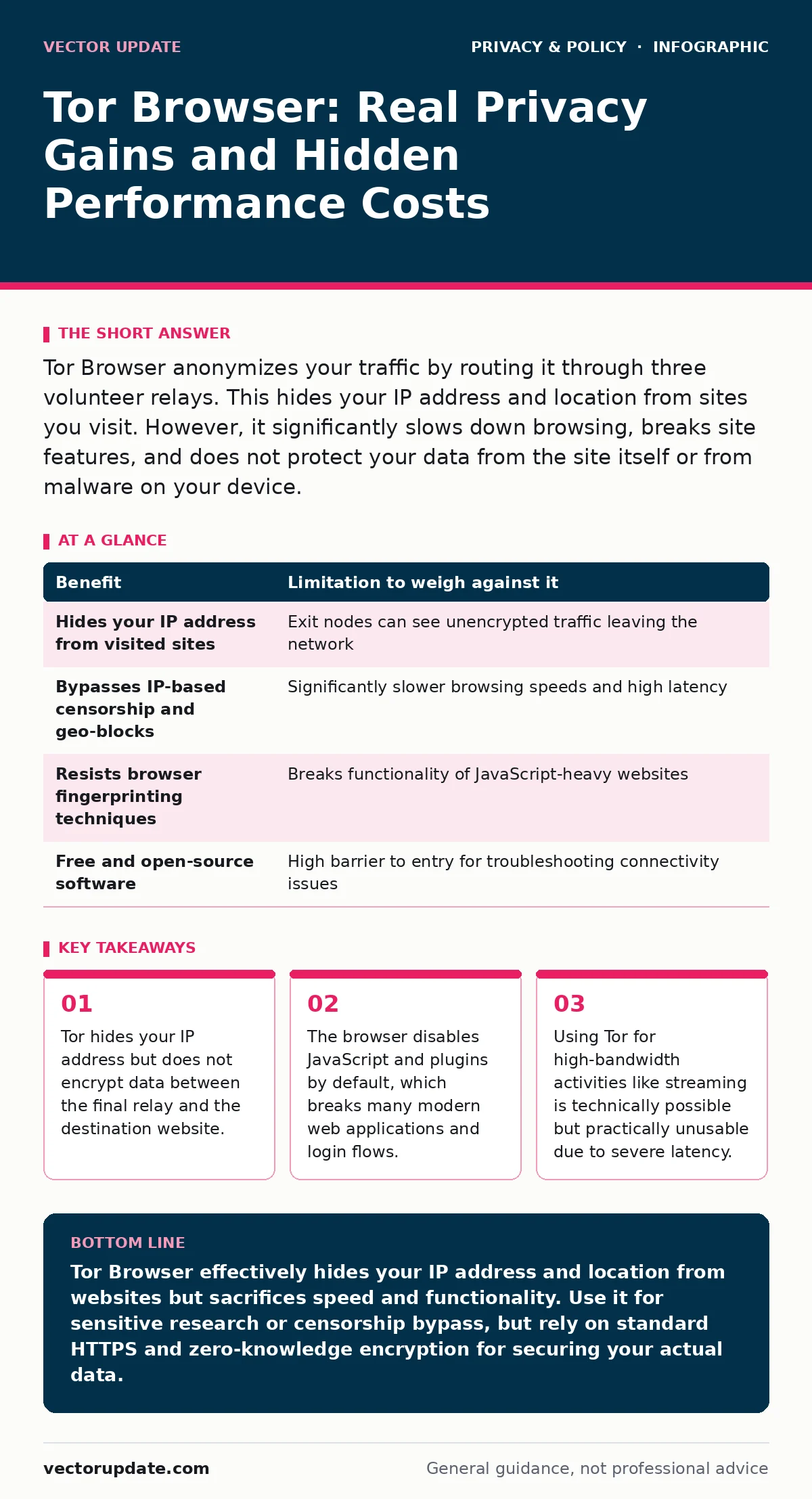
Tor Browser anonymizes your traffic by routing it through three volunteer relays. This hides your IP address and location from sites you visit. However, it significantly slows down browsing, breaks site features, and does not protect your data from the site itself or from malware on your device.
How Tor Browser Routes Your Traffic
Tor Browser works by bouncing your internet traffic through a network of volunteer-run relays. This process is called onion routing because your data is wrapped in multiple layers of encryption, like an onion. Each layer is peeled away by one relay in the chain. The first relay knows your IP address but not your destination. The last relay knows your destination but not your IP address. No single relay sees both your origin and your final target.
This design prevents any single observer from linking your identity to your browsing activity. It also masks your physical location. Websites you visit see the IP address of the exit relay, not your home or office connection. This provides a strong layer of anonymity against network-level surveillance.
Concrete Benefits for Anonymity
The primary benefit of Tor Browser is source IP hiding. This stops websites, advertisers, and network providers from tracking your physical location or linking your activity to your ISP account. It also bypasses simple IP-based censorship. If a government or employer blocks a specific website by IP address, Tor allows you to access it by using a different exit node.
Tor Browser also includes built-in protections against browser fingerprinting. Fingerprinting is a technique where sites collect details about your browser, screen size, and fonts to create a unique identifier for you. Tor standardizes these settings across all users, making it harder for trackers to distinguish you from the crowd. This reduces the effectiveness of third-party tracking cookies and scripts.
Honest Limitations and Trade-offs
Anonymity comes with a heavy performance tax. Because your data travels through three random servers around the world, latency increases dramatically. Pages load slowly, and video streaming often fails or buffers constantly. This is not a bug but a feature of the routing architecture. You are trading speed for privacy.
Tor Browser also restricts functionality to maintain anonymity. It disables JavaScript by default on many sites because scripts can leak your real IP address or fingerprint your device. This breaks modern web applications that rely on dynamic content. Many login pages, video players, and interactive maps will not work correctly. You may find yourself unable to use banking sites or social media platforms effectively.
| Benefit | Limitation to weigh against it |
|---|---|
| Hides your IP address from visited sites | Exit nodes can see unencrypted traffic leaving the network |
| Bypasses IP-based censorship and geo-blocks | Significantly slower browsing speeds and high latency |
| Resists browser fingerprinting techniques | Breaks functionality of JavaScript-heavy websites |
| Free and open-source software | High barrier to entry for troubleshooting connectivity issues |
The Exit Node Vulnerability
The most critical limitation of Tor is the exit node. The exit node is the last relay in the chain that sends your traffic to the final website. While the traffic is encrypted within the Tor network, it may be unencrypted when it leaves the exit node. If you visit a site without HTTPS, the exit node operator can see your data. They can also modify the content or inject malware.
This is why HTTPS Everywhere is built into Tor Browser. It forces encrypted connections wherever possible. However, not all sites support HTTPS. If you enter sensitive information on an unencrypted page, the exit node can read it. Tor protects your identity, not your data content, once it leaves the network. You must always verify the padlock icon in the address bar to ensure the site itself is secure.
When It Is Worth It
You should use Tor Browser when your primary goal is protecting your identity from the websites you visit. It is ideal for journalists, activists, or anyone researching sensitive topics who needs to prevent sites from linking their activity to their IP address. It is also useful for bypassing local censorship where IP blocking is the primary method of restriction.
Tor is also valuable for accessing hidden services. These are websites that exist only within the Tor network and use .onion addresses. They are not indexed by standard search engines and offer a high degree of resilience against takedown attempts. If you need to access these services, Tor Browser is the standard client. It provides a consistent environment that reduces the risk of accidental de-anonymization through browser quirks.
See also: How Zero-Knowledge Encryption Works: Secrets the Provider Cannot See · Differential Privacy: Why It Matters for Security and Data Safety
When It Is Not
Tor Browser is not suitable for high-bandwidth activities. Streaming video, large file downloads, or online gaming will perform poorly or fail entirely. The network is not designed for throughput. Using Tor for these tasks wastes bandwidth and frustrates the user experience without adding meaningful privacy benefits. For general browsing where speed matters, standard browsers with privacy extensions are a better choice.
It is also not a substitute for secure communication on sensitive sites. If you are logging into a bank or email provider, the site’s own security measures matter more than your IP address. Many financial institutions block Tor traffic because it is associated with fraud. You may find yourself locked out of your own accounts. For protecting data in transit, relying on strong zero-knowledge encryption on the service side is more effective than hiding your IP.
Managing Your Digital Footprint
Using Tor Browser is one part of a broader privacy strategy. It does not erase your history on other devices or accounts. If you log into your social media while using Tor, the site still knows who you are. The anonymity is only effective if you do not identify yourself to the site.
To reduce your digital footprint further, you should review your settings on people-search sites and opt out where possible. These sites aggregate public records and can link your name to your address and phone number. Tor does not prevent this aggregation. You must actively manage your public profile to complement the network-level anonymity Tor provides.
Key takeaways
- Tor hides your IP address but does not encrypt data between the final relay and the destination website.
- The browser disables JavaScript and plugins by default, which breaks many modern web applications and login flows.
- Using Tor for high-bandwidth activities like streaming is technically possible but practically unusable due to severe latency.
Tor Browser effectively hides your IP address and location from websites but sacrifices speed and functionality. Use it for sensitive research or censorship bypass, but rely on standard HTTPS and zero-knowledge encryption for securing your actual data.
Frequently asked questions
Does Tor Browser hide my activity from my internet service provider?
Yes, your ISP can see that you are using Tor, but it cannot see which specific websites you visit or what data you exchange.
Is Tor Browser safe from hackers?
Tor protects your anonymity, not your device security. You remain vulnerable to malware, phishing, and exploits if you visit malicious sites or download unsafe files.
Can websites tell if I am using Tor?
Yes, websites can detect Tor traffic by recognizing exit node IP addresses. They may block access or present captchas to verify you are human.
Should I use Tor for everyday browsing?
No, the significant speed reduction and broken website functionality make it impractical for daily use. Reserve it for tasks requiring high anonymity.
How this guide was produced: written by the Vector Update editorial team with AI assistance, checked against the public references listed below, and reviewed when the facts change. See our editorial policy or report an error.