Detect ISP Tracking: Logs, Traffic Patterns, and Blind Spots
Your internet service provider sees unencrypted traffic metadata, allowing them to reconstruct your online activities without accessing content.

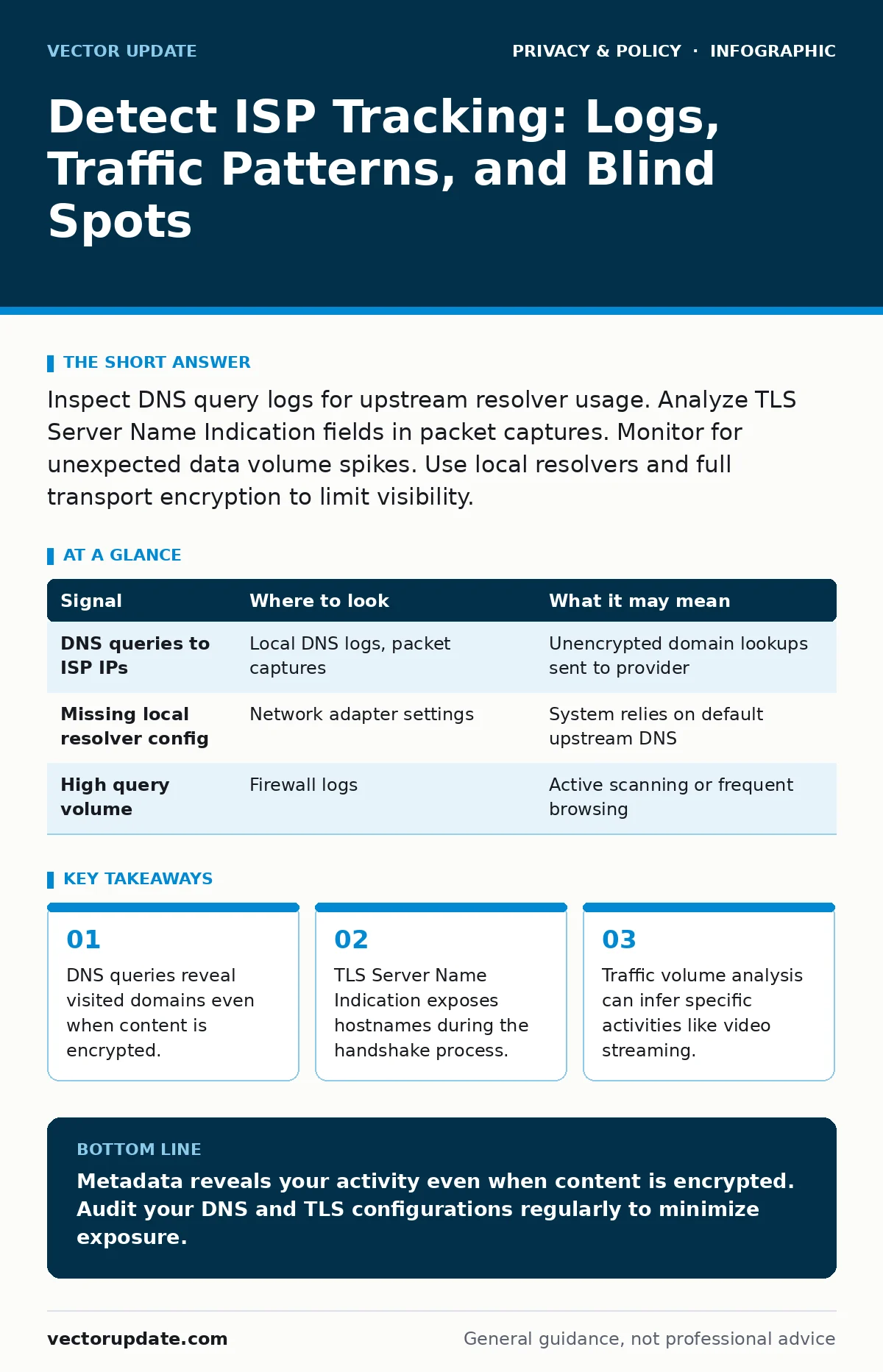
Inspect DNS query logs for upstream resolver usage. Analyze TLS Server Name Indication fields in packet captures. Monitor for unexpected data volume spikes. Use local resolvers and full transport encryption to limit visibility.
DNS Query Patterns
Domain Name System queries are the first step in browsing. When you type a website address, your device asks a resolver to translate that name into an IP address. If your system sends these queries to your internet service provider’s default DNS servers, the provider logs every domain you visit. This happens before any encryption takes place.
Check your local machine’s DNS cache and logs. Look for queries sent to IP addresses that belong to your ISP rather than public or private resolvers. If you see frequent queries to known ISP DNS endpoints, your browsing history is visible to them.
| Signal | Where to look | What it may mean |
|---|---|---|
| DNS queries to ISP IPs | Local DNS logs, packet captures | Unencrypted domain lookups sent to provider |
| Missing local resolver config | Network adapter settings | System relies on default upstream DNS |
| High query volume | Firewall logs | Active scanning or frequent browsing |
TLS Handshake Metadata
Transport Layer Security protects the content of your web traffic. However, the initial handshake process reveals information. The Server Name Indication extension tells the server which website you intend to connect to. This field is often unencrypted in older protocols or specific implementations.
Analyze packet captures using tools like Wireshark. Filter for TLS Client Hello messages. If you see plaintext hostnames in the SNI field, your ISP can identify the specific service you are using. Even if the payload is encrypted, the destination is clear.
Traffic Volume and Timing
Data patterns create a fingerprint. Video streaming consumes significantly more bandwidth than text-based browsing. Real-time communication applications send small packets at regular intervals. Your ISP can analyze these patterns to infer what you are doing, even if they cannot see the content.
Monitor your bandwidth usage over time. Look for consistent spikes that correlate with known high-bandwidth activities. If you see regular, small packet bursts during work hours, it may indicate VoIP calls or chat applications. This method does not require decryption.
DNS-over-HTTPS Implementation
DNS-over-HTTPS encrypts DNS queries within standard HTTPS traffic. This prevents your ISP from seeing which domains you resolve. However, it does not hide the fact that you are using DoH. Some providers may block or throttle these connections to force users back to their default DNS.
Check your network configuration for DoH settings. Verify that your browser or operating system is using a trusted resolver. If you notice increased latency or connection failures for secure DNS, your ISP may be interfering. This interference is itself a signal of active monitoring or management.
Proxy and Tunnel Detection
Many users attempt to hide their traffic using proxies or virtual private networks. ISPs can often detect these services. They look for connections to known IP ranges used by VPN providers. They also analyze packet sizes and timing deviations that differ from standard TCP traffic.
Inspect your outbound connections for unknown IP addresses. If you see traffic going to servers that do not match your expected services, you may be using a tunnel. ISPs can classify this traffic and potentially apply different routing or logging rules.
See also: How Zero-Knowledge Encryption Works: Secrets the Provider Cannot See · Differential Privacy: Why It Matters for Security and Data Safety
Application-Level Anomalies
Some applications bypass standard network stacks. They may use custom protocols or peer-to-peer connections. These connections often exhibit unique signatures. Your firewall or intrusion detection system may flag them as unusual.
Review your application logs for unexpected outbound connections. Look for processes communicating with external IPs that are not part of standard updates or services. These anomalies can indicate data exfiltration or unauthorized tracking mechanisms embedded in software.
Common Blind Spots
System administrators often focus on content inspection. They forget that metadata is just as revealing. They assume that because they use HTTPS, their traffic is private. This is a dangerous misconception. The metadata surrounding the connection is often exposed.
Another blind spot is internal network monitoring. Many organizations trust their internal network implicitly. They do not inspect traffic between devices on the same subnet. This allows lateral movement and data collection to go unnoticed.
Mitigation Strategies
Reduce visibility by controlling your DNS resolution. Use local resolvers that forward queries securely. Enable full transport encryption for all services. This limits the amount of metadata available to your ISP.
Regularly audit your network configurations. Ensure that all devices are using secure defaults. Monitor for changes in traffic patterns that could indicate new tracking methods. Consistency in your security posture is key to maintaining privacy.
For deeper insights into data protection, review our guide on zero-knowledge encryption. Understanding how differential privacy works can also help you design systems that protect individual records. Remember that digital privacy rights vary by region. The CCPA provides specific requirements for data handling in California.
If you need to browse anonymously, consider using Tor Browser. Be aware that people-search sites can aggregate data from various sources. Reducing your digital footprint requires consistent effort across all platforms. Be cautious with workplace monitoring tools, as they often collect more data than necessary.
Key takeaways
- DNS queries reveal visited domains even when content is encrypted.
- TLS Server Name Indication exposes hostnames during the handshake process.
- Traffic volume analysis can infer specific activities like video streaming.
Metadata reveals your activity even when content is encrypted. Audit your DNS and TLS configurations regularly to minimize exposure.
Frequently asked questions
Can my ISP see what I search for on Google?
If you use HTTPS, they cannot see the query text. They can see that you are connecting to Google’s search servers.
Does using a public Wi-Fi network hide my traffic from my ISP?
No, your ISP still sees the traffic leaving your device before it reaches the Wi-Fi router.
How do I know if my DNS queries are encrypted?
Check your network settings for DNS-over-HTTPS or DNS-over-TLS configurations.
Can traffic analysis identify specific websites?
It can often identify the type of service, like video or chat, but rarely the exact page.
How this guide was produced: written by the Vector Update editorial team with AI assistance, checked against the public references listed below, and reviewed when the facts change. See our editorial policy or report an error.