Business Logic Flaws: 7 Mistakes That Bypass Your Security Controls
Attackers exploit the gap between what your code allows and what your business rules intend, rendering traditional security scanners useless against these errors.
Business logic flaws occur when application code fails to enforce real-world rules. Common mistakes include skipping validation steps, trusting client-side state, and ignoring workflow sequences. Fix these by mapping every transaction path, enforcing server-side constraints, and testing with threat models that prioritize business impact over technical vulnerabilities.
Mistake 1: Trusting Client-Side Validation
You assume the browser or mobile app enforces all rules before data reaches your server. Attackers send raw HTTP requests that bypass your front-end checks entirely. Your application processes these requests because the server accepts the input as valid. This creates a direct path for malicious data to enter your system.
Why it hurts:
An attacker modifies a product price in their browser before submitting an order. The server processes the transaction at the manipulated price because it never verified the value against its own database. This error allows users to purchase items for free or at a fraction of the cost. The financial loss is immediate and scalable.
The fix:
Implement server-side validation for every input field. The server must recalculate prices, verify inventory counts, and check user permissions independently of the client’s claim. Treat all client data as untrusted. Reference your IT asset inventory to ensure every server component enforces these rules consistently.
Mistake 2: Ignoring Workflow State Machines
Your application allows users to move between states in any order. You do not enforce a strict sequence of events for critical processes like payments or account creation. An attacker discovers they can skip the payment step and move directly to the confirmation page. The system records the transaction as complete because the final state was reached.
Why it hurts:
Users bypass mandatory steps such as identity verification or payment authorization. This breaks the integrity of your business processes. You deliver goods or services without receiving compensation or proper authorization. The error is difficult to detect because the application functions correctly from a technical perspective, only failing the business rule.
The fix:
Define a strict state machine for every multi-step process. The server must track the current state of each transaction and reject any request that attempts to jump to an invalid next state. Log every state transition. This prevents users from manipulating the workflow sequence.
Mistake 3: Assuming Functionality Implies Authorization
You grant access to features based on whether a user can see a button or link. You do not verify permissions on the server when the action is triggered. An attacker finds a hidden API endpoint or modifies a URL parameter to access admin functions. The server executes the command because the user is authenticated, even if they lack the specific role.
Why it hurts:
This creates a broken access control vulnerability. Users escalate their privileges to perform actions reserved for administrators. They can modify other users’ data, delete records, or change system settings. The damage is severe because the attacker operates within the bounds of a valid session, evading basic authentication alerts.
The fix:
Enforce authorization checks on every server-side action. Do not rely on hiding UI elements to restrict access. Verify the user’s role and permissions for every request. Combine this with exposure management practices to identify and secure hidden endpoints that should not be publicly accessible.
Mistake 4: Failing to Validate Business Constraints
Your code accepts any numeric value for fields like quantity, age, or discount codes. You do not check if these values make sense in the real world. An attacker submits a negative quantity to receive a refund or enters a massive number to crash the system. The application processes the request because the data type is correct, even if the value is absurd.
Why it hurts:
Negative quantities can generate fraudulent refunds. Excessive values can cause denial of service by exhausting server resources. These errors exploit the lack of semantic validation. The system treats the input as valid data because it matches the expected format, failing to recognize the malicious intent behind the value.
The fix:
Define strict boundaries for all numeric inputs. Reject negative values where they are illogical. Cap maximum quantities to reasonable limits. Validate that discount codes are active and applicable to the selected items. This prevents attackers from manipulating business rules through extreme values.
Mistake 5: Overlooking Race Conditions
Your application processes requests sequentially without locking resources during critical operations. An attacker sends multiple simultaneous requests to exploit the time gap between checking a condition and acting on it. They withdraw more funds than they have by initiating two transactions before the first one updates the balance.
Why it hurts:
Race conditions allow attackers to double-spend or duplicate resources. The system records both transactions as valid because each one saw the original balance before the other completed. This leads to financial loss and data inconsistency. The error is intermittent and hard to reproduce, making it difficult to detect during standard testing.
The fix:
Use database transactions with proper isolation levels to lock records during updates. Ensure that checks and actions occur atomically. Implement unique constraints on critical fields to prevent duplicate submissions. This ensures that concurrent requests are handled safely and consistently.
Mistake 6: Hardcoding Business Rules in Logic
You embed business rules directly in the code without external configuration. Changing a rule requires deploying new code. Attackers analyze the source code or decompiled binaries to find these hardcoded values. They identify thresholds or limits that can be bypassed by manipulating input data to fall just outside the expected range.
Why it hurts:
Hardcoded rules are static and difficult to update quickly. If a new attack vector emerges, you cannot patch the logic without a full deployment cycle. Attackers exploit these fixed thresholds by finding edge cases that the original developers did not anticipate. This rigidity leaves your application vulnerable to evolving threats.
The fix:
Externalize business rules into a configuration system. Allow administrators to adjust thresholds and limits without redeploying code. Monitor these configurations for unauthorized changes. This flexibility enables rapid response to new threats and reduces the risk of hardcoded errors.
Mistake 7: Neglecting Third-Party Component Logic
You integrate third-party libraries or services without understanding their business logic. You assume these components are secure because they are widely used. Attackers find flaws in how these components handle data or enforce rules. They exploit these flaws to bypass your application’s security controls.
Why it hurts:
Vulnerable third-party libraries can introduce unexpected behavior into your application. If a library fails to validate input or enforce permissions, your application inherits these weaknesses. This expands your attack surface and introduces risks you did not intentionally create. The complexity of these dependencies makes it hard to track all potential issues.
The fix:
Audit all third-party components for known vulnerabilities. Understand how they handle data and enforce rules. Keep them updated to the latest versions. Monitor for new vulnerabilities in these components. This proactive approach helps you maintain control over your application’s security posture.
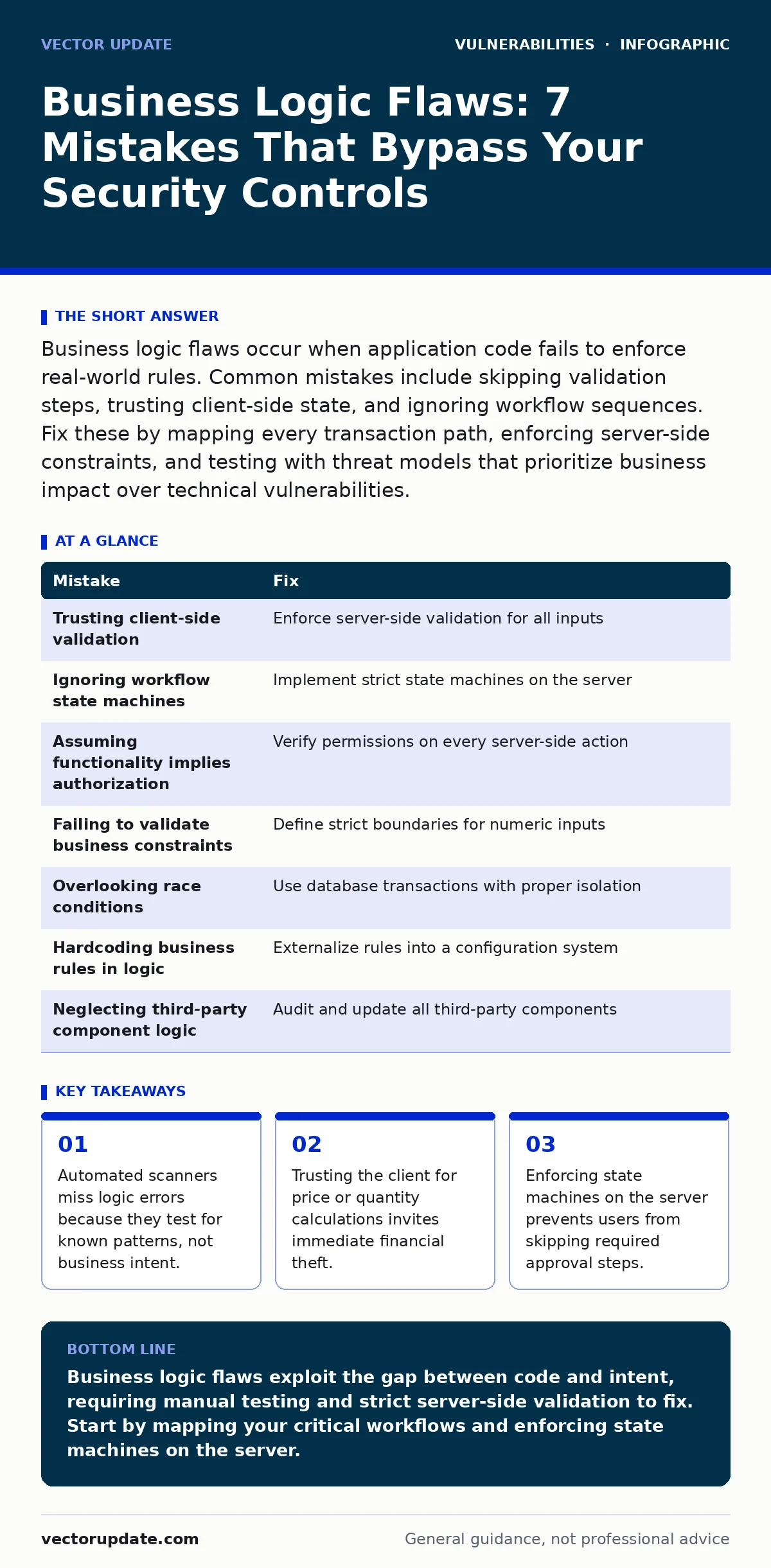
| Mistake | Fix |
|---|---|
| Trusting client-side validation | Enforce server-side validation for all inputs |
| Ignoring workflow state machines | Implement strict state machines on the server |
| Assuming functionality implies authorization | Verify permissions on every server-side action |
| Failing to validate business constraints | Define strict boundaries for numeric inputs |
| Overlooking race conditions | Use database transactions with proper isolation |
| Hardcoding business rules in logic | Externalize rules into a configuration system |
| Neglecting third-party component logic | Audit and update all third-party components |
Key takeaways
- Automated scanners miss logic errors because they test for known patterns, not business intent.
- Trusting the client for price or quantity calculations invites immediate financial theft.
- Enforcing state machines on the server prevents users from skipping required approval steps.
Business logic flaws exploit the gap between code and intent, requiring manual testing and strict server-side validation to fix. Start by mapping your critical workflows and enforcing state machines on the server.
Frequently asked questions
Can automated security scanners find business logic flaws?
No, automated scanners look for known technical vulnerabilities like injection or cross-site scripting (XSS). They cannot understand your specific business rules or intent, so manual testing is necessary to find these errors.
How do I test for business logic flaws?
Create a threat model that focuses on business impact rather than technical exploits. Map every transaction path and try to bypass steps, manipulate values, or skip states. Test with both valid and invalid user roles to ensure permissions are enforced correctly.
What is the difference between a bug and a business logic flaw?
A bug causes the application to crash or behave incorrectly from a technical standpoint. A business logic flaw allows the application to function correctly while violating business rules, such as allowing a free purchase or skipping an approval step.
Do I need to rewrite my application to fix these flaws?
Not necessarily. Many fixes involve adding server-side validation, enforcing state machines, or updating configuration settings. However, if the flaws are deeply embedded in the architecture, significant refactoring may be required to ensure long-term security.
How this guide was produced: written by the Vector Update editorial team with AI assistance, checked against the public references listed below, and reviewed when the facts change. See our editorial policy or report an error.