Access Controls for AI Agents: Practical Limits and Permissions
AI agents need permission boundaries that define exactly what tools they can use and which data they may read, not just who logs in.

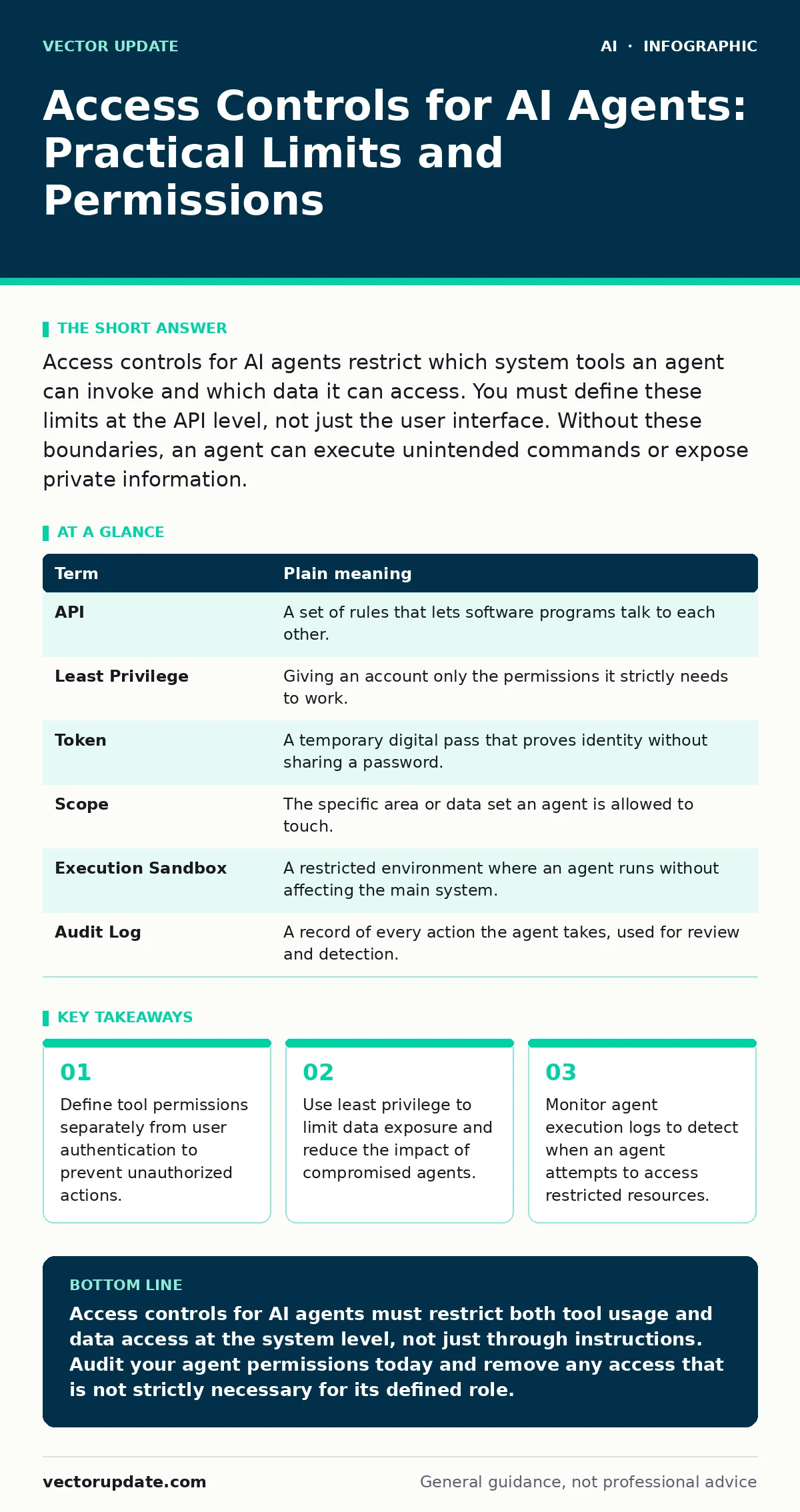
Access controls for AI agents restrict which system tools an agent can invoke and which data it can access. You must define these limits at the API level, not just the user interface. Without these boundaries, an agent can execute unintended commands or expose private information.
Why Standard Logins Fail for Agents
Human users log in with a username and password to access a system. An AI agent does not log in like a person. It executes code, calls application programming interfaces, and reads databases automatically. Standard identity checks verify who is asking for access, but they do not verify what the agent is allowed to do once inside.
Imagine a hotel key card. The card opens your room door. It does not open the laundry room, the server closet, or the manager’s office. If you give an AI agent a master key, it can open every door. If you give it a standard key, it can only open its designated room. Access controls for AI agents are the mechanism that ensures the agent only has the specific key it needs for its job, nothing more.
This distinction matters because agents operate at machine speed. A human might hesitate before clicking a link. An agent will execute a command in milliseconds if the permission exists. You must design controls that restrict actions, not just identities.
Key Terms for Agent Permissions
Understanding the vocabulary helps you configure these systems correctly. These terms define how the agent interacts with your infrastructure.
| Term | Plain meaning |
|---|---|
| API | A set of rules that lets software programs talk to each other. |
| Least Privilege | Giving an account only the permissions it strictly needs to work. |
| Token | A temporary digital pass that proves identity without sharing a password. |
| Scope | The specific area or data set an agent is allowed to touch. |
| Execution Sandbox | A restricted environment where an agent runs without affecting the main system. |
| Audit Log | A record of every action the agent takes, used for review and detection. |
Defining Tool Boundaries
An AI agent needs tools to get work done. It might need to send emails, update a spreadsheet, or query a database. Each of these capabilities is a potential risk. You must define which tools an agent can access. This is called tool bounding.
If an agent is designed to answer customer questions, it needs access to the knowledge base. It does not need access to the payroll system. Even if the agent is prompted to ignore payroll data, the ability to read it is a vulnerability. You should disable access to any tool the agent does not explicitly require for its primary task.
This approach reduces the attack surface. If an attacker manipulates the agent, the damage is limited to the tools the agent can actually use. This concept is central to preventing AI agent hijacking, where an attacker takes control of the agent’s actions.
Limiting Data Access
Data access controls determine what information an agent can read or write. You should separate data into categories based on sensitivity. Public data, internal data, and confidential data each require different access levels.
The agent should only see the data necessary to complete its current task. For example, if the agent is processing a support ticket, it should only see that specific ticket. It should not have access to all other tickets or user profiles. This is the principle of least privilege applied to data.
Sensitive data leaks through AI chatbots often happen because the agent has broad read access. By restricting the scope of data access, you ensure that even if the agent is misused, it cannot exfiltrate large amounts of private information. You must configure these limits at the database or API level, not just in the agent’s instructions.
Monitoring Agent Behavior
Access controls are not static. You must monitor how agents behave to ensure they stay within their boundaries. This requires detailed logging. Every tool call, every data read, and every write operation should be recorded.
Look for patterns that deviate from normal behavior. An agent that suddenly starts accessing a different database or using a tool it rarely uses is a red flag. This monitoring helps you detect when an agent is being manipulated or when its permissions are too broad.
This monitoring is also vital for compliance and governance. It provides a clear record of what the agent did and when. You can use this data to refine your access controls and tighten permissions over time. This process is part of broader AI governance frameworks that ensure responsible AI use.
Practical First Steps
You can start securing your AI agents today with these three steps.
- Audit Current Permissions: List every tool and data source each agent can access. Remove any access that is not strictly necessary for its job.
- Implement API-Level Restrictions: Configure your APIs to reject requests from agents that lack the specific permission for that action. Do not rely on the agent to self-regulate.
- Enable Detailed Logging: Turn on logging for all agent actions. Review these logs weekly to identify any unusual activity or permission gaps.
Common Mistakes to Avoid
A common mistake is assuming that prompt instructions are sufficient for security. You can tell an agent not to access certain data, but it can be tricked into doing so. This is known as prompt injection. Access controls must be enforced by the system, not just by the agent’s instructions.
Another mistake is giving agents long-lived access tokens. Tokens should expire frequently. This limits the window of opportunity for an attacker who steals a token. Short-lived tokens force the agent to re-authenticate regularly, which adds a layer of security.
The Hidden Cost of Over-Permissiveness
Giving an agent too many permissions seems convenient. It reduces friction and makes the agent more capable. However, this convenience comes with a hidden cost. The more permissions an agent has, the more damage it can do if it is compromised.
This is similar to giving a junior employee access to the executive vault. It might make their job easier, but it creates a massive security risk. The cost of a breach far outweighs the convenience of broad permissions. You must balance functionality with security.
This trade-off is critical when dealing with insecure AI plugins and agents. Plugins often require broad permissions to function. You must evaluate the risk before granting these permissions. Sometimes, it is better to build a custom, restricted solution than to use a broad, insecure plugin.
Key takeaways
- Define tool permissions separately from user authentication to prevent unauthorized actions.
- Use least privilege to limit data exposure and reduce the impact of compromised agents.
- Monitor agent execution logs to detect when an agent attempts to access restricted resources.
Access controls for AI agents must restrict both tool usage and data access at the system level, not just through instructions. Audit your agent permissions today and remove any access that is not strictly necessary for its defined role.
Frequently asked questions
Can I use standard user passwords for AI agents?
No. Agents should use service accounts with API tokens. These tokens can be revoked instantly and do not rely on human memory or weak passwords.
How do I prevent an agent from leaking data?
Restrict the agent’s read access to only the data it needs for its current task. Monitor its data access logs for unusual patterns or volume spikes.
What is the difference between authentication and authorization for agents?
Authentication proves who the agent is. Authorization defines what the agent is allowed to do. Both are necessary, but authorization is often overlooked for agents.
Should I log every action an AI agent takes?
Yes. Detailed logging is essential for detecting misuse, debugging issues, and ensuring compliance. Without logs, you cannot verify that the agent stayed within its bounds.
How this guide was produced: written by the Vector Update editorial team with AI assistance, checked against the public references listed below, and reviewed when the facts change. See our editorial policy or report an error.