Access Reviews Explained: The Hidden Cost of Stale Permissions
Most data breaches occur because old accounts retain high-level access long after the user leaves or changes roles, creating invisible backdoors.
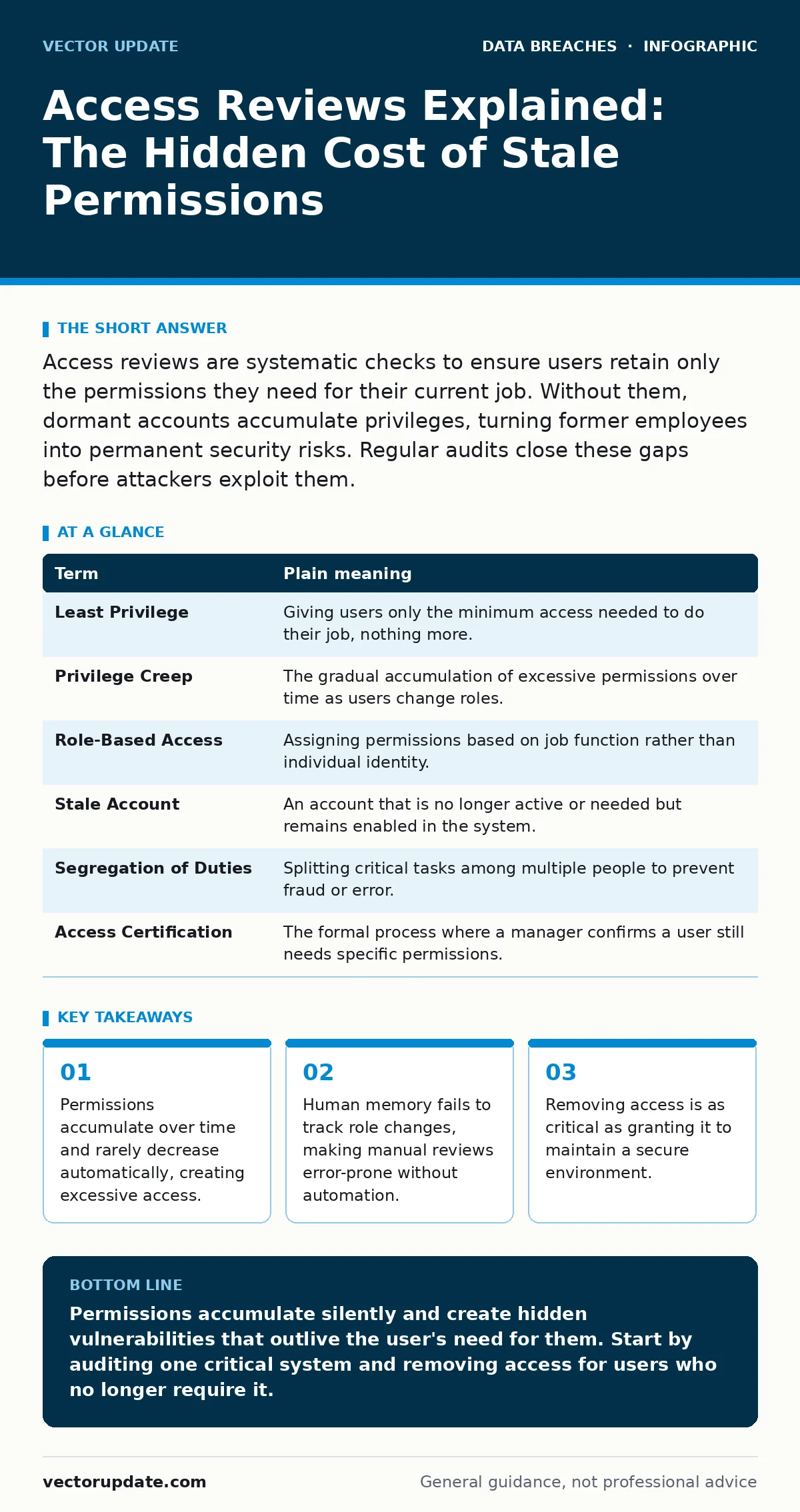
Access reviews are systematic checks to ensure users retain only the permissions they need for their current job. Without them, dormant accounts accumulate privileges, turning former employees into permanent security risks. Regular audits close these gaps before attackers exploit them.
The Office Keycard Problem
Imagine you work in a large office building. When you start, you receive a keycard that opens the front door, your department, and the breakroom. Six months later, you transfer to a different floor. Your old departmental access remains active on your card, even though you no longer need it. You might even keep access to the server room if you once worked in IT.
This accumulation of keys is how most systems work. Users gain permissions for every project they touch. They rarely surrender them when the project ends. Over time, your digital identity holds keys to doors you never enter. Attackers do not break down the front door. They steal the keycard of a former employee who still has access to the server room.
Why Permissions Stick
In cybersecurity, this phenomenon is called privilege creep. It happens because granting access is easy, but removing it requires effort. System administrators focus on enabling work, not disabling it. When a user moves teams, their new manager grants new permissions. The old manager forgets to revoke the old ones. The user now has the union of both sets of rights.
This creates a hidden attack surface. An attacker who compromises a low-level account can move laterally to high-value targets if that account retains old, elevated privileges. The user may not even know they have access to sensitive data. This ignorance makes social engineering easier. The attacker asks for "help" with a file the user technically can open, bypassing suspicion.
The Core Vocabulary
To discuss access reviews effectively, you need to understand the specific mechanisms at play. These terms define how access is granted, tracked, and removed.
| Term | Plain meaning |
|---|---|
| Least Privilege | Giving users only the minimum access needed to do their job, nothing more. |
| Privilege Creep | The gradual accumulation of excessive permissions over time as users change roles. |
| Role-Based Access | Assigning permissions based on job function rather than individual identity. |
| Stale Account | An account that is no longer active or needed but remains enabled in the system. |
| Segregation of Duties | Splitting critical tasks among multiple people to prevent fraud or error. |
| Access Certification | The formal process where a manager confirms a user still needs specific permissions. |
The Human Factor in Audits
Access reviews are not just a technical task. They are a management process. You cannot automate the decision of whether a user needs access. You must ask the person who manages the user’s work. This is called access certification. The manager receives a list of permissions and must approve or deny each one.
The problem is fatigue. If a manager receives a list of two hundred permissions for ten users, they will likely approve everything to finish the task. This is called rubber-stamping. The review becomes a formality rather than a security control. To prevent this, you must reduce the noise. Only review permissions that are risky or unusual. Do not ask managers to review standard, low-risk access for every employee.
Integrating with Broader Security
Access reviews do not exist in a vacuum. They support other security controls. For example, if you implement data encryption, you still need to manage who holds the decryption keys. Access reviews ensure only authorized personnel can access those keys. Similarly, intrusion detection systems can alert you to unusual activity, but they cannot stop a legitimate user with too much access from causing damage.
Consider the risk of account takeover fraud. If an attacker steals a credential, the damage depends on what that account can do. A regular user account might allow email access. An account with stale administrative privileges could exfiltrate entire databases. Regular reviews limit the blast radius of a compromised credential. This connects directly to managing your digital footprint. Every permission is a piece of that footprint. Shrinking it reduces exposure.
See also: How Data Encryption Works: The Mechanics and Hidden Limits · Map Your Digital Footprint to Stop Silent Data Loss
A First Practical Step
You do not need a complex tool to start. Begin with a manual audit of your most sensitive systems. Identify one critical application or server. List every user who has access. Compare that list to the current employee roster. Flag anyone who has left the company or changed departments.
Then, contact the manager of each flagged user. Ask a specific question: "Does this person still need access to this system for their current job?" If the answer is no, remove the access. If the answer is yes, document why. This simple process reveals the scale of privilege creep in your environment. It also establishes a habit of questioning access rather than assuming it is correct.
Try This Now
- [ ] Identify one high-value system. Choose a database, file server, or application that contains sensitive data. Do not try to review everything at once.
- [ ] Export the current access list. Get a report of all users with permissions to that system. Include the date the permission was granted if possible.
- [ ] Verify three random accounts. Pick three users who have not logged in recently. Ask their manager if they still need access. Remove it if the answer is no.
The Long-Term View
Access reviews are a recurring task, not a one-time fix. Permissions change as people change. The goal is to make the review process lightweight and frequent. Small, regular checks are more effective than large, annual audits. This approach reduces fatigue for managers and keeps the access list accurate.
By treating access as a dynamic state, you reduce the risk of stale accounts. You also make it easier to detect anomalies. If a user suddenly accesses a system they rarely use, it stands out more against a clean baseline. This discipline supports public key infrastructure management and other identity controls. It ensures that the identity layer of your security remains tight, even as your organization grows and changes.
Key takeaways
- Permissions accumulate over time and rarely decrease automatically, creating excessive access.
- Human memory fails to track role changes, making manual reviews error-prone without automation.
- Removing access is as critical as granting it to maintain a secure environment.
Permissions accumulate silently and create hidden vulnerabilities that outlive the user's need for them. Start by auditing one critical system and removing access for users who no longer require it.
Frequently asked questions
How often should I perform access reviews?
Review high-risk access quarterly and standard access annually. Frequency depends on how fast roles change in your organization.
Can I automate access reviews completely?
Automation can generate lists and enforce removals, but humans must decide if access is still needed. You cannot automate managerial judgment.
What if a manager does not respond to a review request?
Treat non-response as a denial of access. Disable the permissions until the manager confirms the user needs them. This enforces accountability.
Do access reviews prevent insider threats?
They reduce the damage an insider can cause by limiting their access. They do not stop a malicious user with legitimate permissions from acting.
How this guide was produced: written by the Vector Update editorial team with AI assistance, checked against the public references listed below, and reviewed when the facts change. See our editorial policy or report an error.