Browser Extension Vulnerabilities: 6 Myths That Leave Data Exposed
Extensions operate with near-total control over browser internals, making them far more dangerous than web pages or standard applications.

Browser extensions are not isolated scripts. They run with elevated privileges, can read all site data, and often bypass standard security controls. Treating them as trusted code creates severe exposure risks that standard web defenses cannot mitigate.
Myth: Extensions Are Isolated Sandboxed Code
Reality: Extensions run with elevated privileges that bypass the same-origin policy. The same-origin policy is a security mechanism that restricts how a document or script loaded from one origin can interact with resources from another origin. Web pages are confined to their own domain, but extensions operate outside this restriction.
An extension can read cookies, local storage, and DOM content from every site you visit. It can intercept network requests and modify responses before your browser processes them. This level of access is necessary for features like ad-blocking or password management, but it also grants the extension the ability to exfiltrate sensitive data silently.
Imagine an extension that claims to improve page loading speeds. It could inject scripts into every page to capture form inputs. The browser treats this code as trusted because it is signed by the developer. The isolation you expect from web browsing does not apply here.
Myth: Code Signing Guarantees Safety
Reality: Code signing only verifies the identity of the publisher and ensures the code has not been altered since signing. It does not validate the logic within the code. A developer can sign malicious code just as easily as legitimate code. The signature proves the code came from them, not that it is safe for you to run.
Many users equate the green checkmark or verified badge with security clearance. This is a false equivalence. The store review process catches obvious malware, but it misses logic flaws, privacy violations, and subtle backdoors. Once installed, the extension executes with full trust.
Consider a popular productivity tool. If the developer is compromised or decides to pivot to data harvesting, they can push an update. Your browser trusts the update because the signature matches. You have no way to verify the intent of the new code without auditing it yourself.
Myth: Permissions Are Granular and Accurate
Reality: Permission scopes are often broader than necessary for the advertised feature. An extension might request access to "all URLs" to function on a single site. The browser grants this access because the manifest file declares it, and the user clicks accept.
This creates a hidden cost. You might install a tool to translate text on one site, but it gains the ability to read data on your banking portal. The permission model lacks fine-grained controls for most users. You cannot restrict an extension to specific subdomains or data types easily.
Myth: Disabling an Extension Removes Its Risk
Reality: Disabling an extension stops its active scripts, but it may leave persistent artifacts. Some extensions register background pages, service workers, or native messaging hosts that persist in memory or on disk. These components can retain access to certain APIs or maintain connections to external servers.
Furthermore, the extension’s permissions remain granted in the browser profile. If the extension is re-enabled, either manually or by another process, it resumes operations immediately. It does not need to re-request permissions. This persistence means the attack surface remains open even when the tool appears inactive.
Suppose you disable a suspicious extension for a week. A background process it installed could still communicate with a command-and-control server, waiting for instructions to reactivate. The visual indicator in the toolbar is off, but the underlying footprint remains.
Myth: Open-Source Extensions Are Automatically Audited
Reality: Open-source code is available for review, but availability does not guarantee that anyone is reviewing it. Many open-source extensions have low usage counts and inactive repositories. The code may contain vulnerabilities that remain undiscovered for years.
This relates to the challenges of managing vulnerable third-party libraries. An open-source extension might depend on a library with a known flaw. If the maintainer does not update the dependency, the extension remains vulnerable. Users assume community oversight provides safety, but the "bus factor" often leaves critical tools unmaintained.
Imagine relying on a security tool because it is open source. If the primary author abandons the project, no one fixes the emerging threats. You are running code that no one is actively defending. The transparency is a promise, not a guarantee of current safety.
See also: Type Confusion Vulnerabilities Prevention Checklist for Secure Code
Myth: Extensions Cannot Access System Resources
Reality: Modern extensions can interact with native applications through native messaging hosts. This bridge allows the extension to execute programs on your local machine. It can read files, execute commands, and access system information that the browser itself cannot reach.
This capability is designed for legitimate integrations, such as syncing with local password managers or controlling hardware. However, it also bypasses the browser’s security sandbox entirely. A malicious extension can use this bridge to install malware, exfiltrate local files, or pivot to other systems on your network.
The risk here is comparable to pre-authentication vulnerabilities in web applications. The extension gains access without additional user interaction after the initial install. You are granting the extension the ability to act as a local administrator on your device.
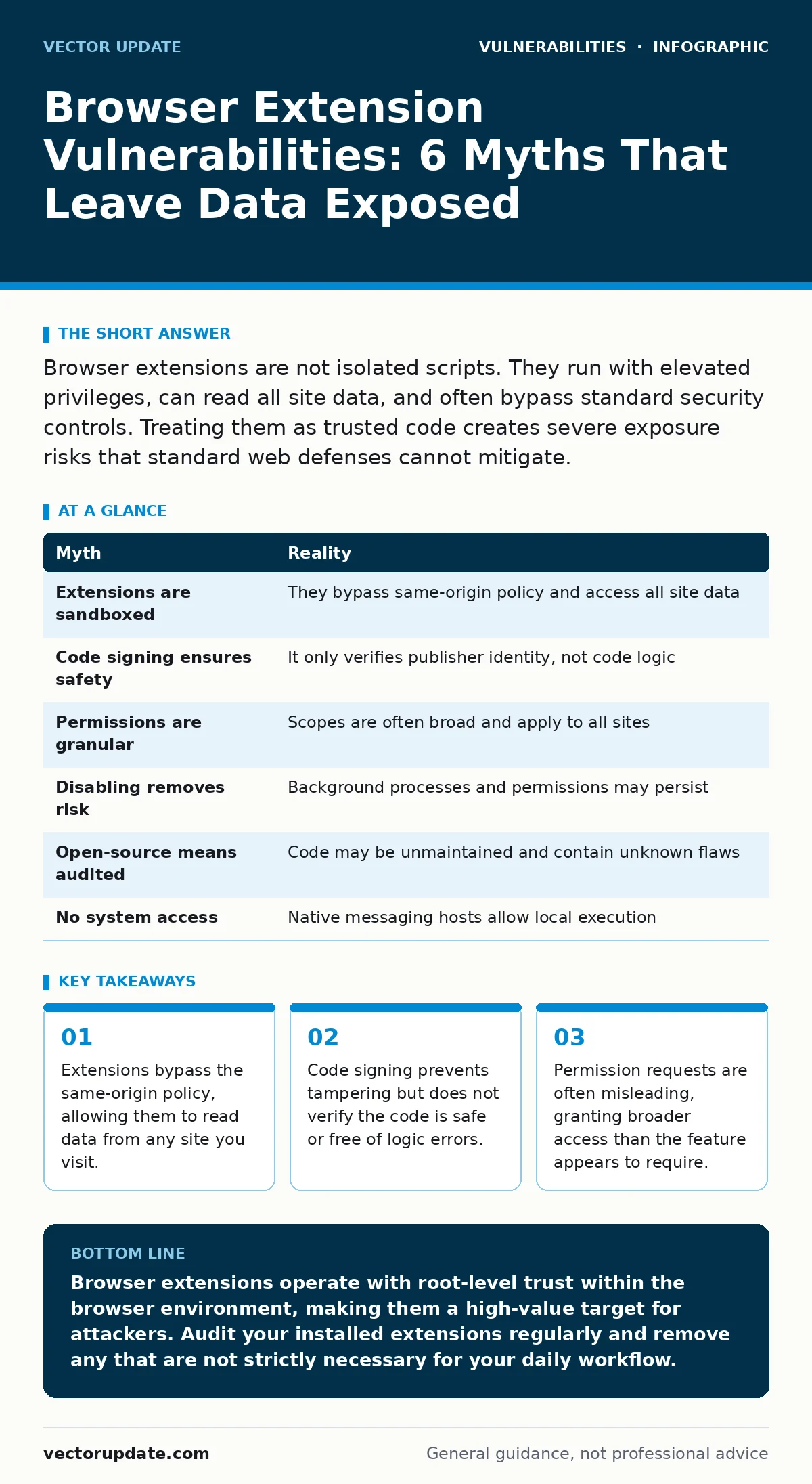
| Myth | Reality |
|---|---|
| Extensions are sandboxed | They bypass same-origin policy and access all site data |
| Code signing ensures safety | It only verifies publisher identity, not code logic |
| Permissions are granular | Scopes are often broad and apply to all sites |
| Disabling removes risk | Background processes and permissions may persist |
| Open-source means audited | Code may be unmaintained and contain unknown flaws |
| No system access | Native messaging hosts allow local execution |
Key takeaways
- Extensions bypass the same-origin policy, allowing them to read data from any site you visit.
- Code signing prevents tampering but does not verify the code is safe or free of logic errors.
- Permission requests are often misleading, granting broader access than the feature appears to require.
Browser extensions operate with root-level trust within the browser environment, making them a high-value target for attackers. Audit your installed extensions regularly and remove any that are not strictly necessary for your daily workflow.
Frequently asked questions
How do I check what data an extension can access?
Review the extension’s manifest file or the permissions page in your browser settings. Look for permissions like "read and change all your data on all websites."
Can a browser extension steal my passwords?
Yes. If an extension has access to page content, it can read password fields as you type. It can also access stored credentials if it has appropriate permissions.
Are enterprise browsers safer against extension threats?
Enterprise browsers allow administrators to whitelist extensions, reducing the risk of unauthorized tools. However, they do not eliminate the risk from approved extensions that contain vulnerabilities.
What is the difference between an extension and a web plugin?
Plugins are legacy technologies like Flash that run outside the browser engine. Extensions are modern add-ons that integrate directly into the browser and have deep access to its APIs.
How this guide was produced: written by the Vector Update editorial team with AI assistance, checked against the public references listed below, and reviewed when the facts change. See our editorial policy or report an error.