How Silent Security Patches Work and Why You Miss Them
Vendor backports fix critical flaws in unnumbered updates, hiding risks that standard scanners overlook because they cannot match known signatures.

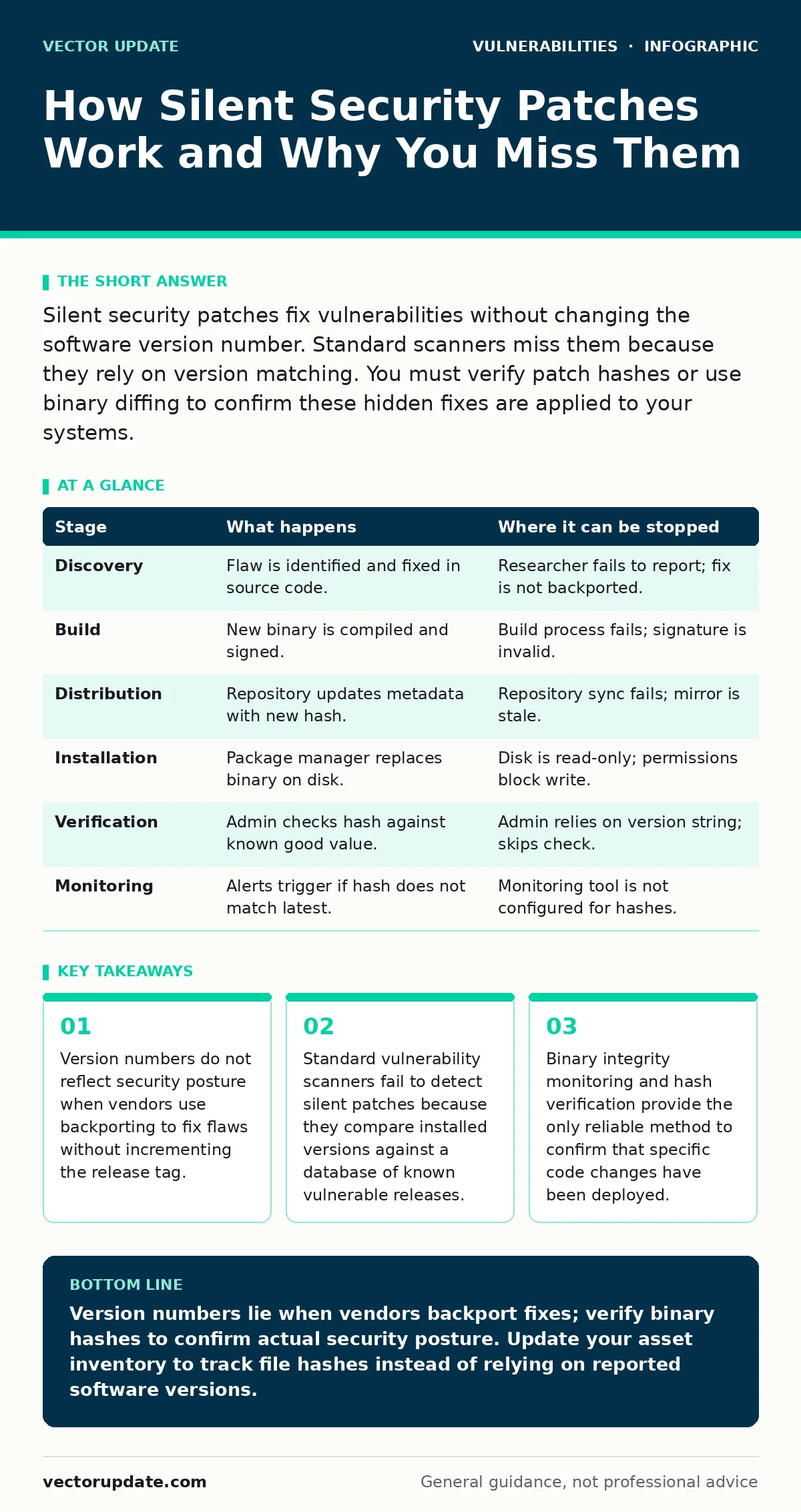
Silent security patches fix vulnerabilities without changing the software version number. Standard scanners miss them because they rely on version matching. You must verify patch hashes or use binary diffing to confirm these hidden fixes are applied to your systems.
The Mechanics of Backporting
Silent security patches occur when a vendor fixes a vulnerability in an older software release without incrementing the version number. This process is called backporting. Vendors do this to keep legacy systems stable while closing security gaps. The code changes are minimal and targeted. The version string remains identical to the vulnerable release. This creates a blind spot for automated security tools.
Imagine you manage a fleet of servers running version 4.2 of a web server. A critical flaw is discovered. The vendor releases a patch for version 4.2. The version string stays "4.2". Your inventory system sees no change. You assume the system is unpatched. In reality, the binary has changed. The hash value is different. The code executes differently. Standard tools cannot see this difference.
Stage 1: Discovery and Triage
The process begins when a researcher or vendor engineer identifies a flaw. They analyze the code to find the root cause. They write a fix that addresses the specific logic error. They do not rewrite the entire module. They isolate the change. This isolation prevents unintended side effects in older codebases. The fix is tested against the specific version that contains the vulnerability.
Stage 2: Backporting and Build
Developers take the fix and apply it to the older codebase. They resolve any conflicts that arise from differences in the code structure. They compile the new binary. They sign the binary with the vendor’s key. They assign a new build ID or hash. They do not change the major, minor, or patch version number. The release notes may mention the fix, or they may list it as a "general security update." The ambiguity is intentional. It reduces noise for users who do not care about specific CVEs.
Stage 3: Distribution
The vendor uploads the new binary to their repository. The filename often remains identical to the previous version. The URL may change slightly, or it may stay the same with a new content hash. Package managers update their metadata. They mark the new binary as the latest available for that version stream. Systems that check for updates will see a new file to download. They will not see a new version number. The download occurs silently in the background.
Stage 4: Installation
The package manager downloads the new binary. It replaces the old binary on disk. It updates the local database. The version string in the registry or config file remains unchanged. The system restarts the service. The service loads the new binary. The vulnerability is closed. The system continues to report its version as the old, vulnerable number. This is the critical moment where visibility is lost.
See also: Type Confusion Vulnerabilities Prevention Checklist for Secure Code · Bug Bounty Triage for Small Teams: A Practical Workflow
Stage 5: Verification
You must verify the patch manually. You cannot rely on version matching. You must compare the hash of the installed binary against the hash of the known patched binary. You can use checksum tools to verify the file integrity. You can use binary diffing tools to compare the installed file against a known vulnerable version. This process requires access to the vendor’s official hash list. It requires discipline to perform regularly.
Stage 6: Monitoring and Alerting
You must set up monitoring to detect when silent patches are available. You subscribe to vendor security advisories. You monitor package repository metadata for hash changes. You integrate this data into your risk-based vulnerability management workflow. You prioritize systems that have not received the hash update. You treat hash mismatches as high-risk findings. You do not ignore them because the version number looks correct.
Reading the Signals
Detecting silent patches requires a shift in perspective. You must stop looking at version numbers. You must start looking at binary hashes. You must trust the cryptographic signature of the vendor. You must verify that the binary you have matches the binary the vendor says is safe. This adds overhead to your routine. It requires more storage for reference binaries. It requires more CPU cycles for hashing. But it provides accuracy that version matching cannot.
| Stage | What happens | Where it can be stopped |
|---|---|---|
| Discovery | Flaw is identified and fixed in source code. | Researcher fails to report; fix is not backported. |
| Build | New binary is compiled and signed. | Build process fails; signature is invalid. |
| Distribution | Repository updates metadata with new hash. | Repository sync fails; mirror is stale. |
| Installation | Package manager replaces binary on disk. | Disk is read-only; permissions block write. |
| Verification | Admin checks hash against known good value. | Admin relies on version string; skips check. |
| Monitoring | Alerts trigger if hash does not match latest. | Monitoring tool is not configured for hashes. |
The Hidden Cost of Stability
Silent patches protect system stability. They prevent breaking changes. They allow legacy systems to remain secure. But they create a false sense of security for administrators who rely on automation. You must accept the trade-off. You must invest in better verification tools. You must train your team to look beyond version numbers. This effort prevents breaches that exploit the gap between what the scanner says and what the code does.
Integration with Asset Inventory
Your IT asset inventory must record binary hashes, not just version strings. This requires additional data collection. It requires agents that can read file attributes. It requires a central repository to store and compare this data. When you map your assets, you see which systems have the correct hash. You see which systems are lagging. You can target your remediation efforts with precision. This approach aligns with risk-based vulnerability management principles. It focuses resources on actual risk, not perceived risk.
Why Scanners Fail
Most vulnerability scanners use a signature-based approach. They check the version number reported by the system. They compare it to a database of known vulnerabilities. If the version matches a vulnerable entry, they flag it. If the version matches a patched entry, they clear it. Silent patches break this logic. The version matches the vulnerable entry. The scanner flags it. The system is safe. This is a false positive. It erodes trust in your security tools. It wastes time on remediation that is not needed.
Conclusion of Process
The lifecycle of a silent patch is invisible to casual observation. It requires active verification. You must treat every binary as potentially vulnerable until you verify its hash. You must update your verification references frequently. You must integrate this process into your regular maintenance windows. This discipline ensures that your systems are truly secure, not just appearing secure.
Key takeaways
- Version numbers do not reflect security posture when vendors use backporting to fix flaws without incrementing the release tag.
- Standard vulnerability scanners fail to detect silent patches because they compare installed versions against a database of known vulnerable releases.
- Binary integrity monitoring and hash verification provide the only reliable method to confirm that specific code changes have been deployed.
Version numbers lie when vendors backport fixes; verify binary hashes to confirm actual security posture. Update your asset inventory to track file hashes instead of relying on reported software versions.
Frequently asked questions
How do I find the correct hash for a silent patch?
Check the vendor’s official security advisory or package repository metadata. They often provide SHA256 or SHA512 checksums for the patched binaries. Do not use third-party sources for this data.
Can I automate hash verification for silent patches?
Yes. Configure your configuration management tools to check file hashes during routine audits. Set alerts for any deviation from the known-good hash stored in your central database. This runs in the background.
Do silent patches affect pre-authentication vulnerabilities?
Yes. Vendors often backport fixes for pre-authentication vulnerabilities to avoid forcing users to upgrade major versions. These are high-risk targets, so verifying their hash status is critical for defense.
Is this related to vulnerable third-party libraries?
Sometimes. If a library is updated silently, the application using it may not report a version change. You must verify the library’s binary hash within the application package to ensure the fix is present.
How this guide was produced: written by the Vector Update editorial team with AI assistance, checked against the public references listed below, and reviewed when the facts change. See our editorial policy or report an error.