7 Common Mistakes That Let Infostealers Steal Your Data
Infostealers bypass perimeter defenses by abusing trusted local processes and legitimate credential stores to exfiltrate session tokens and browser data silently.

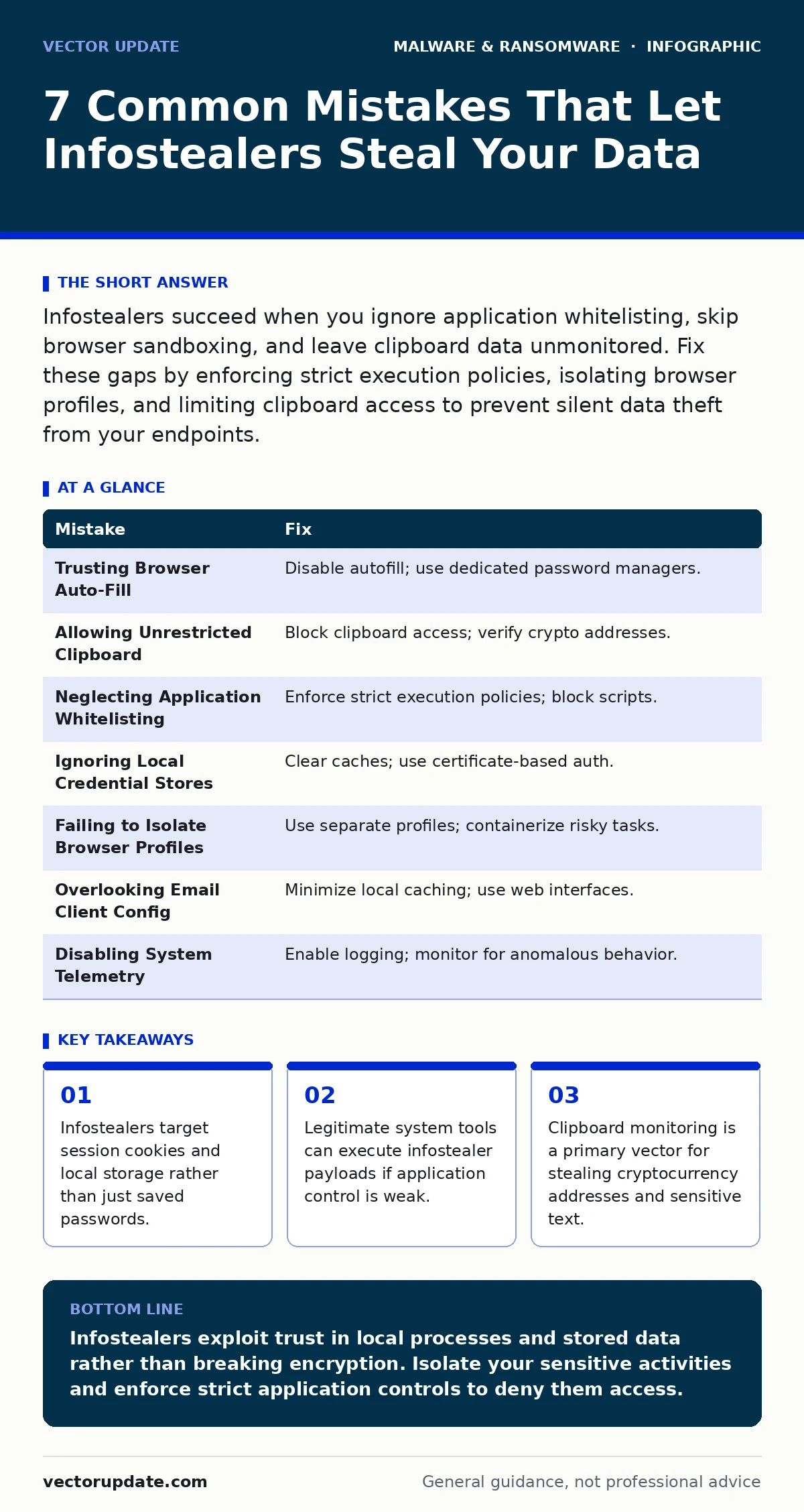
Infostealers succeed when you ignore application whitelisting, skip browser sandboxing, and leave clipboard data unmonitored. Fix these gaps by enforcing strict execution policies, isolating browser profiles, and limiting clipboard access to prevent silent data theft from your endpoints.
Mistake 1: Trusting Browser Auto-Fill Without Verification
Why it hurts: Modern web browsers store more than just login credentials. They cache session cookies, autofill forms with personal data, and save payment tokens. An infostealer does not need to crack your password if it can copy the session cookie directly from the browser’s local storage files. This allows the attacker to impersonate your active session without triggering two-factor authentication challenges. The theft happens silently in the background while you browse normally.
The fix: Disable the browser’s built-in password manager and form autofill features entirely. Use a dedicated password manager that injects credentials into fields rather than storing them in the browser’s accessible database. Configure the browser to delete cookies and site data every time you close it. This forces a fresh authentication cycle for each session, rendering stolen cookies useless to the attacker.
Mistake 2: Allowing Unrestricted Clipboard Access
Why it hurts: Infostealers monitor the system clipboard to capture sensitive data the moment you copy it. This includes cryptocurrency wallet addresses, sensitive code snippets, and internal document text. The malware runs a background process that watches for changes to the clipboard buffer. When you copy a wallet address to paste it into a transaction, the malware swaps the address with one controlled by the attacker before you paste it. You send funds to the wrong destination without ever realizing the swap occurred.
The fix: Restrict clipboard access through operating system security settings or endpoint protection tools. Block applications from reading the clipboard unless they are explicitly whitelisted. Be vigilant when handling cryptocurrency transactions by verifying the recipient address on the blockchain explorer before sending. Use hardware wallets that require physical confirmation for transactions, adding a layer of protection that software-based clipboard theft cannot bypass.
Mistake 3: Neglecting Application Whitelisting Policies
Why it hurts: Infostealers often arrive disguised as legitimate software updates or bundled with free utilities. They rely on the assumption that users will run any executable file they download. Without strict application whitelisting, the operating system trusts the binary because it has a valid signature or appears to come from a known source. The malware executes immediately, establishing persistence and beginning its data harvest. Standard antivirus signatures often miss these newly compiled or obfuscated variants until weeks after deployment.
The fix: Implement strict application control policies that only allow signed and approved executables to run. Block all scripts and interpreters unless they are required for specific business functions. Regularly audit installed applications and remove anything that is not essential. This prevents infostealers from executing even if they bypass download filters. Combine this with regular updates to your allow-list to maintain security without hindering productivity.
Mistake 4: Ignoring Local Credential Stores
Why it hurts: Windows and macOS systems maintain local credential caches for network drives, email clients, and remote desktop connections. Infostealers target these stores to harvest credentials for internal network access. They do not need to intercept traffic or crack hashes. They simply read the plaintext or reversible credentials stored in the operating system’s secure storage. This gives the attacker a foothold inside your network, allowing lateral movement to other systems and deeper data exfiltration.
The fix: Clear local credential caches regularly and disable the option to save passwords for network resources. Use virtual smart cards or certificate-based authentication for remote access instead of storing passwords locally. Ensure that local admin accounts are disabled on standard user workstations. This reduces the value of any single compromised machine and limits the attacker’s ability to move laterally within your environment.
Mistake 5: Failing to Isolate Browser Profiles
Why it hurts: Running your primary browser profile with full administrative privileges or on the same user account as your daily work exposes all your data to a single point of failure. If an infostealer compromises the user profile, it gains access to every site you have logged into, every saved form entry, and every connected account. The malware can scrape this data in seconds. There is no separation between your personal banking session and your casual browsing, allowing one breach to compromise your entire digital identity.
The fix: Use separate browser profiles for different activities. Create a dedicated profile for banking and sensitive work, and keep it isolated from general browsing. Use containerization tools or virtual machines for high-risk activities. This limits the scope of data exposure if one profile is compromised. Ensure that these profiles do not share cookies, history, or saved passwords. This containment strategy prevents a single infostealer infection from accessing all your accounts.
See also: Malware Droppers and Loaders Explained: How Stealthy Code Works
Mistake 6: Overlooking Email Client Configuration
Why it hurts: Email clients like Outlook and Thunderbird store significant amounts of metadata and cached content locally. Infostealers target these applications to harvest contact lists, email history, and cached attachments. They can also inject malicious links into your sent messages, using your reputation to spread further malware. The attacker gains insight into your organizational structure and communication patterns, enabling more targeted social engineering attacks. This turns your email client into a tool for further compromise.
The fix: Configure email clients to minimize local caching. Disable the storage of sent items locally if possible. Use web-based email interfaces for sensitive communications to avoid local data storage. Regularly review and clean your contact lists to remove unnecessary entries. Implement rules that block external senders from appearing in your global address list. This reduces the attack surface and limits the data available to an infostealer on your local machine.
Mistake 7: Disabling System Telemetry and Logging
Why it hurts: Many users disable system telemetry and logging to improve performance or privacy. This removes the visibility needed to detect infostealer activity. Without detailed logs, you cannot see which processes are accessing sensitive files or making network connections. The infostealer operates in the shadows, undetected by standard monitoring tools. You lose the ability to investigate incidents or understand the scope of a breach. This blindness allows the malware to persist and exfiltrate data for extended periods.
The fix: Enable detailed system logging and ensure logs are forwarded to a centralized security information and event management system. Monitor for unusual process behaviors, such as a web browser accessing the clipboard or a text editor making network connections. Configure alerts for known infostealer indicators of compromise. Regularly review logs for anomalies. This visibility allows you to detect and respond to infostealer activity before significant data loss occurs.
| Mistake | Fix |
|---|---|
| Trusting Browser Auto-Fill | Disable autofill; use dedicated password managers. |
| Allowing Unrestricted Clipboard | Block clipboard access; verify crypto addresses. |
| Neglecting Application Whitelisting | Enforce strict execution policies; block scripts. |
| Ignoring Local Credential Stores | Clear caches; use certificate-based auth. |
| Failing to Isolate Browser Profiles | Use separate profiles; containerize risky tasks. |
| Overlooking Email Client Config | Minimize local caching; use web interfaces. |
| Disabling System Telemetry | Enable logging; monitor for anomalous behavior. |
Key takeaways
- Infostealers target session cookies and local storage rather than just saved passwords.
- Legitimate system tools can execute infostealer payloads if application control is weak.
- Clipboard monitoring is a primary vector for stealing cryptocurrency addresses and sensitive text.
Infostealers exploit trust in local processes and stored data rather than breaking encryption. Isolate your sensitive activities and enforce strict application controls to deny them access.
Frequently asked questions
Can antivirus software stop infostealers?
Traditional signature-based antivirus often misses new infostealer variants. Behavior-based detection and endpoint detection and response tools are more effective at identifying suspicious activities.
Do infostealers steal cryptocurrency?
Yes, they target wallet files, clipboard data, and browser extensions related to crypto. Always verify transaction addresses and use hardware wallets for significant holdings.
How do infostealers persist on a system?
They often modify registry keys, create scheduled tasks, or inject code into legitimate processes. Regular system audits and application whitelisting help prevent this persistence.
Are mobile devices vulnerable to infostealers?
Yes, mobile infostealers target SMS codes, clipboard data, and app credentials. Keep your operating system updated and avoid sideloading apps from untrusted sources.
How this guide was produced: written by the Vector Update editorial team with AI assistance, checked against the public references listed below, and reviewed when the facts change. See our editorial policy or report an error.