Can Parental Controls See Your Screen? The Technical Reality
Parental controls do not watch your screen in real time by default, but they capture periodic snapshots and log application usage to build a history of activity.

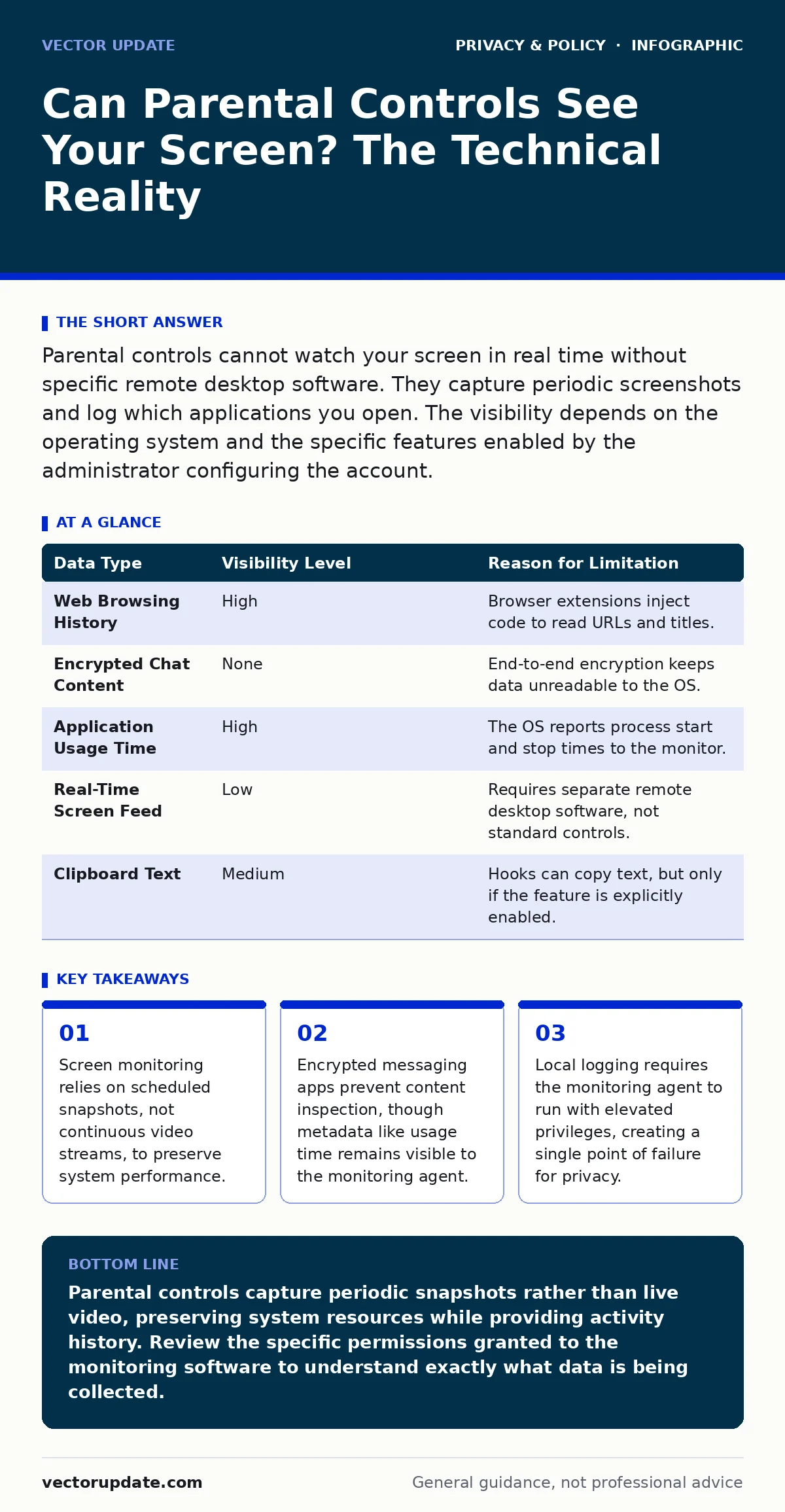
Parental controls cannot watch your screen in real time without specific remote desktop software. They capture periodic screenshots and log which applications you open. The visibility depends on the operating system and the specific features enabled by the administrator configuring the account.
Can parental controls see your screen right now?
Parental controls cannot see your screen in real time unless the administrator explicitly enables remote desktop access. Standard parental control suites prioritize system stability over continuous surveillance. Running a constant video feed of your display would consume excessive CPU and battery resources. Instead, these tools use a sampling method. They take a screenshot at random intervals or when specific triggers occur. This approach provides a historical record of activity without the overhead of live streaming. You will not see a cursor moving in real time on another device unless that specific feature is turned on.
How do parental controls capture visual data?
Parental controls capture visual data by hooking into the graphics rendering pipeline of the operating system. When the software requests a screenshot, it copies the pixel data from the frame buffer. This process happens in milliseconds. The resulting image is compressed and stored locally or uploaded to a cloud dashboard. The frequency of these captures is configurable. An administrator might set the tool to take a picture every 10 minutes or only when a flagged keyword appears in the clipboard. The resolution of these captures is often lower than the native display to reduce file size.
What information is logged alongside screenshots?
Screenshots are rarely stored in isolation. Parental control software logs metadata that provides context for the visual data. This includes the application name, the window title, and the duration of the session. If you switch from a web browser to a word processor, the log records that transition. The software also tracks the time of day and the device location if GPS is enabled. This metadata allows administrators to reconstruct your workflow. It reveals not just what you saw, but how much time you spent on each task. This data is often more revealing than the images themselves.
Which applications remain invisible to monitoring?
Applications that use end-to-end encryption prevent parental controls from inspecting message content. The monitoring agent can see that you opened the messaging app and for how long. It cannot read the text of the messages or view the media files sent within the chat. This is because the encryption keys never leave your device in a readable format. The parental control software only sees the encrypted ciphertext. Similarly, full-screen games may block screenshot hooks. Some gaming engines prevent other processes from accessing the frame buffer for anti-cheat reasons. This creates blind spots in the monitoring coverage.
| Data Type | Visibility Level | Reason for Limitation |
|---|---|---|
| Web Browsing History | High | Browser extensions inject code to read URLs and titles. |
| Encrypted Chat Content | None | End-to-end encryption keeps data unreadable to the OS. |
| Application Usage Time | High | The OS reports process start and stop times to the monitor. |
| Real-Time Screen Feed | Low | Requires separate remote desktop software, not standard controls. |
| Clipboard Text | Medium | Hooks can copy text, but only if the feature is explicitly enabled. |
Does the operating system enforce these limits?
The operating system mediates access to screen content through permission APIs. On modern mobile platforms, apps must declare their intent to capture the screen. The user receives a persistent notification when screen recording is active. Desktop operating systems are less restrictive. Admin accounts have broad access to all processes. Parental control software installed with admin rights can bypass many user-level restrictions. However, they still cannot decrypt data that the OS itself cannot access. The boundary between what the monitor can see and what it cannot is defined by the encryption layer, not the user interface.
See also: vpns for china: how to bypass censorship safely · How to Reduce Your Digital Footprint: The Mechanics of Data Minimization
What happens if the monitoring agent fails?
Parental control software runs as a background service. If this service crashes or is disabled, monitoring stops immediately. The software cannot take screenshots if it is not running. Some advanced suites include watchdog processes that restart the main agent if it fails. However, a determined user can disable these watchdogs. If the agent is stopped, no data is collected. The administrator will see a gap in the logs. This gap is often more noticeable than the activity itself. It signals that the monitoring mechanism was interrupted or bypassed.
How does network filtering affect screen visibility?
Network-based parental controls cannot see your screen at all. They operate at the DNS or HTTP level. They block access to specific domains or filter web content based on keywords. They have no access to the local device memory or graphics card. Therefore, they cannot take screenshots or log application usage. They only control what traffic passes through the router. If you use a VPN, the router sees only encrypted traffic to the VPN server. The parental control software on the device must be separate from the network filter to capture visual data.
Can you disable screen monitoring without detection?
Disabling screen monitoring often leaves traces in the system logs. The operating system records service stops and permission changes. Advanced parental control suites report these events to the administrator dashboard. If you disable the screenshot feature, the admin sees a notification that the feature was turned off. They do not see the screen, but they know you changed the settings. This creates a cat-and-mouse dynamic. The best approach is to negotiate the monitoring terms with the administrator. Transparency reduces the need for aggressive surveillance.
Related topics include how to reduce your digital footprint and the role of zero-knowledge encryption in protecting sensitive data. Understanding these concepts helps you evaluate the trade-offs between privacy and security.
Key takeaways
- Screen monitoring relies on scheduled snapshots, not continuous video streams, to preserve system performance.
- Encrypted messaging apps prevent content inspection, though metadata like usage time remains visible to the monitoring agent.
- Local logging requires the monitoring agent to run with elevated privileges, creating a single point of failure for privacy.
Parental controls capture periodic snapshots rather than live video, preserving system resources while providing activity history. Review the specific permissions granted to the monitoring software to understand exactly what data is being collected.
Frequently asked questions
Do parental controls record video of my screen?
No, standard parental controls do not record continuous video. They take static screenshots at set intervals or when triggered by specific actions.
Can they see my private messages?
They can see that you used the messaging app and for how long, but they cannot read the content of encrypted messages.
Does turning off Wi-Fi stop screen monitoring?
No, screenshots are often stored locally on the device. They may sync to the cloud when a connection is available, but the capture happens regardless of internet access.
Can I hide my screen from parental controls?
You can use full-screen applications that block screenshot hooks, but this may trigger alerts in the monitoring software indicating that a process is blocking access.
How this guide was produced: written by the Vector Update editorial team with AI assistance, checked against the public references listed below, and reviewed when the facts change. See our editorial policy or report an error.