vpns for china: how to bypass censorship safely
Tunneling traffic through foreign servers hides your location from local monitors, but it does not prevent the destination server from seeing your unencrypted data.
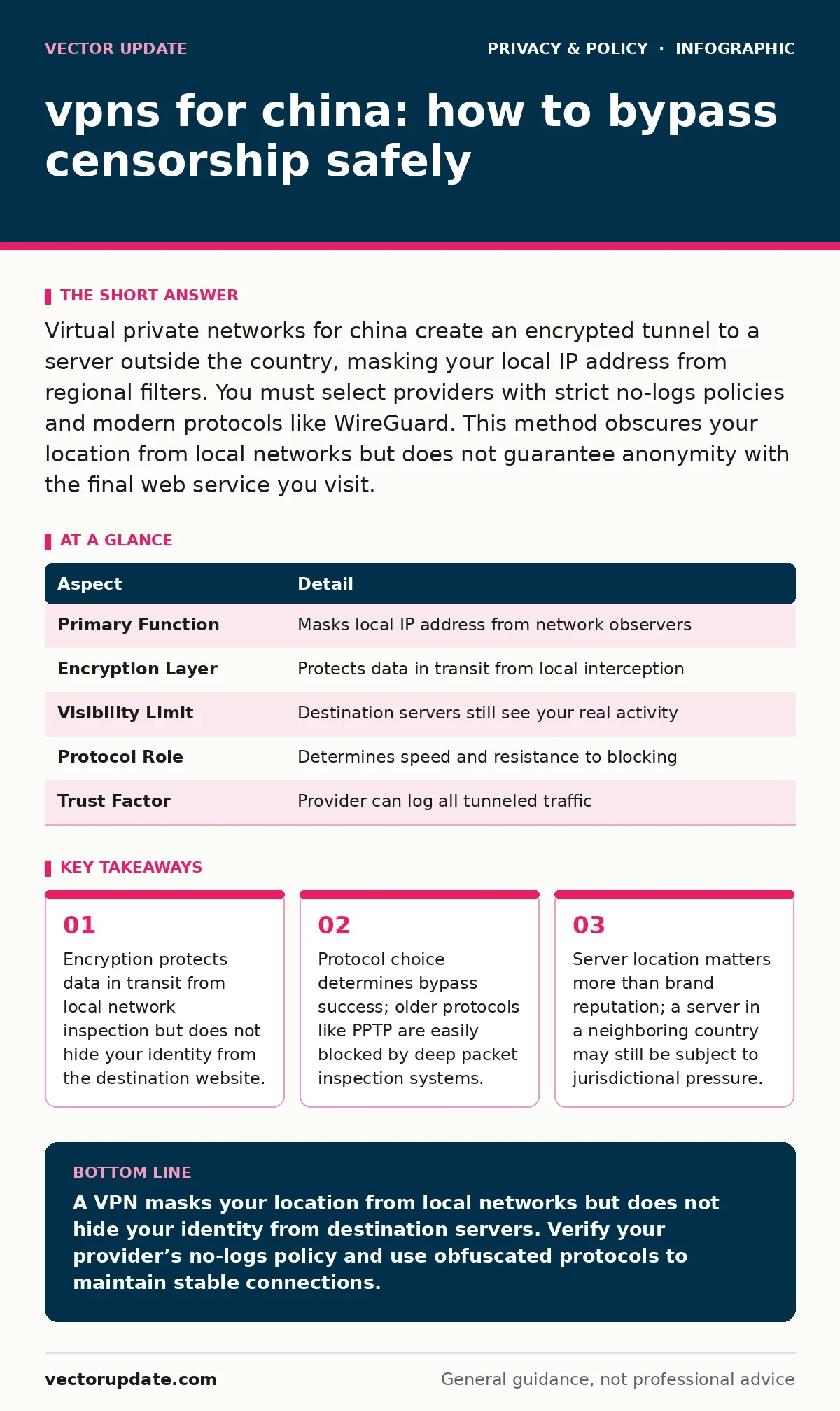
Virtual private networks for china create an encrypted tunnel to a server outside the country, masking your local IP address from regional filters. You must select providers with strict no-logs policies and modern protocols like WireGuard. This method obscures your location from local networks but does not guarantee anonymity with the final web service you visit.
Understanding the tunnel mechanism
A virtual private network creates an encrypted tunnel between your device and a remote server. This tunnel wraps your internet traffic in a protective layer that local networks cannot read. When you connect, your device sends data to the VPN server first. The server then forwards that data to its final destination on the internet. Local monitors see only encrypted noise flowing to a foreign IP address. They cannot see which specific websites you visit or what data you send. This separation between your local connection and the final destination is the core function of the technology. It effectively changes your apparent location to match the server’s physical address.
| Aspect | Detail |
|---|---|
| Primary Function | Masks local IP address from network observers |
| Encryption Layer | Protects data in transit from local interception |
| Visibility Limit | Destination servers still see your real activity |
| Protocol Role | Determines speed and resistance to blocking |
| Trust Factor | Provider can log all tunneled traffic |
Why vpns for china face unique hurdles
Network operators in this region deploy advanced filtering systems that inspect packet headers and payloads. These systems look for known signatures of tunneling protocols. When they detect a pattern that matches standard VPN traffic, they block the connection. This forces providers to constantly update their protocols to avoid detection. You must choose a service that uses obfuscation techniques. Obfuscation disguises encrypted traffic as normal web browsing data. Without this feature, your connection will likely drop immediately. The constant cat-and-mouse game between filters and providers means stability varies by day and by server location. You cannot rely on a single static configuration to work forever.
Selecting the right technical stack
Protocol choice dictates your ability to maintain a connection. Older protocols like PPTP or L2TP/IPsec are easily identified and blocked. They lack the necessary obfuscation capabilities for strict filtering environments. Modern protocols like WireGuard or OpenVPN with TLS-authentication offer better performance and security. WireGuard is particularly effective due to its minimal codebase and speed. However, some networks have begun fingerprinting WireGuard traffic. You should look for providers offering custom obfuscation layers or "stealth" modes. These modes wrap the protocol in standard HTTPS-like packets. This makes the traffic indistinguishable from regular web browsing to intermediate inspectors.
The trust deficit with providers
You are handing your unencrypted traffic to a third party. The VPN provider can see every website you visit and every file you download. If they keep logs, that data can be subpoenaed or seized. Many providers claim a strict no-logs policy, but few undergo independent audits to verify this. You must research the legal jurisdiction where the company is incorporated. Laws in some countries mandate data retention or surveillance cooperation. A provider based in a privacy-friendly jurisdiction with strong digital privacy rights offers better protection. Even then, the technical reality is that the provider holds the keys to your tunnel. Trust is a calculated risk, not a guaranteed feature.
What people usually get wrong
Users often believe that connecting to a VPN grants them complete anonymity. This is a dangerous misconception. The VPN hides your location from your local network and your internet service provider. It does not hide your identity from the websites you visit. If you log into a social media account, the site sees your real identity. The VPN only masks the IP address associated with that login. The destination server can still correlate your activity with your account. For true anonymity, you need to combine the tunnel with other privacy measures. This includes using anonymization techniques for your browsing profile and avoiding logged-in services.
Another common error is assuming all servers behave identically. Servers closer to the filtering boundary may be monitored more closely. Servers in distant jurisdictions may offer better privacy but suffer from high latency. You must balance speed with security. Testing different server locations is necessary to find a stable connection. Do not assume a provider’s marketing claims reflect technical reality. Verify their performance through your own testing.
See also: Detect ISP Tracking: Logs, Traffic Patterns, and Blind Spots · How Data Encryption Works: The Mechanics and Hidden Limits
Mitigating residual exposure
A VPN does not protect you from malware or phishing. It only secures the transmission channel. You still need to practice safe browsing habits. Combining your tunnel with encrypted email services ensures that your communications remain private end-to-end. This prevents the VPN provider from reading your message content. Additionally, reducing your digital footprint by minimizing account registrations limits the data available for correlation. Even if your IP address is masked, behavioral analysis can still identify you. Using differential privacy techniques in your applications adds another layer of noise to your data. This makes it harder for any single observer to build a complete profile of your activities.
Maintaining operational security
Your device must be secure before you connect to any tunnel. If your system is compromised, the VPN cannot protect your data. Malware can capture screenshots or keystrokes before encryption occurs. Regular software updates and strict application permissions are necessary. You should also consider parental controls or local firewall rules to prevent unauthorized apps from accessing the network. These controls ensure that only trusted applications can send data through the tunnel. Biometric data stored on your device remains vulnerable if the OS is compromised. Protecting the endpoint is just as critical as protecting the transmission.
Navigating legal and technical realities
Using tunneling services may violate local terms of service or laws. You must understand the legal risks before attempting to bypass filters. Technical countermeasures are constantly evolving. What works today may fail tomorrow. Stay informed about protocol changes and filter updates. Do not rely on a single provider. Have backup options ready in case your primary service is blocked. This redundancy ensures you maintain access to necessary information. Always prioritize security over convenience. A slower, more secure connection is better than a fast, exposed one.
Key takeaways
- Encryption protects data in transit from local network inspection but does not hide your identity from the destination website.
- Protocol choice determines bypass success; older protocols like PPTP are easily blocked by deep packet inspection systems.
- Server location matters more than brand reputation; a server in a neighboring country may still be subject to jurisdictional pressure.
- Trusting a provider requires verifying their logging policy, as they can technically see every request you make through their tunnel.
A VPN masks your location from local networks but does not hide your identity from destination servers. Verify your provider’s no-logs policy and use obfuscated protocols to maintain stable connections.
Frequently asked questions
Can a VPN provider see my browsing history?
Yes, the provider can see all unencrypted traffic passing through their servers. They can log this data unless they have a verified no-logs policy and you use end-to-end encryption for specific services.
Why do some VPNs get blocked immediately?
Filters use deep packet inspection to identify standard VPN protocol signatures. If the traffic looks like known tunneling data, the connection is terminated. Obfuscation is required to disguise this traffic.
Does a VPN make me anonymous online?
No, it only hides your IP address. Websites you log into can still identify you through your account credentials. True anonymity requires avoiding logged-in services and using additional privacy tools.
Which protocol is best for strict filtering?
WireGuard is fast and secure but may be fingerprinted. OpenVPN with TLS-authentication or custom obfuscated protocols are often more reliable in environments with aggressive packet inspection.
How this guide was produced: written by the Vector Update editorial team with AI assistance, checked against the public references listed below, and reviewed when the facts change. See our editorial policy or report an error.