How Have I Been Pwned Works: The Mechanics of Email Breach Data
The system uses a privacy-preserving hashing protocol that lets you check breach status without ever sending your actual email address to the server.

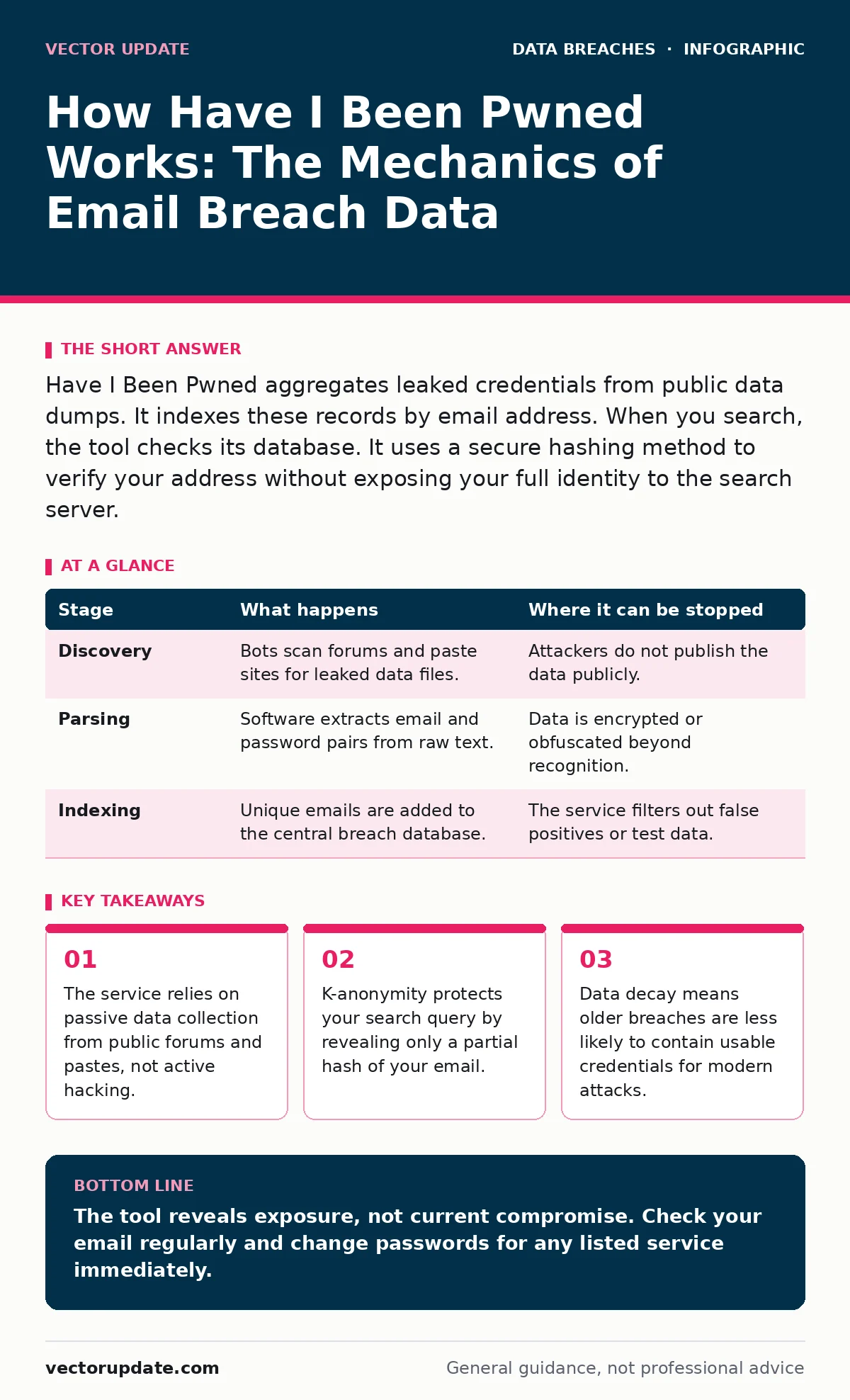
Have I Been Pwned aggregates leaked credentials from public data dumps. It indexes these records by email address. When you search, the tool checks its database. It uses a secure hashing method to verify your address without exposing your full identity to the search server.
The Architecture of Public Leak Aggregation
The service functions as a massive index of compromised data. It does not hack systems. Instead, it consumes data that attackers have already released. Attackers publish stolen databases on dark web forums, paste sites, or file-sharing services. These publications happen after a breach occurs. The service monitors these sources. It extracts email addresses and associated credentials. It stores this information in a searchable index.
The service scrapes that forum. It parses the text. It finds the email-password pairs. It adds them to its own database. This process is passive. The service waits for data to appear. It does not create the breach. It only catalogs the aftermath. This distinction matters for understanding what the data represents.
Stage 1: Discovery and Scraping
The first stage involves finding new data leaks. Automated bots scan known locations where criminals share stolen data. These locations include underground forums, GitHub repositories, and text-paste websites. The bots look for patterns that resemble credential lists. They identify files containing email addresses and passwords. They download these files for processing.
| Stage | What happens | Where it can be stopped |
|---|---|---|
| Discovery | Bots scan forums and paste sites for leaked data files. | Attackers do not publish the data publicly. |
| Parsing | Software extracts email and password pairs from raw text. | Data is encrypted or obfuscated beyond recognition. |
| Indexing | Unique emails are added to the central breach database. | The service filters out false positives or test data. |
This stage is noisy. Many files are fake. Attackers sometimes release partial data to test defenses. The service must distinguish between real leaks and decoys. It uses heuristics to guess the validity of a dump. If a file looks like a test database, it might be ignored. If it looks like a production database, it is ingested. This creates a bias toward large, obvious breaches. Small, targeted leaks might remain undetected if they are not published in a recognizable format.
Stage 2: Parsing and Normalization
Raw data from a leak is rarely clean. It might be in CSV format, JSON, or plain text with custom delimiters. The service parses these files. It separates email addresses from passwords. It normalizes the data. This means converting all emails to lowercase. It removes extra spaces. It strips formatting characters. This ensures that "[email protected]" and "[email protected]" are treated as the same record.
Normalization reduces errors. It prevents duplicate entries for the same user. It also helps with matching. When you search later, the system compares your input against these normalized records. If your input is not normalized, the match might fail. This is why case sensitivity does not matter in the search box. The backend handles the conversion.
Stage 3: Indexing and Deduplication
Once parsed, the data enters the index. The system checks if an email address already exists. If it does, it adds the new breach source to that record. If it does not, it creates a new entry. This step handles deduplication. A single email might appear in multiple breaches. The system tracks each unique source. It does not merge them into one generic "breached" status. It lists each specific incident.
This granular tracking is useful for analysis. It shows which services were compromised. It reveals patterns in your exposure. However, it also reveals the scale of the problem. One email might appear in dozens of breaches. This happens when you reuse passwords. The index grows constantly. It does not shrink automatically. Old breaches remain in the database. This creates a historical record, not just a current risk assessment.
Stage 4: The Search Mechanism and K-Anonymity
When you search for an email, the system does not send your full address to the server. That would expose your data to the search provider. Instead, it uses a technique called k-anonymity. Your client computes a SHA-1 hash of your email address. SHA-1 is a cryptographic hash function. It turns your email into a fixed string of letters and numbers.
The client sends only the first 5 characters of this hash to the server. The server returns all hashes that start with those 5 characters. There are thousands of such hashes. Your client then checks if your full hash is in that list. If it is, your email was breached. If not, it was not. The server never sees your full hash. It never sees your email. This protects your privacy during the search.
See also: Account Takeover Fraud: The Step-by-Step Attack Chain · How Data Encryption Works: The Mechanics and Hidden Limits
Applying the Data for Security Hygiene
Reading the results requires context. A breach record means your email and possibly your password were exposed. It does not mean your current account is hacked. It means the credentials were available to attackers. You should treat these credentials as compromised. Change the password immediately. Enable multi-factor authentication. These steps mitigate the risk.
The data also informs your digital footprint. If you see many breaches, your email is highly visible. Consider using alias services. These services generate unique emails for each service. If one is breached, you can identify the source. You can disable the alias. This limits exposure. It also helps with access reviews. You can see which old services still hold your data. You can request deletion. This reduces the amount of personal data in the wild.
Limitations and False Negatives
The system is not perfect. It only knows about breaches that were published. Many breaches are kept private. Attackers might sell the data in private channels. These records will not appear in the search. This is a false negative. You might be clean in the database but compromised in reality.
Also, the system focuses on email addresses. It does not track phone numbers or usernames as effectively. If you use a unique username, the service might not catch a breach. You might need to check other sources. For payment information, look for signs of payment card theft. The breach database does not usually contain full credit card numbers. It contains tokens or partial data. This limits its usefulness for financial fraud detection.
Data Decay and Historical Context
Old data loses value over time. Passwords are changed. Accounts are deleted. A breach from many years ago is less risky than one from last week. However, the service does not highlight recency prominently. It lists all breaches chronologically. You must assess the risk yourself. Recent breaches are more dangerous. They contain current passwords. They are more likely to be used in credential stuffing attacks.
Credential stuffing is an attack where bots try leaked passwords on other sites. If you reuse passwords, this succeeds. The breach database helps you identify where you have reused passwords. If you see the same password in multiple breaches, you are at high risk. This insight is more valuable than the mere fact of a breach. It points to specific behavioral changes.
The service also interacts with breach notification laws. Companies must notify users of breaches. This notification creates the public record. The service aggregates these notifications. It provides a central view. You do not need to wait for emails from every company. You can proactively check. This shifts the burden from the company to the user. It is a trade-off. You get visibility, but you must act on it.
Key takeaways
- The service relies on passive data collection from public forums and pastes, not active hacking.
- K-anonymity protects your search query by revealing only a partial hash of your email.
- Data decay means older breaches are less likely to contain usable credentials for modern attacks.
The tool reveals exposure, not current compromise. Check your email regularly and change passwords for any listed service immediately.
Frequently asked questions
Does Have I Been Pwned store my email address?
No, the standard search uses a hashed method that prevents the server from seeing your full email address or storing your search history.
Can I remove my email from the database?
No, the database reflects historical public records. Removing your email would erase evidence of a real breach, which could harm other users.
Does it check for hacked social media accounts?
It checks for data leaks containing social media credentials. It does not detect active unauthorized access or hacked sessions in real-time.
Is the data updated in real-time?
The data is updated frequently, but there is a delay. New breaches appear after they are published and processed, not instantly during the incident.
How this guide was produced: written by the Vector Update editorial team with AI assistance, checked against the public references listed below, and reviewed when the facts change. See our editorial policy or report an error.