Is Mobile Installer Malware? How to Detect and Block It
Mobile installer malware often hides inside legitimate-looking setup files, executing hidden payloads only after the user grants explicit installation permissions.

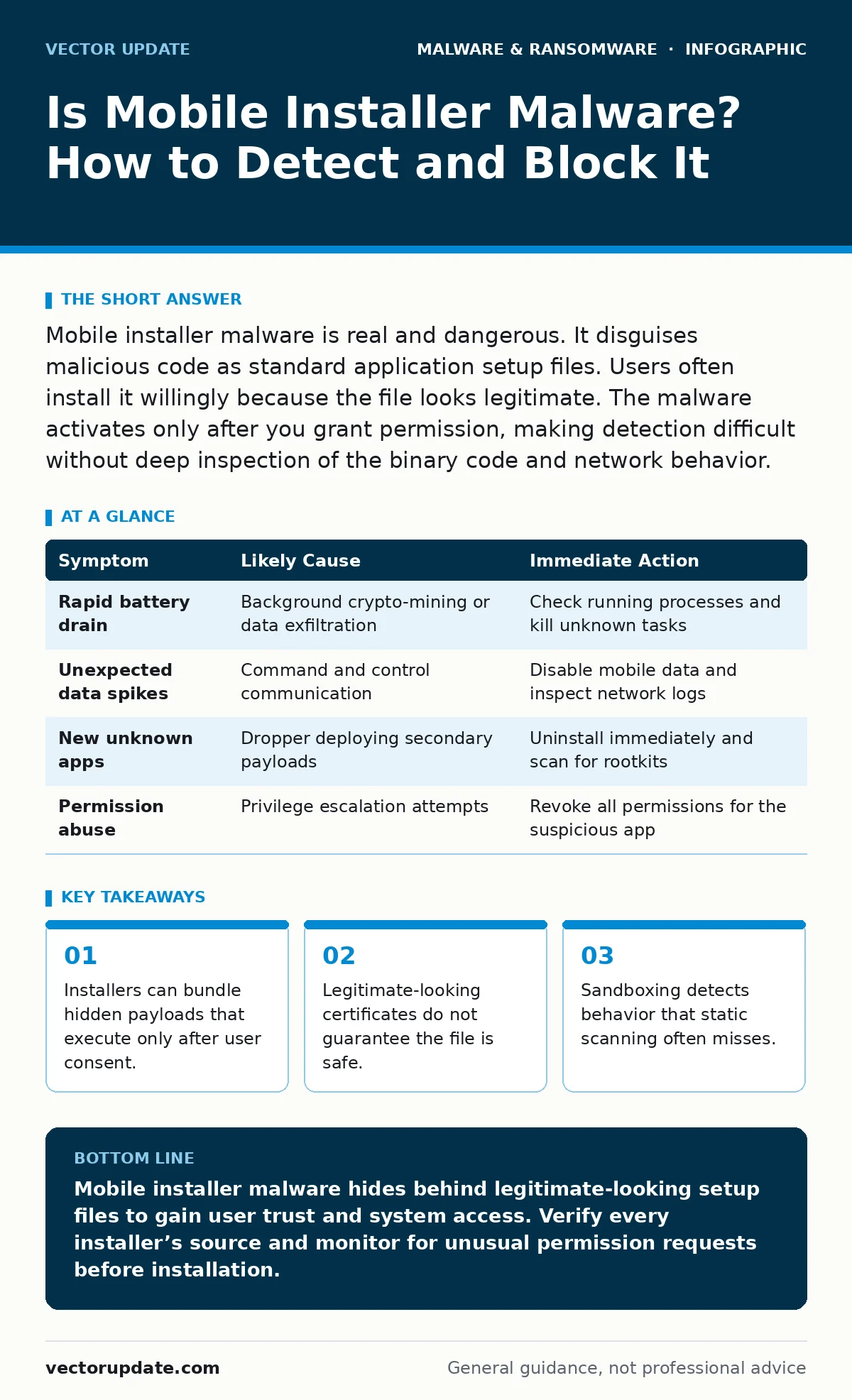
Mobile installer malware is real and dangerous. It disguises malicious code as standard application setup files. Users often install it willingly because the file looks legitimate. The malware activates only after you grant permission, making detection difficult without deep inspection of the binary code and network behavior.
Is mobile installer malware a real threat?
Mobile installer malware is a significant and growing threat vector for personal and corporate devices. Attackers package malicious code within standard installation packages to bypass initial security filters. The file appears to be a normal application setup, but it contains hidden instructions. When you run the installer, the visible part installs the promised app while the hidden part executes the malicious payload. This technique exploits the trust users place in familiar file formats and installation wizards.
How does installer malware bypass security checks?
Installer malware bypasses security checks by using social engineering and technical obfuscation. The attacker signs the installer with a valid certificate or mimics the visual style of a trusted vendor. Static analysis tools often see only the outer shell, which looks clean. The malicious code remains dormant until the installation process triggers specific conditions. This delay allows the malware to slip past initial scans. The malware then uses the permissions granted during installation to embed itself deeper into the system.
What are the common signs of an installer infection?
You can identify an installer infection by watching for unusual system behavior immediately after installation. The device may experience rapid battery drain due to background processes communicating with command servers. Data usage spikes indicate the malware is exfiltrating information or downloading additional modules. New apps appear on the home screen that you did not request. Permissions requests for unrelated functions, such as a calculator asking for SMS access, signal compromised integrity.
| Symptom | Likely Cause | Immediate Action |
|---|---|---|
| Rapid battery drain | Background crypto-mining or data exfiltration | Check running processes and kill unknown tasks |
| Unexpected data spikes | Command and control communication | Disable mobile data and inspect network logs |
| New unknown apps | Dropper deploying secondary payloads | Uninstall immediately and scan for rootkits |
| Permission abuse | Privilege escalation attempts | Revoke all permissions for the suspicious app |
Why do legitimate installers sometimes behave maliciously?
Legitimate installers sometimes behave maliciously due to supply chain compromises or bundled adware. A trusted software vendor may have its build environment hacked, inserting malware into the official installer. Alternatively, freeware installers often bundle third-party toolbars or tracking software. These components are technically legal but operate without clear user consent. They modify browser settings and collect usage data. This blurs the line between malware and unwanted software, making removal complex.
How do droppers differ from standard installers?
Malware droppers and loaders function differently than standard installers by focusing on delivery rather than functionality. A dropper’s sole purpose is to place a payload on the device and execute it. It often deletes itself after deployment to hide its tracks. Standard installers register the application with the operating system and create uninstall entries. Droppers may run in memory without creating permanent files initially. This makes detection harder because there is no obvious file to quarantine.
See also: What Is Trojans Virus: How Disguised Malware Works and How to Stop It
What role do infostealers play in mobile infections?
Infostealers are the most common payload delivered by mobile installer malware. Once the installer grants the necessary permissions, the infostealer begins harvesting credentials, session tokens, and clipboard data. It targets banking apps, email clients, and messaging services. The stolen data is packaged and sent to the attacker’s server. This theft often happens silently, without any visible change to the user interface. The damage occurs long before the user notices a compromised account.
How can you prevent installer malware from executing?
Preventing installer malware requires strict permission management and sandboxing. Never grant permissions that do not align with the app’s core function. A flashlight app does not need access to your contacts or microphone. Use a sandboxed environment to run untrusted installers. This isolates the application from the rest of the system. If the installer attempts malicious behavior, the sandbox blocks it from affecting critical files. Regularly audit installed applications and remove those you do not actively use.
What steps should you take if you suspect an infection?
If you suspect an infection, isolate the device from all networks immediately. Turn on airplane mode to stop data exfiltration. Do not attempt to use the device for sensitive tasks. Boot into safe mode to disable third-party applications. This prevents the malware from running at startup. Inspect the list of installed applications for anything unfamiliar. Use a trusted security tool to scan for rootkits and hidden processes. If the infection persists, a factory reset is often the only reliable solution. Refer to our guide on removing malware from an Android phone for detailed steps.
How does this threat impact enterprise security?
Mobile installer malware poses a unique challenge for enterprise security teams. Corporate devices often have managed configurations that limit user control. However, employees may still install apps from unofficial sources. This bypasses enterprise application whitelisting. Attackers target these devices to gain a foothold in the corporate network. Once inside, the malware can pivot to other systems. Extended detection and response (XDR) platforms help by correlating mobile telemetry with network traffic. This allows security teams to spot anomalies that endpoint-only solutions miss.
Can business continuity planning mitigate installer risks?
Business continuity planning cannot prevent installer malware, but it can limit the damage. A robust plan ensures that critical operations continue even if devices are compromised. This includes having offline backups and alternative communication channels. Disaster recovery plans should include procedures for wiping and re-imaging infected mobile devices. Training employees to recognize suspicious installers is the first line of defense. Regularly testing these plans ensures that the organization can respond quickly to widespread infections.
Key takeaways
- Installers can bundle hidden payloads that execute only after user consent.
- Legitimate-looking certificates do not guarantee the file is safe.
- Sandboxing detects behavior that static scanning often misses.
Mobile installer malware hides behind legitimate-looking setup files to gain user trust and system access. Verify every installer’s source and monitor for unusual permission requests before installation.
Frequently asked questions
Can antivirus software detect mobile installer malware?
Modern antivirus software can detect known signatures of installer malware, but zero-day threats may slip through. Behavioral analysis is more effective than signature-based scanning.
Is it safe to install apps from third-party stores?
Installing apps from third-party stores carries higher risk. These stores often lack the rigorous vetting processes of official app markets. Malicious installers are more common in these environments.
How do trojans relate to installer malware?
Trojans are a type of malware that disguises itself as legitimate software. Installer malware is often a delivery mechanism for trojans. The installer provides the entry point, while the trojan performs the malicious actions.
What is the best way to remove installer malware?
The best way to remove installer malware is to uninstall the suspicious app and run a full system scan. If the malware has gained root access, a factory reset is usually required to ensure complete removal.
How this guide was produced: written by the Vector Update editorial team with AI assistance, checked against the public references listed below, and reviewed when the facts change. See our editorial policy or report an error.