IoT Security Best Practices: 8 Steps to Lock Down Devices
Most IoT breaches occur because administrators treat devices as black boxes, ignoring that firmware updates require a trusted supply chain.

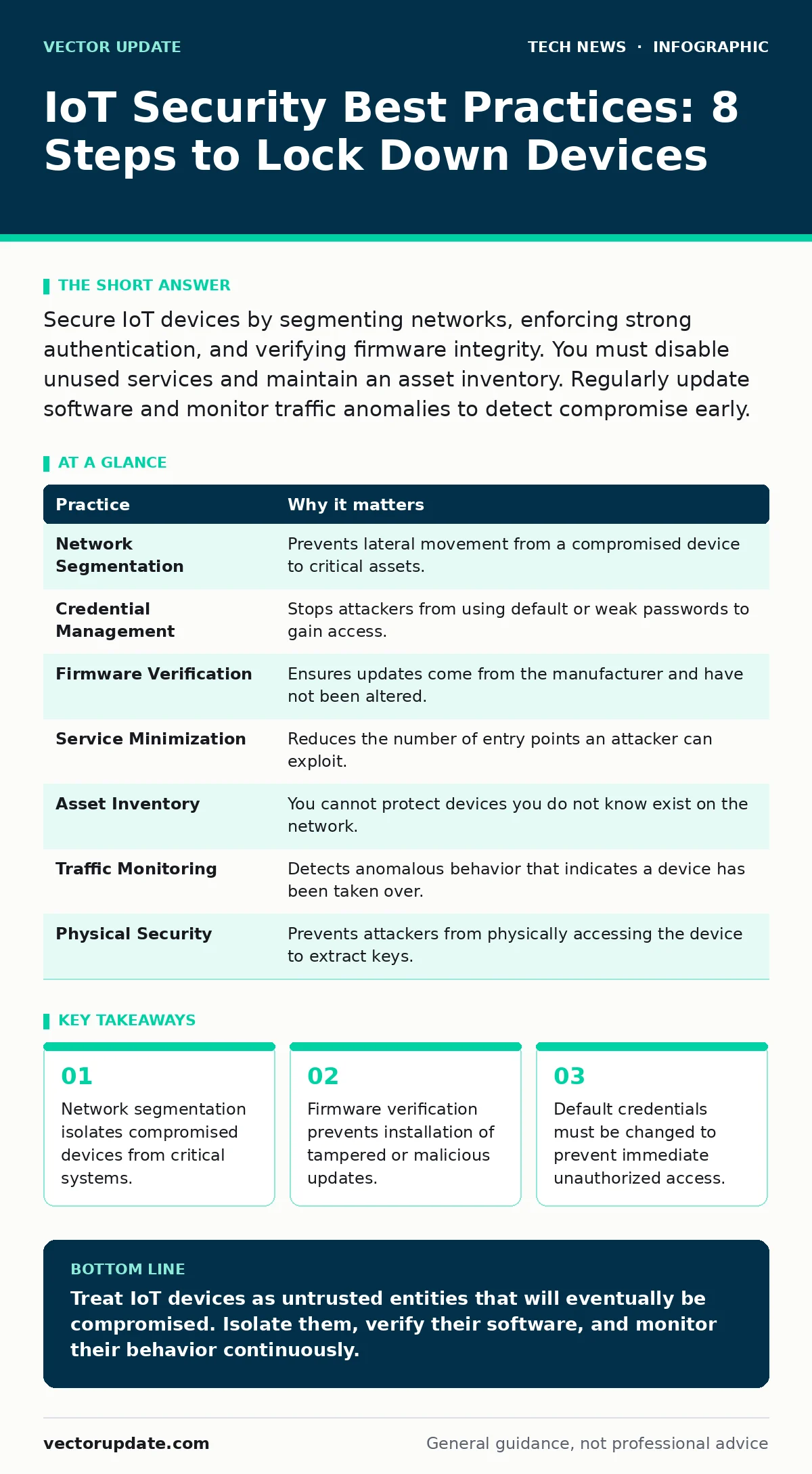
Secure IoT devices by segmenting networks, enforcing strong authentication, and verifying firmware integrity. You must disable unused services and maintain an asset inventory. Regularly update software and monitor traffic anomalies to detect compromise early.
Why IoT Security Best Practices Differ From Servers
Internet of Things devices operate differently than traditional servers. They often run minimal operating systems, have limited processing power, and remain online for years without human interaction. This creates unique vulnerabilities. You cannot rely on user behavior to secure them. A camera does not log in with a complex password. A thermostat does not patch itself. You must build security into the deployment process. The goal is to reduce the attack surface to the absolute minimum.
Imagine a smart lock that connects to your home network. If an attacker compromises it, they gain a foothold inside your perimeter. They can pivot to your laptop or phone. IoT security best practices focus on containment and verification. You assume devices will be compromised. You design the network to limit the damage.
| Practice | Why it matters |
|---|---|
| Network Segmentation | Prevents lateral movement from a compromised device to critical assets. |
| Credential Management | Stops attackers from using default or weak passwords to gain access. |
| Firmware Verification | Ensures updates come from the manufacturer and have not been altered. |
| Service Minimization | Reduces the number of entry points an attacker can exploit. |
| Asset Inventory | You cannot protect devices you do not know exist on the network. |
| Traffic Monitoring | Detects anomalous behavior that indicates a device has been taken over. |
| Physical Security | Prevents attackers from physically accessing the device to extract keys. |
| Lifecycle Management | Ensures devices are decommissioned securely when they reach end of life. |
1. Segment the Network Aggressively
You must place IoT devices on a separate VLAN or subnet. This isolation prevents a compromised device from communicating directly with your primary servers or workstations. Without segmentation, a vulnerable smart bulb can scan your internal network for open ports. It can attempt to exploit vulnerabilities in your database server. Segmentation creates a barrier. Even if the device is fully controlled by an attacker, they cannot move laterally.
Use access control lists to restrict traffic. Allow only the specific protocols and ports the device needs to function. Block all other traffic. If a printer only needs to send data to a print server, block its ability to talk to the internet or other internal hosts. This limits the blast radius of any breach.
2. Enforce Strong Credential Management
Default credentials are the easiest entry point for attackers. Manufacturers often ship devices with well-known usernames and passwords. Hackers scan the internet for these defaults. You must change them before connecting the device to the network. Use unique, complex passwords for each device. Do not reuse passwords across different devices or services.
Implement multi-factor authentication where possible. Many modern IoT platforms support OAuth for user authentication. This reduces the risk of password theft. If a password is compromised, the attacker still needs the second factor. You should also disable remote password resets. This prevents attackers from locking you out of your own device.
3. Verify Firmware Integrity
Firmware updates can introduce vulnerabilities or backdoors. You must verify that updates come from the legitimate manufacturer. Use digital signatures to validate firmware images before installing them. The device should reject any update that lacks a valid signature. This ensures that only trusted code runs on the device.
Do not enable automatic updates without review. Automatic updates can introduce bugs that break functionality. They can also install malicious code if the manufacturer’s signing keys are compromised. Manually verify updates in a test environment before deploying them to production. This adds a layer of scrutiny. It gives you time to detect issues before they affect your entire fleet.
4. Minimize Exposed Services
Every open port is a potential entry point. Disable all services that the device does not need. Telnet, FTP, and SSH should be disabled unless absolutely required. If you must use SSH, restrict access to specific IP addresses. Use WPA3 for wireless security if your devices support it. This provides stronger encryption than older standards.
Scan your devices regularly for open ports. Use tools to identify unexpected services. If a device is listening on a port you did not open, investigate why. It could be a bug or a backdoor. Closing unnecessary ports reduces the attack surface. It makes it harder for attackers to find a way in.
See also: OAuth vs OIDC: The Structural Difference for Secure Identity
5. Maintain a Detailed Asset Inventory
You cannot secure what you do not know exists. Maintain a list of all IoT devices on your network. Include details like model, serial number, firmware version, and location. This inventory helps you track vulnerabilities. When a new security advisory is released, you can quickly identify which devices are affected.
Automate inventory collection where possible. Use network scanning tools to detect new devices. Alert your team when an unknown device connects to the network. This helps you catch rogue devices early. It also ensures that decommissioned devices are removed from the inventory. Stale data leads to security gaps.
6. Monitor Network Traffic for Anomalies
IoT devices generate predictable traffic patterns. Deviations from these patterns can indicate compromise. Monitor traffic volume, destination, and timing. If a thermostat starts sending large amounts of data to an unknown server, it may be compromised. Use network monitoring tools to detect these anomalies.
Set up alerts for unusual behavior. For example, alert if a device communicates with a known malicious IP address. Or if it sends data during unusual hours. This helps you detect breaches early. You can isolate the device before it causes significant damage. Monitoring is passive but effective. It provides visibility into device behavior.
7. Secure the Physical Device
Physical access to a device can bypass many security controls. An attacker with physical access can extract cryptographic keys. They can install hardware keyloggers or modify the firmware. Secure devices in locked enclosures. Use tamper-evident seals to detect unauthorized access.
Disable physical debug ports. These ports are often left open for development but can be exploited in production. If you must use them, require physical authentication to enable them. This adds a layer of protection against physical attacks. It ensures that only authorized personnel can access the device’s internals.
8. Plan for End of Life
IoT devices have a limited lifespan. Manufacturers stop providing updates eventually. When updates stop, the device becomes vulnerable to new threats. You must plan for decommissioning. Remove the device from the network securely. Wipe any stored data. Destroy the physical device if necessary.
Do not keep outdated devices on the network. They are liabilities. If you cannot replace them, isolate them completely. Disconnect them from the internet. Restrict their network access to the absolute minimum. This reduces the risk of exploitation. It ensures that legacy devices do not become a weak link in your security posture.
Key takeaways
- Network segmentation isolates compromised devices from critical systems.
- Firmware verification prevents installation of tampered or malicious updates.
- Default credentials must be changed to prevent immediate unauthorized access.
Treat IoT devices as untrusted entities that will eventually be compromised. Isolate them, verify their software, and monitor their behavior continuously.
Frequently asked questions
How do I handle legacy IoT devices that no longer receive updates?
Isolate these devices on a separate network segment with no internet access. Restrict their communication to only essential internal services.
Is network address translation enough to protect IoT devices?
No. NAT hides internal IP addresses but does not inspect traffic content. Attackers can still exploit vulnerabilities in exposed services.
How often should I review my IoT security policies?
Review policies whenever new devices are added or significant vulnerabilities are disclosed. Regular quarterly reviews are recommended.
Can I use public key infrastructure for IoT device authentication?
Yes. PKI provides a strong method for verifying device identity. It ensures that only authorized devices can join the network.
How this guide was produced: written by the Vector Update editorial team with AI assistance, checked against the public references listed below, and reviewed when the facts change. See our editorial policy or report an error.