Detect Zero-Click Exploits: Log Signals and Blind Spots
Zero-click attacks leave no user action to flag, forcing defenders to hunt for impossible state changes and resource spikes in low-level system logs.

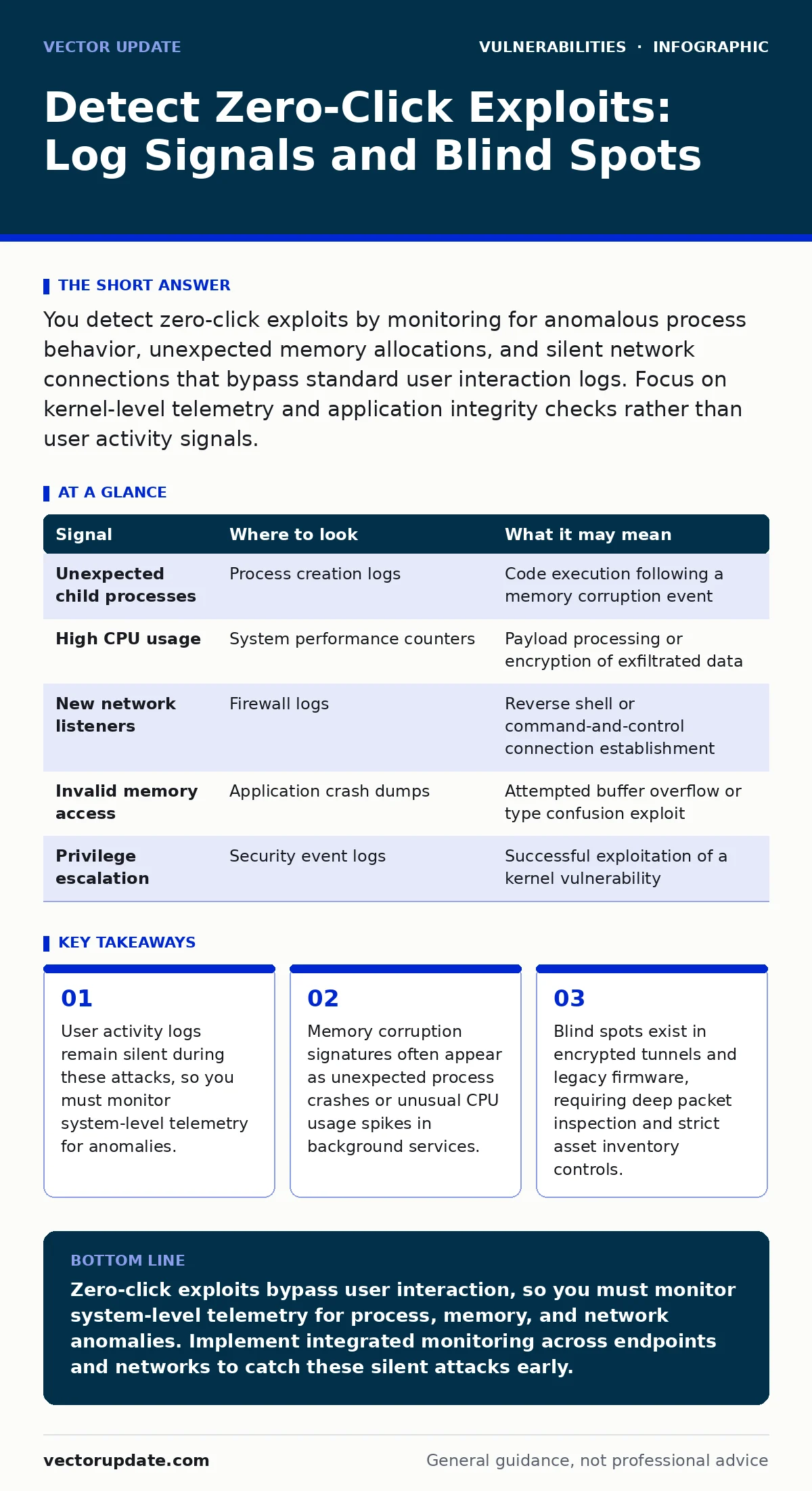
You detect zero-click exploits by monitoring for anomalous process behavior, unexpected memory allocations, and silent network connections that bypass standard user interaction logs. Focus on kernel-level telemetry and application integrity checks rather than user activity signals.
Understanding the Silent Attack Vector
Zero-click exploits execute without any user interaction, such as clicking a link or opening an attachment. This makes them invisible to traditional security controls that rely on user behavior analytics. The attack occurs because a software component processes untrusted data and executes code before validation completes. You cannot detect these threats by looking for suspicious user actions. You must look for the mechanical consequences of the code execution within the operating system and application memory.
Process and Memory Anomalies
The first sign of a zero-click exploit is often a deviation in process behavior. A compromised application may spawn unexpected child processes or establish connections to unknown endpoints. Memory forensics reveals if a process has allocated memory in non-standard regions. This often indicates a buffer overflow or heap spray attempt. You should monitor for sudden spikes in CPU usage by background services that do not normally perform heavy computation. These spikes suggest the system is processing malicious payloads or establishing command-and-control channels.
| Signal | Where to look | What it may mean |
|---|---|---|
| Unexpected child processes | Process creation logs | Code execution following a memory corruption event |
| High CPU usage | System performance counters | Payload processing or encryption of exfiltrated data |
| New network listeners | Firewall logs | Reverse shell or command-and-control connection establishment |
| Invalid memory access | Application crash dumps | Attempted buffer overflow or type confusion exploit |
| Privilege escalation | Security event logs | Successful exploitation of a kernel vulnerability |
Network Telemetry Indicators
Network logs provide critical evidence when endpoint signals are ambiguous. Zero-click attacks often require exfiltrating data or receiving further instructions. Look for outbound connections from applications that do not normally communicate with external servers. A messaging app initiating a large data transfer to an unknown IP address is a strong indicator. You must also inspect for unusual protocol usage. An application using HTTP for what appears to be binary data transfer may be hiding malicious traffic. Deep packet inspection helps identify payloads that evade standard firewall rules.
Application Integrity Verification
File integrity monitoring detects changes to application binaries and configuration files. Attackers often replace legitimate libraries with malicious ones to maintain persistence. You must verify the cryptographic signatures of critical system files. Any unsigned or modified file in a protected directory requires immediate investigation. This approach helps identify if an attacker has installed a rootkit or modified the application to accept future exploits. Regular baseline comparisons ensure you notice even minor alterations to the software environment.
Kernel and Driver Telemetry
Many zero-click exploits target the operating system kernel or hardware drivers. These components run with the highest privileges, making them attractive targets. Kernel logs may show unexpected module loading or driver initialization failures. You should monitor for kernel panics or blue screens that occur without user input. These crashes often result from memory corruption in kernel space. Analyzing crash dumps can reveal the specific vulnerability exploited. This level of analysis requires specialized tools and expertise, but it provides definitive proof of a low-level compromise.
See also: Bug Bounty Triage for Small Teams: A Practical Workflow · Browser Extension Vulnerabilities: 6 Myths That Leave Data Exposed
Common Blind Spots in Detection
Several areas remain difficult to monitor effectively. Encrypted traffic hides the content of the exploit payload from network sensors. You cannot inspect the data inside TLS tunnels without decrypting them, which raises privacy concerns. Legacy firmware in network devices often lacks logging capabilities. These devices may be compromised without generating any visible signals. Another blind spot is the time-of-check to time-of-use (TOCTOU) bugs, where a system checks a condition but the state changes before the action completes. This race condition allows attackers to bypass security checks silently.
Tooling and Methodology Integration
Effective detection requires a combination of tools. Endpoint detection and response platforms provide real-time visibility into process behavior. Network detection and response tools analyze traffic patterns for anomalies. You must integrate these tools with your IT asset inventory to ensure you know what you are monitoring. Without a complete inventory, you cannot distinguish between legitimate and suspicious activity on unknown devices. Exposure management practices help you understand which services are visible to attackers. This context allows you to prioritize alerts based on the actual risk to your environment.
Correlating Signals for Accuracy
No single signal confirms a zero-click exploit. You must correlate multiple indicators to reduce false positives. A spike in CPU usage alone may be benign. However, combined with a new network connection and a modified binary, it becomes highly suspicious. Establish baseline behavior for all critical systems. Deviations from this baseline trigger deeper investigation. This approach requires continuous tuning and refinement. You must update your detection rules as attackers change their tactics. Regular testing with simulated attacks ensures your monitoring remains effective.
Key takeaways
- User activity logs remain silent during these attacks, so you must monitor system-level telemetry for anomalies.
- Memory corruption signatures often appear as unexpected process crashes or unusual CPU usage spikes in background services.
- Blind spots exist in encrypted tunnels and legacy firmware, requiring deep packet inspection and strict asset inventory controls.
Zero-click exploits bypass user interaction, so you must monitor system-level telemetry for process, memory, and network anomalies. Implement integrated monitoring across endpoints and networks to catch these silent attacks early.
Frequently asked questions
Can antivirus software detect zero-click exploits?
Traditional antivirus relies on known signatures and may miss novel zero-click exploits. Modern endpoint detection tools use behavioral analysis to identify suspicious activity regardless of signature.
How do you distinguish between a bug and an exploit?
A bug causes unexpected behavior but not necessarily malicious code execution. An exploit leverages a bug to run unauthorized code. Look for evidence of code execution, such as new processes or network connections.
Is monitoring kernel logs enough?
Kernel logs provide deep visibility but can be noisy. You must correlate kernel events with application and network data to confirm an attack. Isolated kernel errors may be benign system issues.
What is the role of threat intelligence?
Threat intelligence provides context on known attack techniques and indicators. It helps you tune your detection rules to recognize emerging zero-click exploit patterns used by adversaries.
How this guide was produced: written by the Vector Update editorial team with AI assistance, checked against the public references listed below, and reviewed when the facts change. See our editorial policy or report an error.