Principle of Least Privilege Example for System Security
Restricting access rights to the minimum necessary prevents lateral movement and limits the blast radius when an account is compromised.

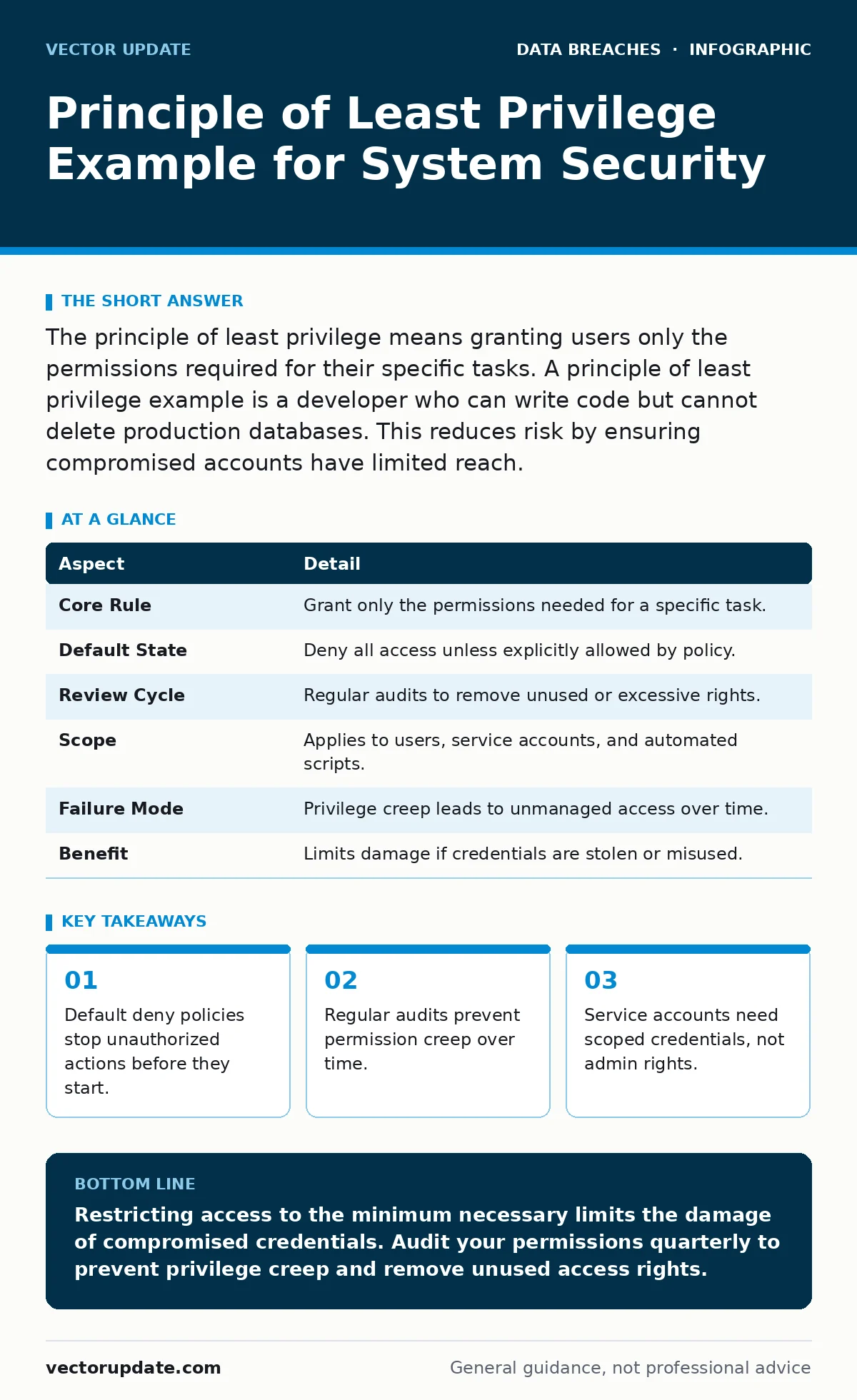
The principle of least privilege means granting users only the permissions required for their specific tasks. A principle of least privilege example is a developer who can write code but cannot delete production databases. This reduces risk by ensuring compromised accounts have limited reach.
Understanding the Core Concept
The principle of least privilege requires that every user, process, and system component operates with the minimum permissions necessary to complete its designated function. This security model rejects the idea of broad access in favor of strict, task-specific boundaries. You grant access only when a specific job requires it, and you revoke it immediately when the job ends.
Imagine a physical office building. The janitor needs a key to open doors for cleaning, but that key should not open the safe in the finance department. If the janitor’s key is stolen, the thief can enter rooms but cannot access sensitive financial records. Digital systems work the same way. You treat every login credential as a physical key that must be carefully cut to fit only one lock.
This approach shifts the security burden from perimeter defense to internal control. Attackers often bypass external firewalls through phishing or social engineering. Once inside, they rely on excessive permissions to move laterally. Restricting those permissions breaks their path to critical assets.
At a Glance: How It Works
| Aspect | Detail |
|---|---|
| Core Rule | Grant only the permissions needed for a specific task. |
| Default State | Deny all access unless explicitly allowed by policy. |
| Review Cycle | Regular audits to remove unused or excessive rights. |
| Scope | Applies to users, service accounts, and automated scripts. |
| Failure Mode | Privilege creep leads to unmanaged access over time. |
| Benefit | Limits damage if credentials are stolen or misused. |
A Principle of Least Privilege Example
Suppose a marketing team needs to publish blog posts. They require access to the content management system. Under a least privilege model, they receive editor rights for the blog directory only. They cannot access the server operating system, the customer database, or the financial reporting tools.
This separation ensures that a single compromised account does not grant control over the entire infrastructure. You isolate functions so that failure in one area does not cascade into others. The marketing team can do their job efficiently without holding keys to the kingdom.
What People Usually Get Wrong
Many organizations confuse least privilege with making life difficult for employees. They believe that security must always come at the cost of productivity. This is a false dichotomy. Properly implemented least privilege removes unnecessary clutter from user interfaces. Users see only the tools they need, which reduces confusion and accidental errors.
Another common mistake is treating service accounts like human users. Service accounts are automated identities used by applications to access resources. Administrators often grant these accounts broad administrative privileges because it is easier to configure. This creates a massive attack surface. If an application is vulnerable, the attacker inherits the service account’s broad powers.
You must also avoid static permission sets. Roles change, projects end, and employees leave. Permissions that were necessary six months ago may no longer be required. Failing to review and adjust these rights leads to privilege creep. This is the gradual accumulation of access rights that outlast their original purpose.
Implementing Least Privilege in Practice
Start by mapping your current access controls. Identify who has access to what and why. Look for accounts with administrative privileges that do not need them. Replace broad roles with specific, narrow permissions. Use role-based access control to group permissions logically. This allows you to assign a set of permissions to a role rather than to individual users.
Regular audits are mandatory for maintaining this state. You cannot set permissions once and forget them. Schedule quarterly reviews to verify that every permission still serves a business need. Remove access for former employees immediately. Disable dormant accounts that have not been used in a defined period.
Document every exception to the rule. If a user requires elevated privileges for a legitimate reason, document the justification and the expiration date. This creates an audit trail and ensures accountability. It also highlights areas where your standard roles may be too restrictive and need adjustment.
See also: Access Controls for AI Agents: Practical Limits and Permissions
The Hidden Costs of Excessive Access
Excessive privileges create hidden operational costs that go beyond security risk. When users have access to systems they do not understand, they are more likely to make configuration errors. A developer with write access to production servers might accidentally delete a critical configuration file. This causes downtime that costs money and reputation.
Complex permission structures also increase the time required for incident response. When an alert triggers, investigators must determine which accounts had access to the affected resource. If hundreds of users have broad admin rights, the investigation becomes unmanageable. Narrow permissions make it easier to identify the source of a problem.
Privilege creep also complicates compliance efforts. Regulatory frameworks require proof that access is controlled and monitored. Demonstrating this is difficult when permissions are loosely defined. Clean, well-documented least privilege policies simplify audits and reduce legal liability.
Related Security Controls
Least privilege works best when combined with other security measures. For instance, data encryption protects information even if an attacker gains unauthorized access to a storage volume. It ensures that stolen data remains unreadable without the decryption keys.
You should also consider your digital footprint when managing external access. Third-party vendors often require temporary access to your systems. Limiting their privileges to specific tasks and time windows reduces the risk of account takeover fraud.
In the event of a breach, breach notification laws may require you to inform affected parties. Having clear records of who had access to what data helps you determine the scope of the notification. This clarity can also influence cyber insurance premiums, as insurers favor organizations with strong internal controls.
Managing Service Accounts and Automation
Service accounts present a unique challenge in least privilege implementation. They are often used by automation scripts and applications. These accounts must be managed differently from human users. They should not have interactive login capabilities. Their permissions should be scoped to the exact APIs or files they need to access.
Rotate credentials for service accounts regularly. Long-lived passwords increase the risk of compromise. Use automated secrets management tools to handle credential rotation without manual intervention. Monitor service account activity for anomalies. Unusual access patterns may indicate that the account has been hijacked.
Test automation scripts in isolated environments before deploying them. This ensures that they function correctly with limited permissions. If a script fails due to insufficient rights, adjust the permissions narrowly rather than granting broad admin access. This iterative approach maintains security while ensuring functionality.
Key takeaways
- Default deny policies stop unauthorized actions before they start.
- Regular audits prevent permission creep over time.
- Service accounts need scoped credentials, not admin rights.
Restricting access to the minimum necessary limits the damage of compromised credentials. Audit your permissions quarterly to prevent privilege creep and remove unused access rights.
Frequently asked questions
Does least privilege slow down emergency response?
No, it speeds it up by isolating the affected area. Responders know exactly which systems are involved and can contain the threat faster.
How do I handle users who need temporary admin rights?
Use just-in-time access provisioning. Grant elevated privileges for a specific time window and revoke them automatically when the task is complete.
Is least privilege enough on its own?
No, it must be combined with other controls like multi-factor authentication and monitoring. It reduces risk but does not eliminate it entirely.
How do I deal with legacy systems that don't support granular permissions?
Isolate these systems from the main network. Restrict access to them using jump hosts or bastion servers with strict logging.
How this guide was produced: written by the Vector Update editorial team with AI assistance, checked against the public references listed below, and reviewed when the facts change. See our editorial policy or report an error.